How can I retrieve archived e-mails from a previous version of Thunderbird after the newest version wiped out my previous identity?

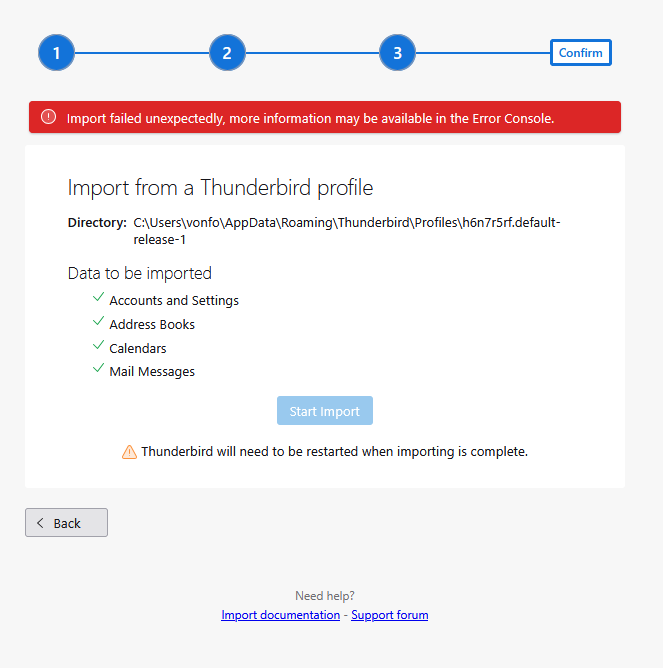
The newest version of Thunderbird wiped out the stored files from the previous version by making me create a new identity. I have tried several times to use "import" to retrieve backed up data from the old version, but without success, even after I re-installed an earlier version of Thunderbird. Each time I use the "import" feature I get a message that it failed unexpectedly. I need these old e-mails because they contain receipts for charitable donations that I need because my tax returns are being audited. What can I do?
Wszystkie odpowiedzi (4)

Reinstalling Thunderbird is not likely to help with things like this because all preferences and account information are stored in your Profile, which a reinstall will not touch.
What version of Thunderbird? What is your operating system? Do you, indeed, have a complete valid copy of your Profile?
Once we know what there is to work with there are actions you can take.
The older version of Thunderbird (139.0) was working perfectly well until the new version installed itself. So yes, there is a complete version of the profile lurking on the computer.
New Version: 150.0.2 Old Version: 139.0 Operating System Widows 11
Was this installed from an installer downloaded directly from Thunderbird.net or from the Microsoft Store?
Please click in Thunderbird <Help | Troubleshooting Information>, scroll down to "Profile Folder" and click the "Open Folder" button, then go up one level so you will now be in the "AppData\Roaming\Thunderbird\Profiles" folder. Make sure the Date Modified field is showing (important!) Now take a screen shot of the contents of this folder and post it here.
You will also see a file called PROFILES.INI in this location. Open it with Notepad or your preferred text viewer and copy-and-past its contents here, or post a screen shot.
By the way, to avoid unexpected automatic upgrades, turn off the Automatic Update feature. It's found in <Settings | General | Updates>.
Dear Lin Many thanks for the response. Because I was not able to use the new version, I uninstalled it. I still had the installation file for Thunderbird from when I got the computer in January, when I downloaded it from the Mozilla website. When that didn't work, I uninstalled that as well. So I now have the two installation files that I mentioned in my earlier message.
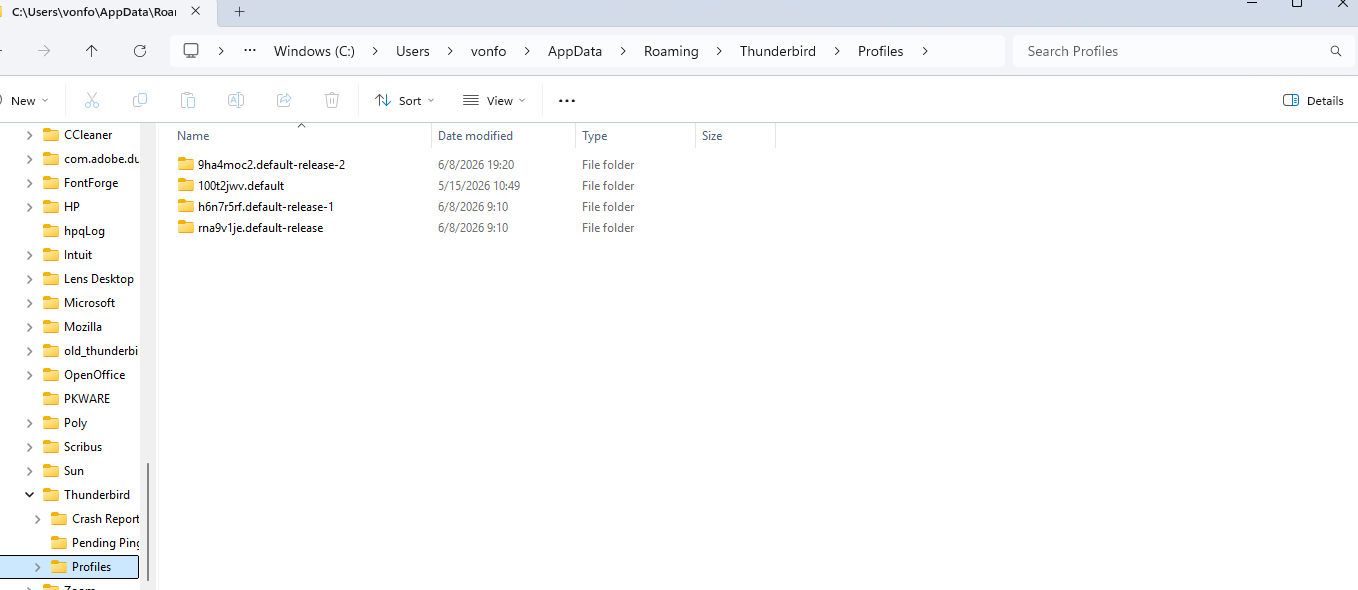
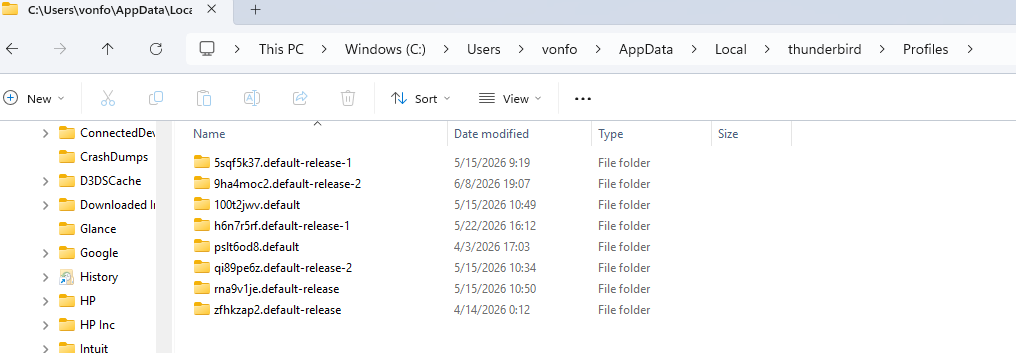
In my AppData/Local/Thunderbird/ directory I have a bunch of different profiles, two of them dating to April, when I reinstalled Thunderbird after my computer crashed. In the AppData/Local/Thunderbird/ directory I have a lot of profiles, apparently dating from multiple re-installation efforts
I'm attaching screen shots of both.
In only two of the /Roaming/... directories are there any mail files with content (more than 1 kb) in them.
Should I install Thunderbird agai?