


Printing Thunderbird emails - default number of copies on printer menu is 2

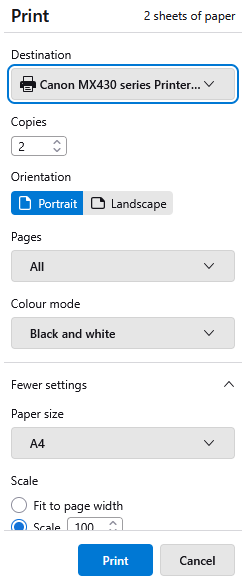
Every time I want to print an email, the default copy number on my printer menu is shown as 2.
I don't know how, when or why this change [from 1 copy to 2 copies] happened.
I wish to 'reset' the default copy number to 1, so I don't accidentally print a second copy and waste ink, etc.
When I want to print documents stored on my PC, the copy number field on the printer menu is blank, allowing me to enter the number of copies I want - so the issue appears to occur only when I print emails.
Valgt løsning
Matt, thank you! I removed all Canon programs listed - and was expecting problems, but the ability to print remained - now 1 copy as the default - as did the ability to scan.
Les dette svaret i sammenhengen 👍 0All Replies (11)
You can try to go to Help > Troubleshooting information . scroll down on that page till you find the printing section and press Clear saved print settings
Thank you for your suggestion. It made sense and I expected it to work, but sadly it didn't. 😞
can you post a screenshot from the printer setting window?

This is a Windows setting not Thunderbird's.
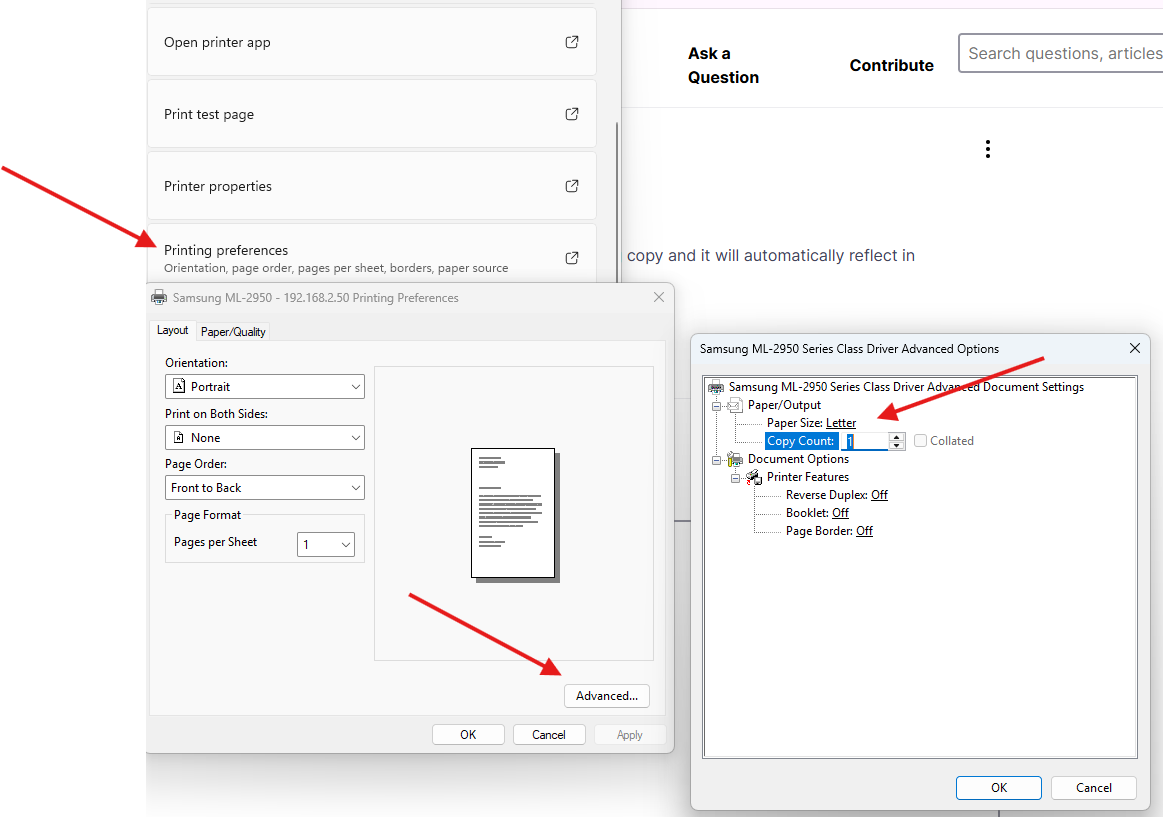
You need to modify your Windows printer default printing copy and it will automatically reflect in Thunderbird.
Endret av Michel T
Thank you both.
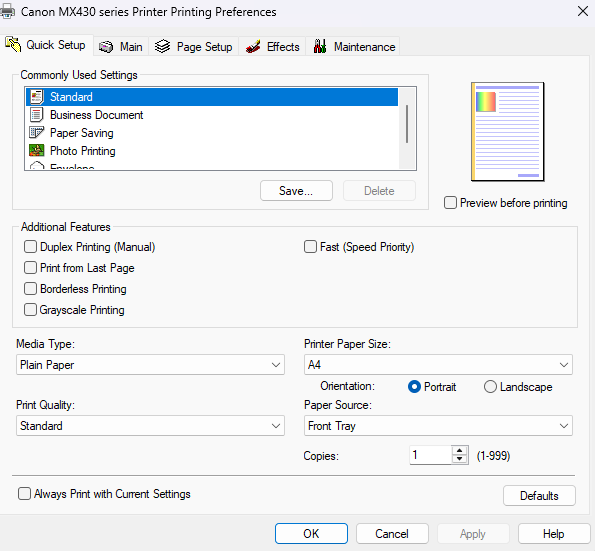
Please see uploaded image of printer settings. It shows 1 as the default - and 1 copy is what I get when I print a document saved on my PC, but the default setting for emails is 2 - as per my first upload. I change it to 1 but it reverts to 2.
You may want to clear Thunderbird Settings :
From Thunderbird
Open the Menu: Click the Menu icon (three horizontal lines). Go to Help: Select Help > More Troubleshooting Information. Clear Settings: Scroll to the bottom of the page and click the button labeled Clear saved print settings. Restart Thunderbird: Restart the application for the change to take effect.
Hello Michel T
I think you are asking me to do the same as Mad Maks suggested, which unfortunately did not work.
Thank you for your suggestion. I will keep this in mind if the problem arises again.
Are there two cannon MX430 series printers installed in windows? Perhaps one on USB and one a Bluetooth connection.
The system drive image show a printer printing in full color, The Thunderbird preview is set to greyscale. (black and white) so here are more differences that the initial observed number of copies.
Endret av Matt
Valgt løsning
Matt, thank you! I removed all Canon programs listed - and was expecting problems, but the ability to print remained - now 1 copy as the default - as did the ability to scan.
Endret av chattome