


How do I fix Mozilla Firefox splash screen, which never completes loading?
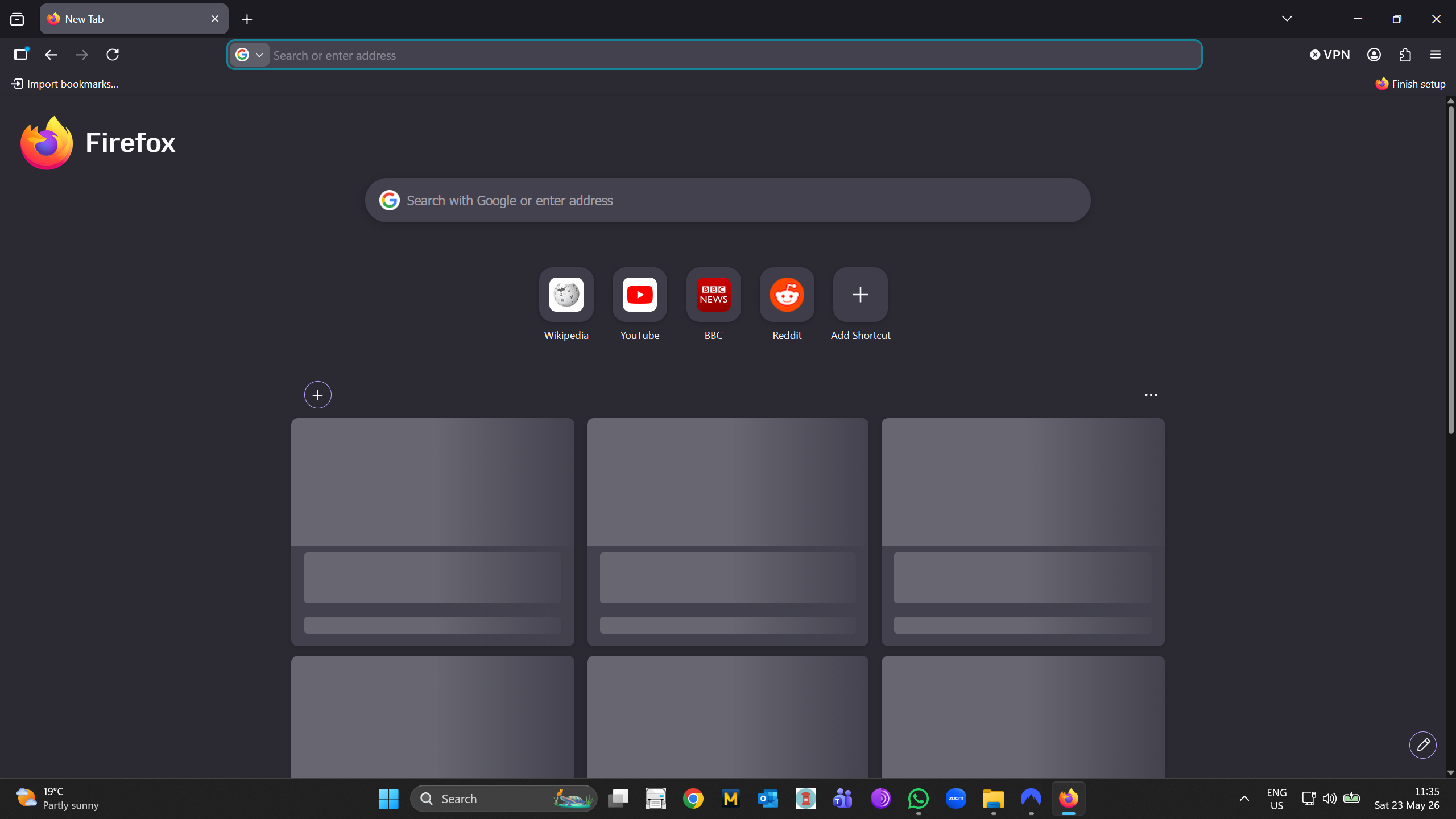
Running Windows 11 x-64. Mozilla Firefox splash screen does not load. Even after one hour, I can still see twelve, blank "boxes". There is a continuous, left-to-right, vertical, "windscreen-wiper-like" movement within each of the twelve boxes. I have uninstalled and reinstalled Mozilla Firefox, including a standalone installation. Sadly: this has not changed matters. Please see attached screenshot. Regards and thanks.
All Replies (1)
At this point it seems it will heal itself over time — attempts to force it somehow have not been successful, so it might just be a stale response getting cached along the way… (If I get a better solution I'll share it here.)
For now, if you're bothered by the loading state, you can hide the whole section using the pencil icon — and try turning it back on in a day or two… to see if there's any update.