


Firefox profiles, old manager sees profiles, new one does not.

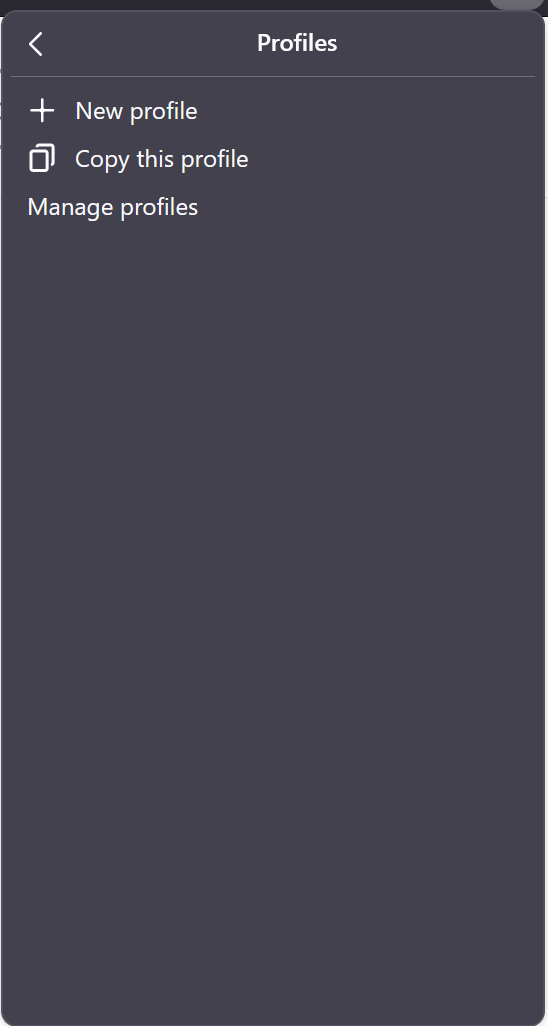
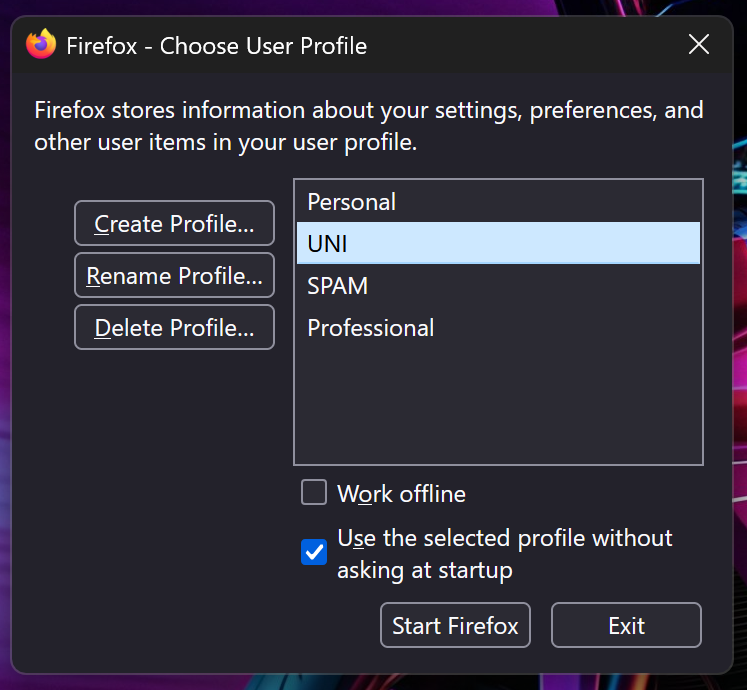
I imported my profiles from another machine to a new laptop. Now the profiles all work and I can launch into them using the shortcuts with -p "[name]" this now brings up the old wizard rather than launching directly into the profile, and the new profile manager does not see them at all.
about:profiles sees them properly.
The profiles were imported by using about:profiles to make new black profiles, then copying in the data as from the support article: http://mzl.la/1xKrFsk
Many thanks in advance for the help.
모든 댓글 (2)
Hi,
While I'm not familiar with the launch command arguments, the fact that the profiles are not displayed in the new profile manager is expected. Currently, profiles created via about:profiles are not displayed in the new profiles manager, and vice versa (because under the hood, they are organized somewhat differently). A migration mechanism hasn't been released yet, so I don't think there's currently a good way to make your profiles work with the new UI.
If you want to further discuss the first part of the question (about command arguments), please make sure to post a reply, so that the thread stays in the other contributors' attention field.
선택된 해결법
Hi, Regarding the command arguments. I have shortcuts as follows on my desktop "C:\Program Files\Mozilla Firefox\firefox.exe" -p "Professional" this just makes it so the desktop shortcuts launch the correct profile. While creating the new profiles the Case of the naming changed and I did not edit my launch shortcuts to reflect this, this was the problem. Many thanks for informing me.