


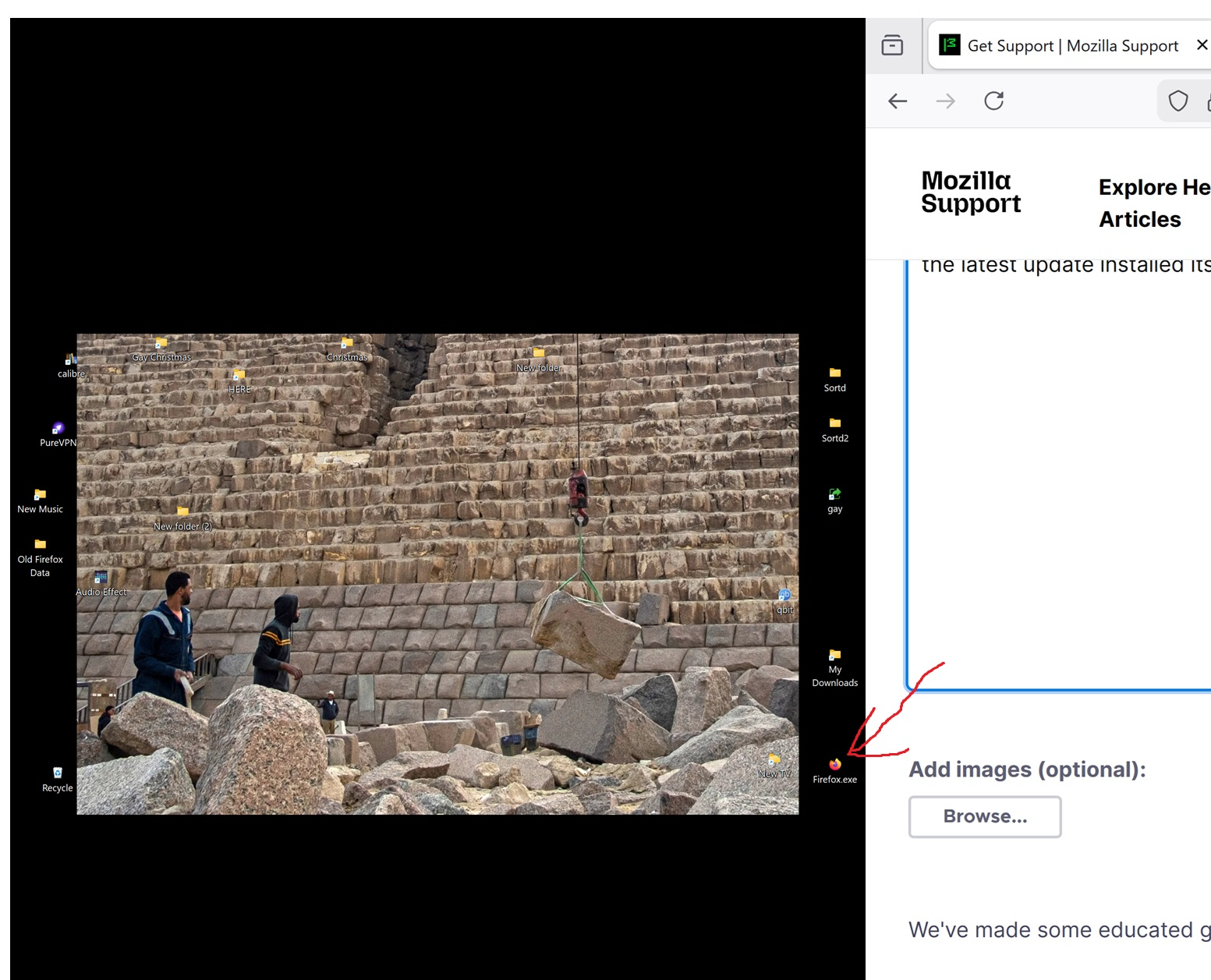
firefox exe installed on desktop, not in C. drive.

the latest update installed itself on my desktop, not in the C drive. How do I move it without losing info?
모든 댓글 (2)

This is odd. In a normal installation, the firefox.exe file is in the C:\Program Files\Mozilla Firefox\ folder with many other files. If the installation was told to install it to the desktop, I'd expect to see all those other files there, too.
- Make sure that desktop file is an actual .exe file and not a short cut.
- Is it possible that you accidentally moved the .exe file out of Program Files and onto the Desktop? Look in C:\Program Files\Mozilla Firefox\ to see if the firefox.exe is there. If so, compare the file info (size, date, etc.) for both. If they are the same it should be safe to delete the extra one on the desktop.
- All your personal information and customization is found in your Profile. You can uninstall Firefox and your Profile will remain intact. Download the proper flavor of install file from here:
https://www.firefox.com/en-US/download/all/desktop-release/
Make a backup of your Profile folder to be safe - its default location is:
C:\Users\<your Windows user name>\AppData\Roaming\Mozilla\Firefox\Profiles
Then uninstall the current version version and re-install from the new install file. Take care to install it to "c:\Program Files" (or "C:\Program Files (x86)" if you use a 32-bit version of Windows.)
This is just a launcher (not the same exe from your C drive), you won't lose your info by moving it.
Please read How the Firefox desktop launcher works