


how to re-enable push notifications, notifications?

Hello, I was clicking random stuff and i accidentally turned off "Show notifications" in the syncronization thing
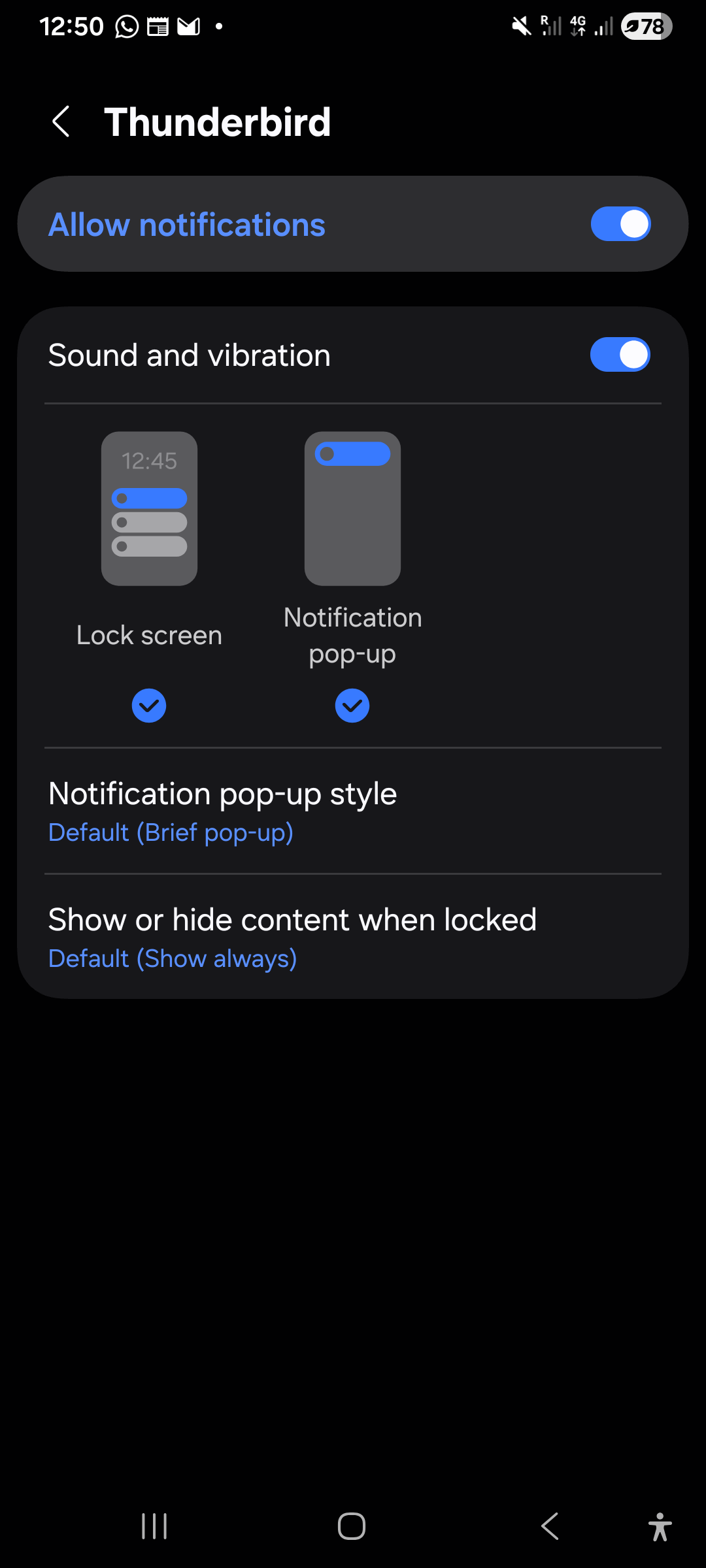
and now i can't turn it back on because to access that noticication setting i need the push noticication to send me there, but, you know.... I turned it off and i can't find any other way to access it. In the app settings from my phone's settings it only shows notification setting for any notification, not specific ones.
What do i do now? Please don't tell me i need to re- install it

შერჩეული გადაწყვეტა
What phone make/model and android version are you using?
It might not be applicable but the below page indicates Samsung disable access to notification categories on their phones and guides users to the setting that enables access.
https://www.askvg.com/tip-enable-notification-categories-menu-in-samsung-smartphones/
ყველა პასუხი (5)
I took these images from the help center because well... i can't get to any of these
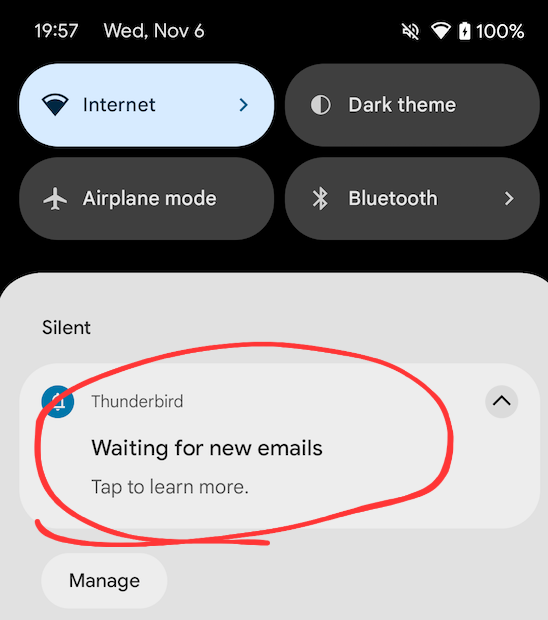
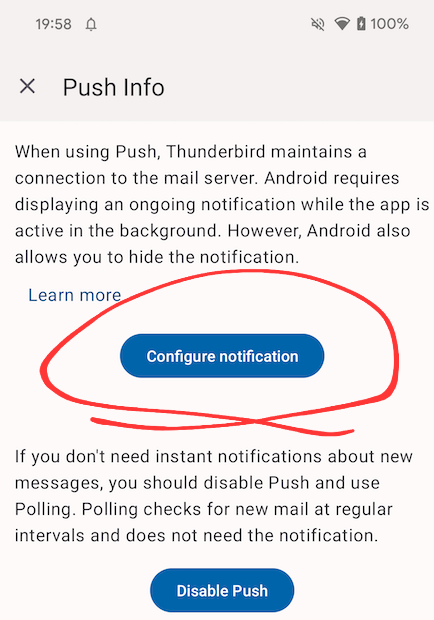
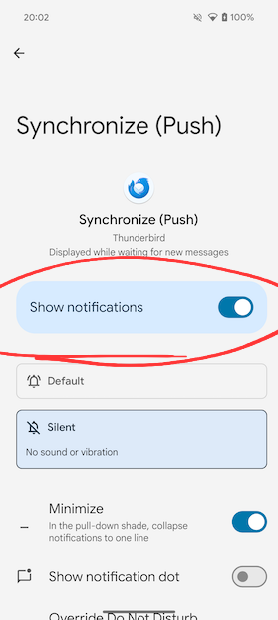
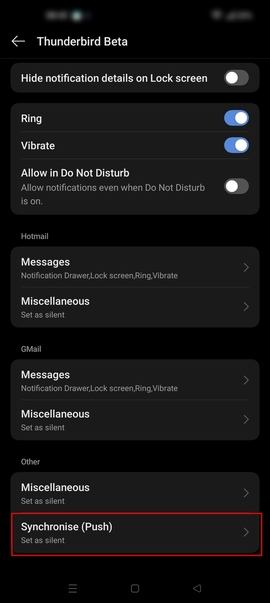
- Navigate to android settings > apps > Thunderbird
- Tap notifications
- Scroll down to the bottom at tap Synchronise (Push)
- Toggle ON show or allow notifications
See screen shots below.
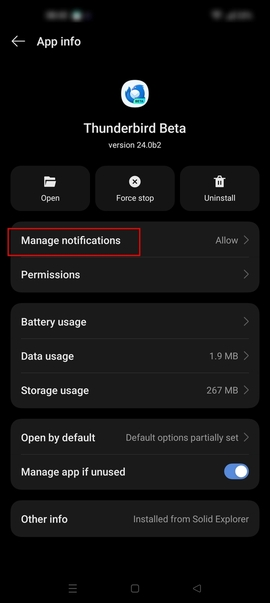
Platform34 said
# Navigate to android settings > apps > ThunderbirdSee screen shots below.
- Tap notifications
- Scroll down to the bottom at tap Synchronise (Push)
- Toggle ON show or allow notifications
That would have been nice to have. Idk why it doesn't show to me
შერჩეული გადაწყვეტა
What phone make/model and android version are you using?
It might not be applicable but the below page indicates Samsung disable access to notification categories on their phones and guides users to the setting that enables access.
https://www.askvg.com/tip-enable-notification-categories-menu-in-samsung-smartphones/
Platform34 said
What phone make/model and android version are you using? It might not be applicable but the below page indicates Samsung disable access to notification categories on their phones and guides users to the setting that enables access. https://www.askvg.com/tip-enable-notification-categories-menu-in-samsung-smartphones/
thank you very much!