


Remove AI or I remove Firefox

That's it, that's all. Produce a version of Firefox that has all AI ripped out of it or this is the last version of Firefox I'll ever use.
ყველა პასუხი (3)

Yeah... Did you see the kill switch? see screenshot
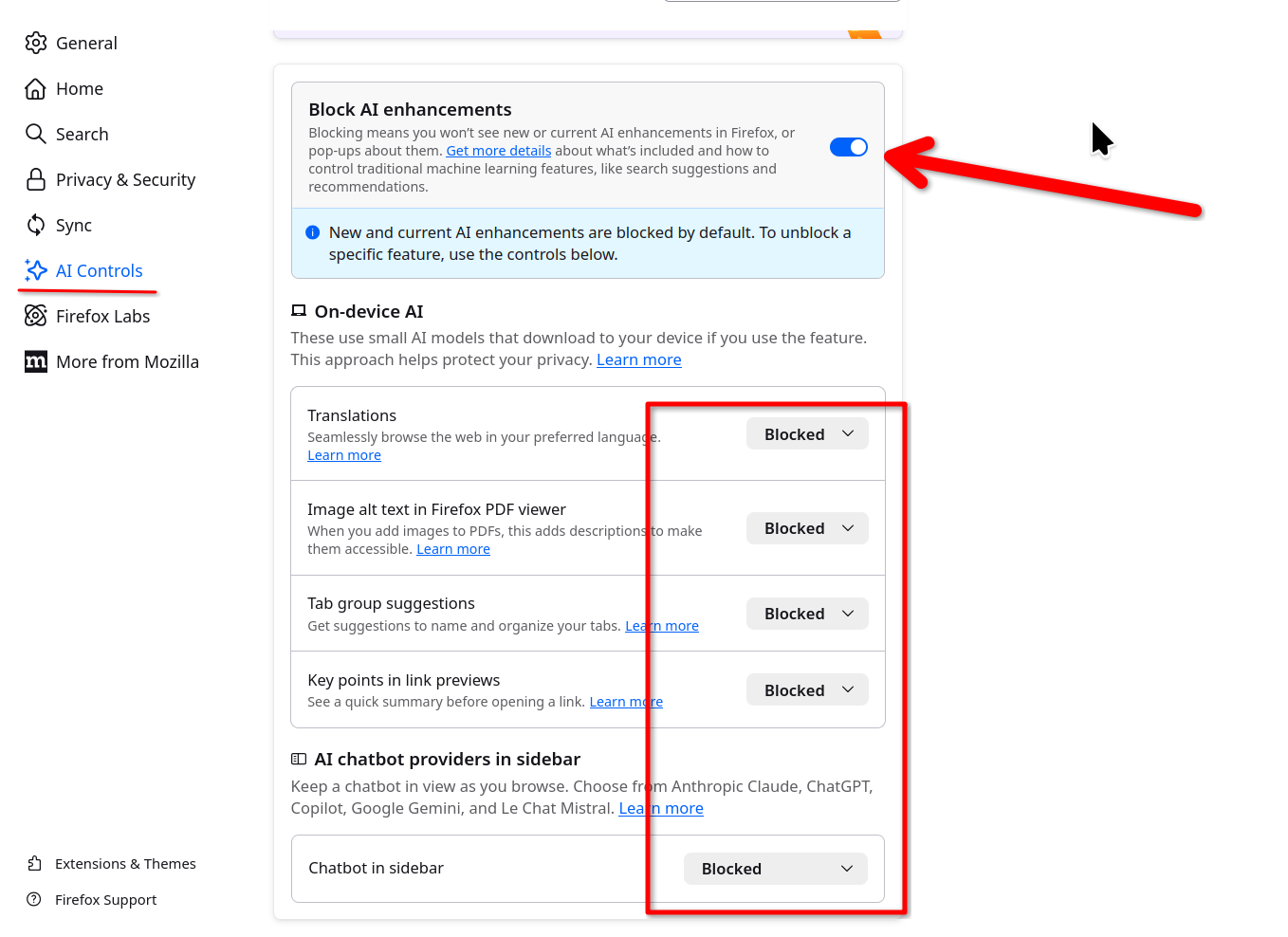
I also found this online.
Disable AI: browser.ml.enable browser.ml.chat.enabled browser.ml.chat.page browser.ml.linkPreview.enabled browser.tabs.groups.smart.enabled browser.tabs.groups.smart.userEnabled extensions.ml.enabled sidebar.notification.badge.aichat browser.ml.chat.page.footerBadge browser.ml.chat.page.menuBadge browser.ml.chat.menu
WARNING from the moderator team: Changing Firefox preferences from the about:config page can sometimes break Firefox or cause strange behavior. You should only do this if you know what you're doing. Please read Firefox advanced customization and configuration options to learn more.
ჩასწორების თარიღი: , ავტორი: Paul
To have two versions of Firefox with all the language locales would take a bit of extra resources to do so. So I guess Mozilla thought the easiest way was to give the users control of the AI in desktop Firefox.