

ეს თემა დაარქივებულია.
დასვით ახალი კითხვა, თუ დახმარება გესაჭიროებათ.

გადაწვეტილი
დაარქივებული
List of folders used to extend to the bottom of the screen, how do I get that back?

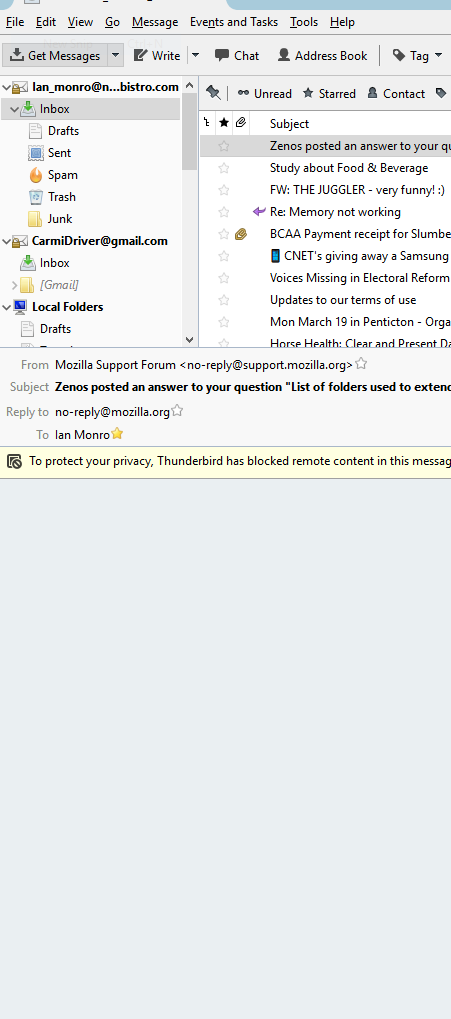
Folder list used to show on the left of the message screen. It now terminates at the top of the message screen.
Folder list used to show on the left of the message screen. It now terminates at the top of the message screen.

შერჩეული გადაწყვეტა
Try View|Layout|Classic. Yours might be set to "Wide".
ყველა პასუხი (4)
Screen shot please?
https://support.microsoft.com/en-us/help/13776/windows-use-snipping-tool-to-capture-screenshots
Save your "snip" as a png file, and when you reply, upload that file to this forum, using the "Add images: Choose file" button below the box where you type.
Screen shot added
შერჩეული გადაწყვეტა
Try View|Layout|Classic. Yours might be set to "Wide".
Thanks Zenos, I knew there had to be an option but could not find it.