


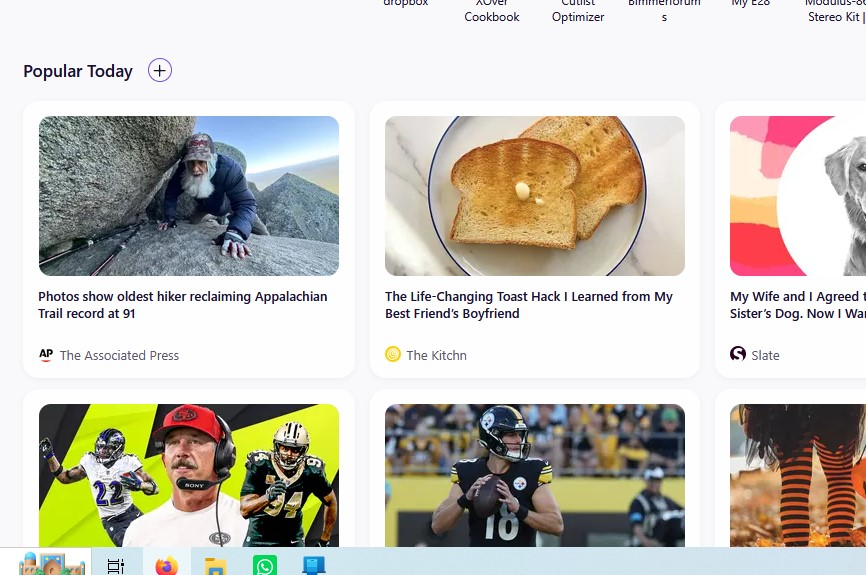
Home suddenly has all these suggestions ("popular today") even though turned off in settings
Home suddenly has all these suggestions ("popular today") even though turned off in settings
選ばれた解決策
Hi Denys, and thank you for the reply!
No, that did not work: going into Home and startup and toggling off (it was already off...but I toggled it on, rebooted, toggled it off, rinse/repeat :) ) did not work. Today, however, I WAS able to go into the "pencil" icon and toggle it off WITH success. All good here, and good luck squashing that bug!
Rick
すべての返信 (4)

This just started happening in the past hour. And going to the settings, turning off "stories" doesn't work. Open a new tab and the setting is back to being turned on. I'm losing my patience with this....starting to look for other web browsers to use as default. Let's get this fixed!
Hi,
Sorry you experience this. It's a bug that's being looked into. We believe that regular Settings (Settings > Home and startup > toggles under Firefox Home) should work as expected, though. Could you please confirm if that's the case for you?
選ばれた解決策
Hi Denys, and thank you for the reply!
No, that did not work: going into Home and startup and toggling off (it was already off...but I toggled it on, rebooted, toggled it off, rinse/repeat :) ) did not work. Today, however, I WAS able to go into the "pencil" icon and toggle it off WITH success. All good here, and good luck squashing that bug!
Rick
Well... thank you for letting us know! I'll pass it to the team. (And I've also marked your reply above as a solution)