


UI elements missing in HTML 5 interfaces; Youtube, Google Drive, etc.

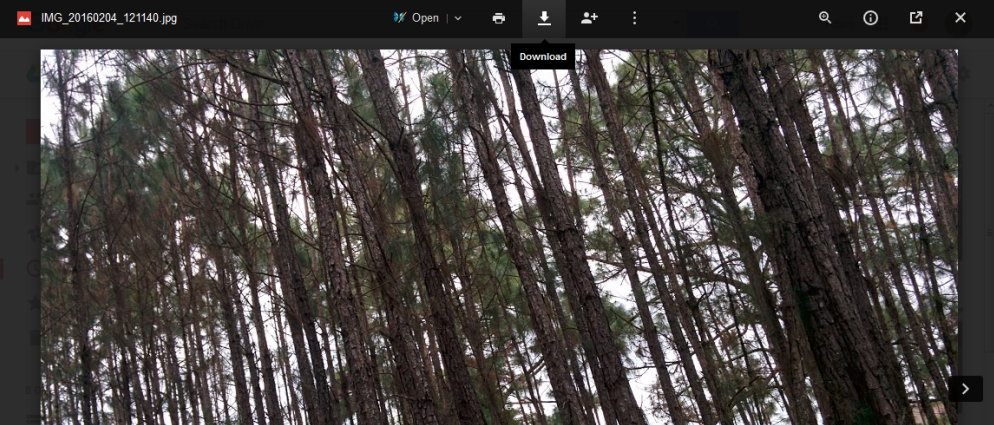
I'm using Firefox 43.0.4 and I tend to have quite a few tabs open, but recently I noticed the play/pause, settings, share etc elements to the Youtube playback window were missing. I tried a Firefox Refresh to clear out any cache issues and it didn't resolve the problem. Today while working in Google Drive I found the same problem, the little icons that should appear as UI buttons in the overlay of the image are missing. Please see attached image where the mouseover text is indicating a download option for the photo on the screen but no icon is present there. The only addon I have enabled is AdBlock Plus and this issue persists if I disable this addon. Plugins listed below.
選ばれた解決策
Firefox 42+ has a Tracking Protection feature that is enabled by default in Private Browsing mode. When you are in private browsing mode then Firefox can show a shield icon at the left end of the location/address bar that some content is affected.
You can disable this feature in "Options/Preferences > Privacy" or via the about:privatebrowsing page that get when you open a New Private Window.
- Options/Preferences > Privacy: "Use Tracking Protection in Private Windows"
- https://support.mozilla.org/kb/tracking-protection-firefox
- https://support.mozilla.org/kb/control-center-site-privacy-and-security-firefox
If images are missing then check that you do not block images from some domains. You can tap the Alt key or press F10 to show the Menu Bar Check the permissions for the domain in the currently selected tab in "Tools > Page Info > Permissions"
Check "Tools > Page Info > Media" for blocked images
- Select the first image and use the cursor Down key to scroll through the list.
- If an image in the list is grayed and "Block Images from..." has a checkmark then remove this checkmark to unblock images from this domain.
Check permissions.default.image on the about:config page to make sure it is default (1).
If you use extensions (3-bar Menu button/Tools > Add-ons > Extensions) that can block content (e.g. Adblock Plus, NoScript, Flash Block, Ghostery) then make sure that such extensions do not block content. There is security software that can block content, so check that as well.
See also:
- https://support.mozilla.org/kb/Troubleshooting+extensions+and+themes
- http://kb.mozillazine.org/Images_or_animations_do_not_load
- http://kb.mozillazine.org/Websites_look_wrong
すべての返信 (2)
選ばれた解決策
Firefox 42+ has a Tracking Protection feature that is enabled by default in Private Browsing mode. When you are in private browsing mode then Firefox can show a shield icon at the left end of the location/address bar that some content is affected.
You can disable this feature in "Options/Preferences > Privacy" or via the about:privatebrowsing page that get when you open a New Private Window.
- Options/Preferences > Privacy: "Use Tracking Protection in Private Windows"
- https://support.mozilla.org/kb/tracking-protection-firefox
- https://support.mozilla.org/kb/control-center-site-privacy-and-security-firefox
If images are missing then check that you do not block images from some domains. You can tap the Alt key or press F10 to show the Menu Bar Check the permissions for the domain in the currently selected tab in "Tools > Page Info > Permissions"
Check "Tools > Page Info > Media" for blocked images
- Select the first image and use the cursor Down key to scroll through the list.
- If an image in the list is grayed and "Block Images from..." has a checkmark then remove this checkmark to unblock images from this domain.
Check permissions.default.image on the about:config page to make sure it is default (1).
If you use extensions (3-bar Menu button/Tools > Add-ons > Extensions) that can block content (e.g. Adblock Plus, NoScript, Flash Block, Ghostery) then make sure that such extensions do not block content. There is security software that can block content, so check that as well.
See also:
Thank you for your very prompt reply. After posting, Firefox updated to version 44.0 and the issue seems to be resolved in this version.
この投稿は GetCurious により に変更されました