


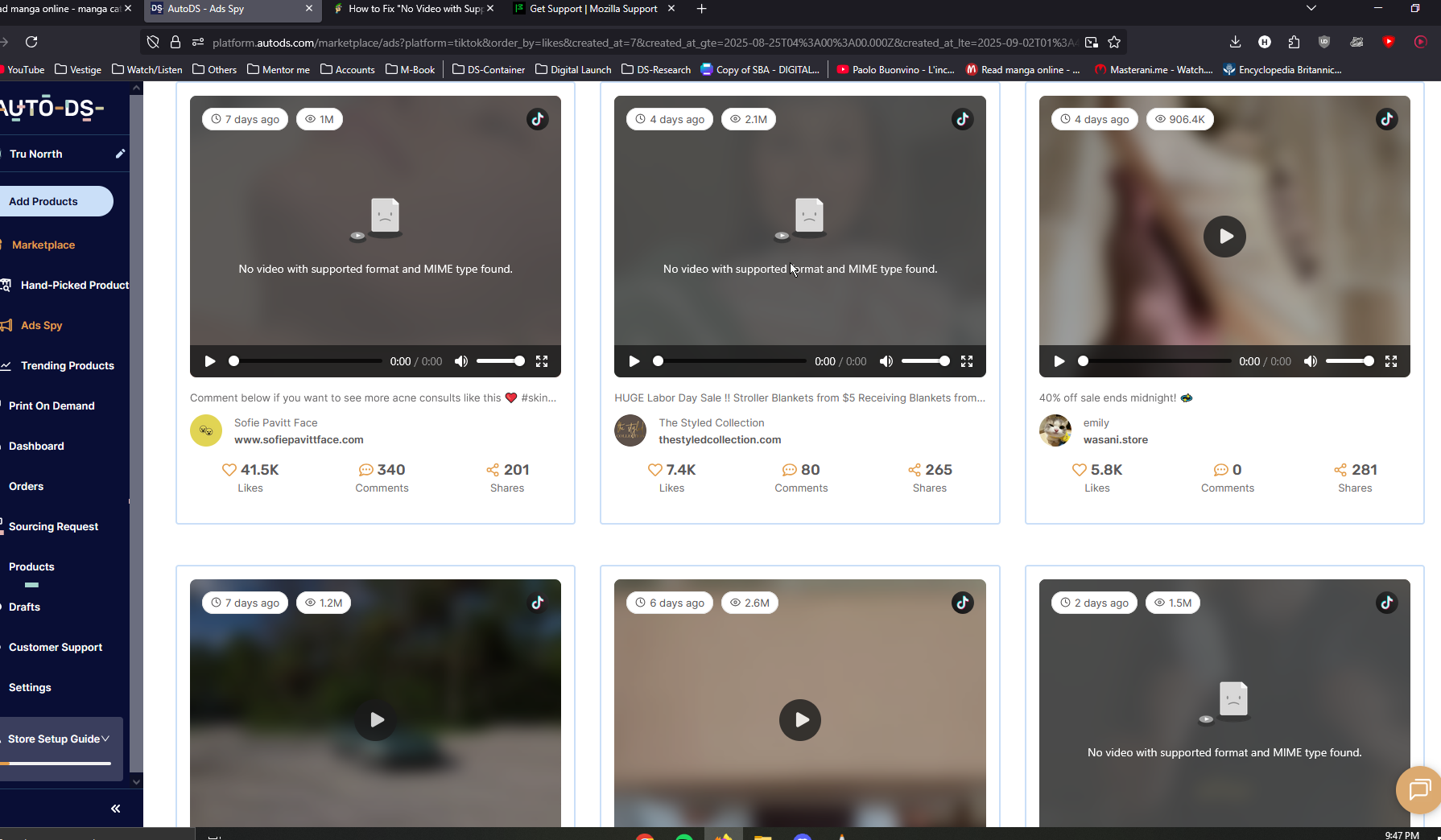
"No Video with Supported Format and MIME Type Found" On

As the title says. I get this prompt on videos from different, yet particular websites and sources. And they fail to load. It's also happened where some video's work and some don't, side-by-side on the same website and session.
- I've tried clearing all of my cached data, my browser history, cookies, site-data, settings, and fill-out information. No avail.
- I've tried disabling all of my extensions and add-ons.
- I've even tried using google instead, but I just get constant loading on those particular video's with no thumbnail (As depicted in second picture).
- I've checked my video drivers for updates.
- I've tried reinstalling Adobe Flash Player, even though it says it's no longer supported.
Since it also might be happening in another browser. I understand how this might not be Firefox's fault. But I'm hoping you'll be able to help me still.

Svi odgovori (3)

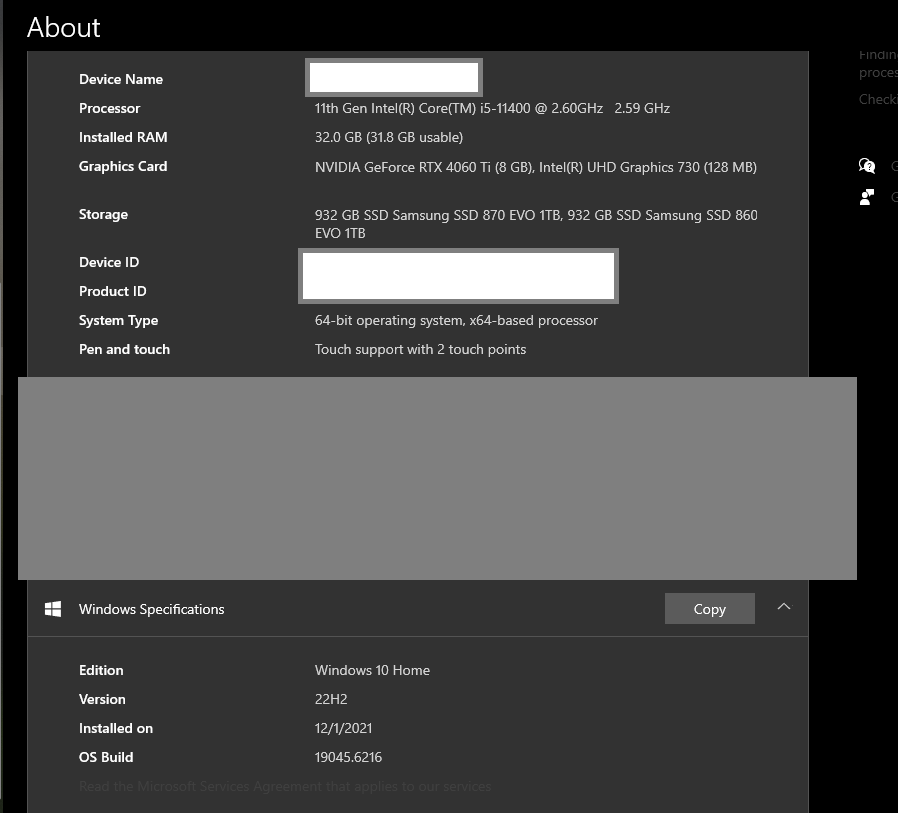
Links to the sites would be helpful. Desktop, Laptop, or DIY? If not DIY, what make and model computer? What graphics card? Windows home or pro?
Desktop, DIY. My motherboard is a Z590 AORUS Ultra. If that's of any importance.
And the site I'm using is paid. https://platform.autods.com/marketplace I'm trying to use ad spy for drop-shipping
Izmjenjeno od Noah Smith
Hard to replicate when we cannot access the same content. How about your graphic drivers. https://www.nvidia.com/en-us/drivers/results/ https://www.intel.com/content/www/us/en/support/detect.html
This is looks like classic issue with your OS missing something which prevents those videos from playing. Any free sites with same issue that we call can access?