


Windows 10 reached EOS (end of support) on October 14, 2025. If you are on Windows 10, see this article.

Pretraži podršku

Izbjegni prevare podrške. Nikad te nećemo tražiti da nas nazoveš, da nam pošalješ telefonski broj ili da podijeliš osobne podatke. Prijavi sumnjive radnje pomoću opcije „Prijavi zlouporabu”.

Saznaj više

Setup new email account

  • 2 odgovora
  • 1 ima ovaj problem
  • 226 prikaza
  • Posljednji odgovor od Steven
  • Riješeno

I setup and new email account for my website on NO-IP. I have two other accounts that were setup on earlier versions of Thunderbird that allowed manual configurations.

I started to add the account but got some warnings and quit. So I started over and now this latest update never gets to the manual update options. I get to the page, shown in the attached file, which never does anything. I can only press the Esc key and exit.

So I manually added the outgoing server, thinking that might work, but it did not. Any ideas how I can get the new email address working?
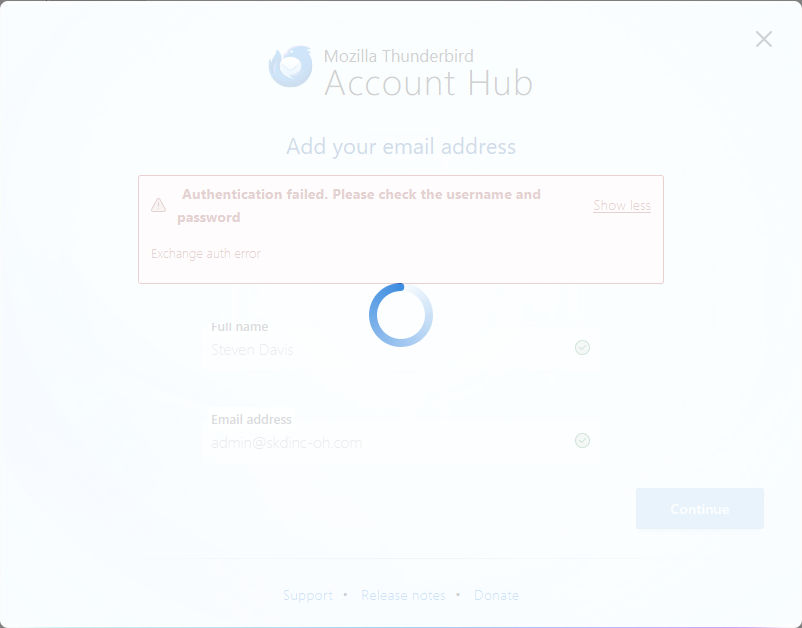
I setup and new email account for my website on NO-IP. I have two other accounts that were setup on earlier versions of Thunderbird that allowed manual configurations. I started to add the account but got some warnings and quit. So I started over and now this latest update never gets to the manual update options. I get to the page, shown in the attached file, which never does anything. I can only press the Esc key and exit. So I manually added the outgoing server, thinking that might work, but it did not. Any ideas how I can get the new email address working?
Priložene slike ekrana

Izabrano rješenje

Disable account hub in Settings/General, add the account from ⇶ - New Account - Email.

Pročitaj ovaj odgovor u kontekstu 👍 0

Svi odgovori (2)

Odabrano rješenje

Disable account hub in Settings/General, add the account from ⇶ - New Account - Email.

Thank you!! Problem solved.