


When Thunderbird opens I get a page that only has my email address and not my folders and messages. How do I fix this?

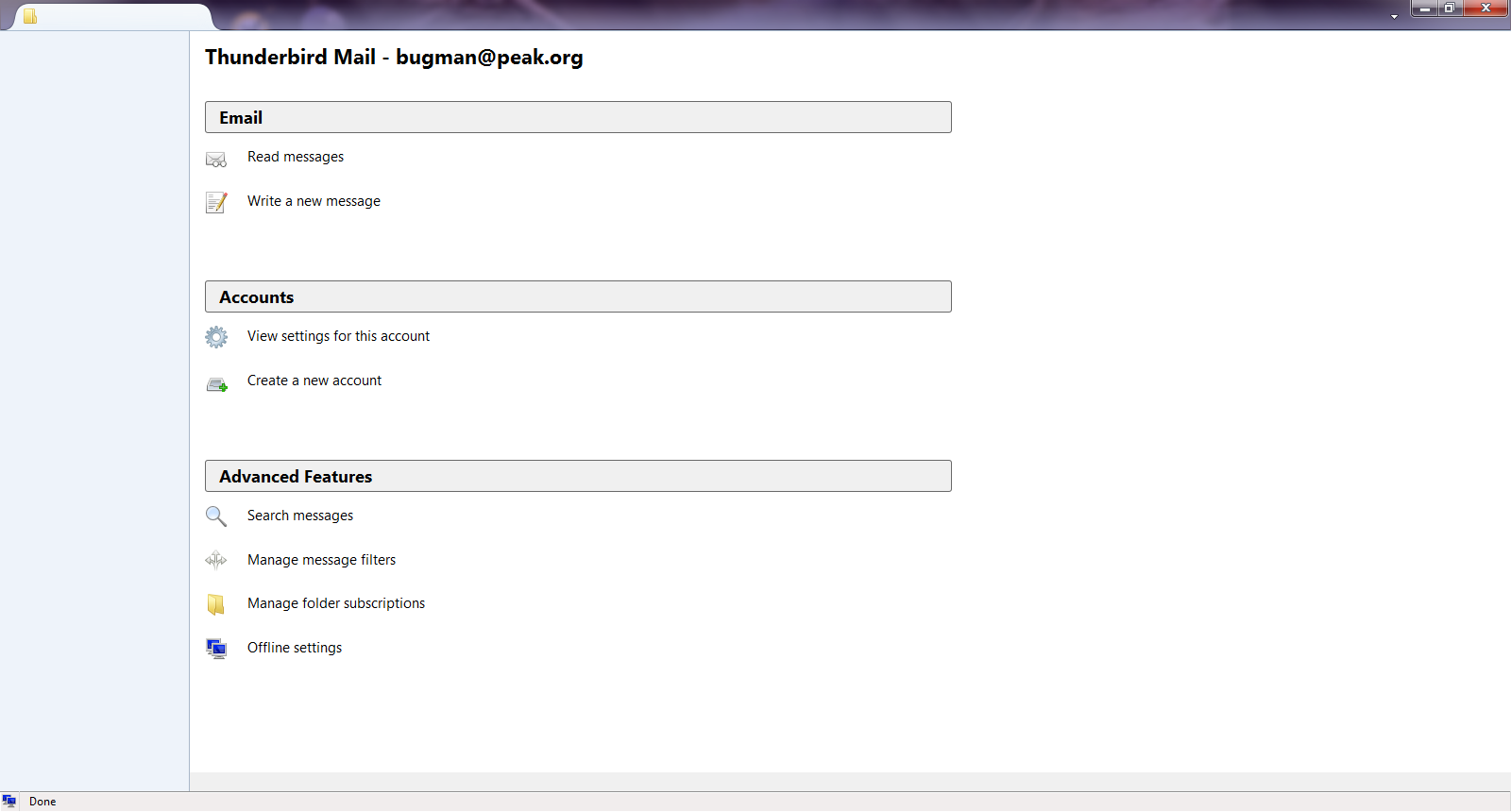
I downloaded the new edition of thunderbird and since then when I open the program instead of getting my usual page of emails and the message paine, I get a different page with my email address and three sections,, email. accounts, and advanced features. I would much rather have the old set-up back. How can I do that.
Thanks for any help
I downloaded the new edition of thunderbird and since then when I open the program instead of getting my usual page of emails and the message paine, I get a different page with my email address and three sections,, email. accounts, and advanced features. I would much rather have the old set-up back. How can I do that.
Thanks for any help
כל התגובות (3)
Screenshot, please?
https://support.mozilla.org/en-US/kb/how-do-i-create-screenshot-my-problem
image uploaded
Thanks
Well that is rubbish
Close Thunderbird In the start menu type %appdata%\Thunderbird\profiles and press enter open the folder in explorer that contains the word default. Delete the files XULstore.json and foldertree.json
Start Thunderbird... any better?/