


Mbojuruja
I am unable to disable picture-in-picture

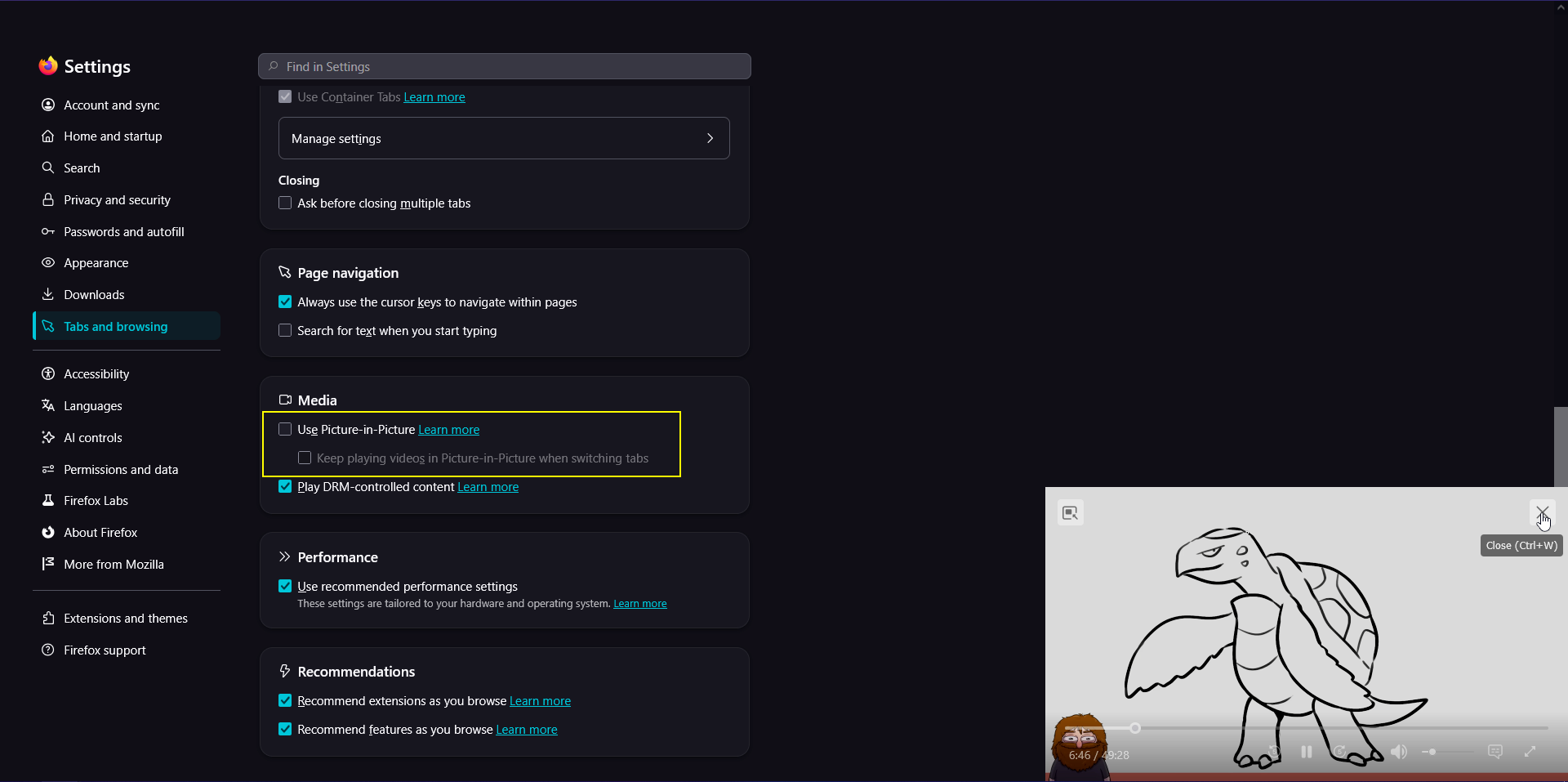
I have picture-in-picture disabled, but when I play a video in one tab and switch to any other tab, it will popup in the corner anyway. Closing out of it pauses the video, and when I then start the video again and try to go back to the other tab it pops up again. This is very annoying when I am just trying to listen to a video in the background and can't stop it from covering part of my screen when I am trying to something in another tab.
Is there anything else I need to disable to prevent this? I don't understand why I'm still seeing picture-in-picture when I have "Use Picture-in-Picture" checked off.
Opaite Mbohovái (1)
Hi Luna,
That definitely doesn't look right. Have you tried restarting Firefox to see if that resolves the issue?