


New tab logo too compact and far down

Below I have attached two images, what it currently looks like, and an approximation of what it used to look like. Since the last update, the logo has been far lower down, and the shortcuts spaced out more (I believe.) It feels rather uncomfortable and difficult for everything to be on the lower half of the screen, whilst the tabs and bookmarks are on the top half of the screen. Is there a way to revert this change?
Chosen solution
Hi,
That's an intended change. You can leave feedback here: https://connect.mozilla.org/t5/discussions/firefox-151-introduces-a-fresh-new-look-for-home-amp-new-tab/m-p/125766
Ler a resposta no contexto 👍 1All Replies (4)
Damn ok. Changed the screenshots bc I just realised the previous ones showed personal information. It'd be nice if there was a way to change the menu back though. T.T
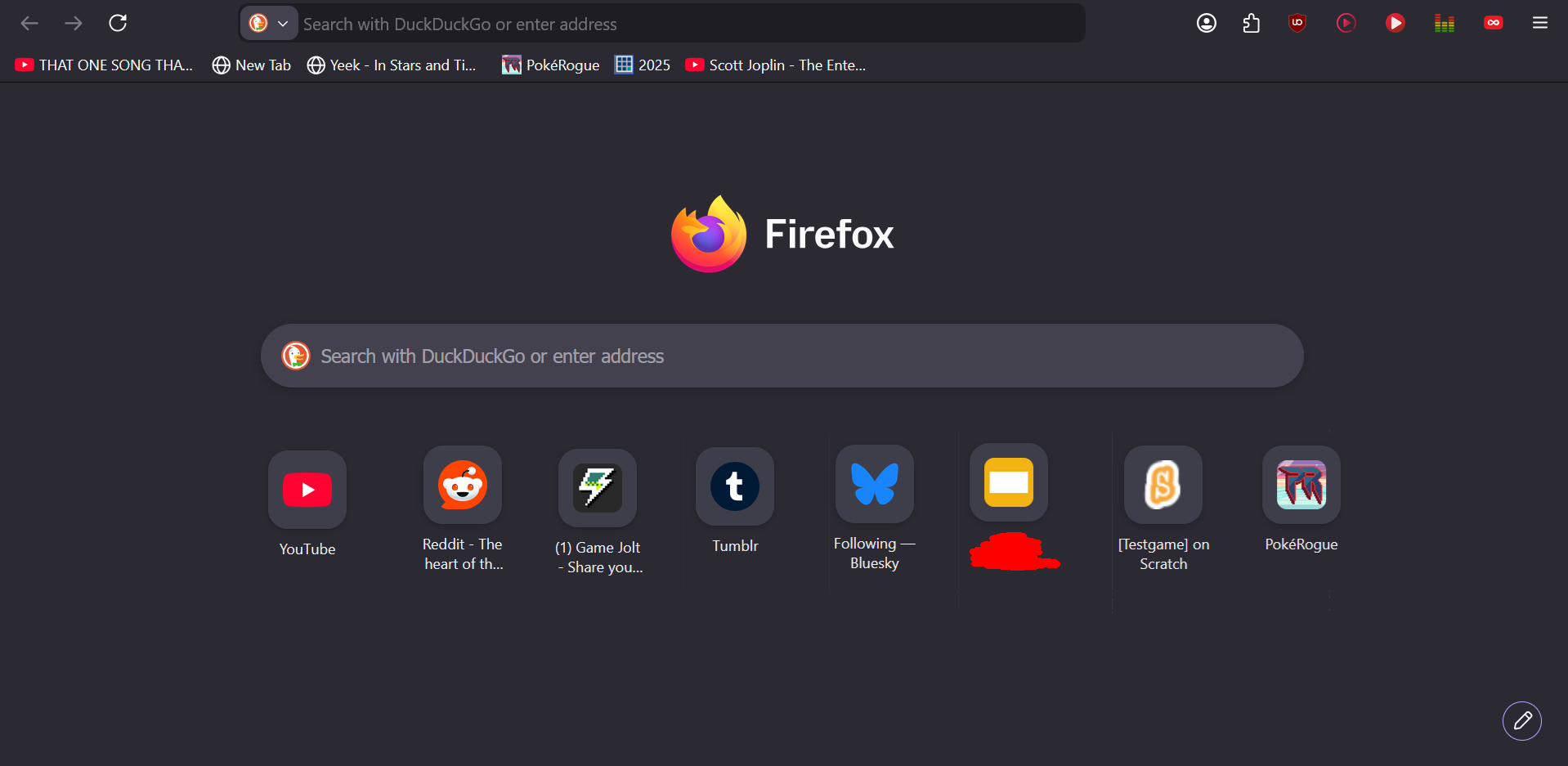
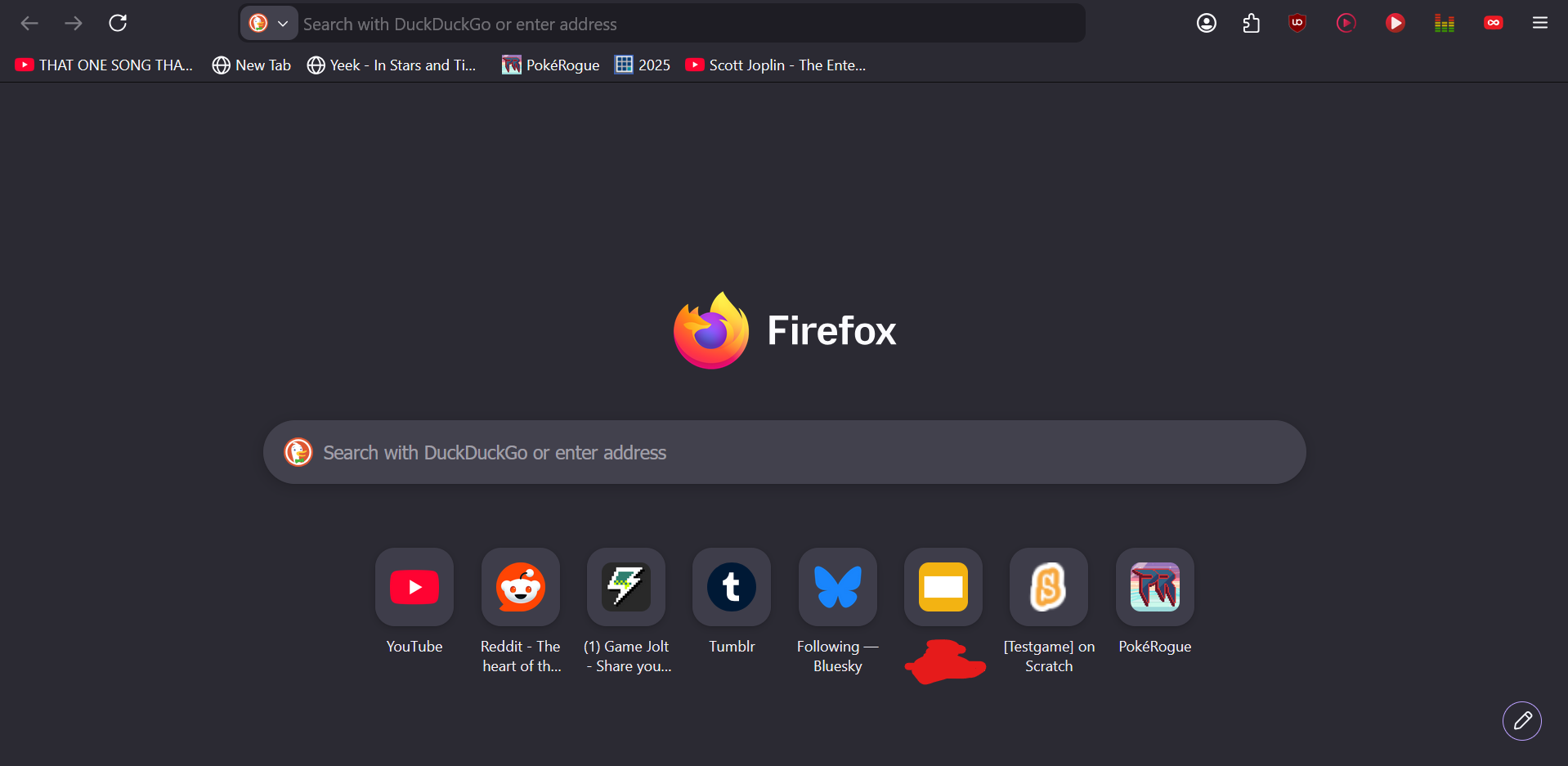
Hello
Updated to version 151.0 (64-bit) on Windows 11. My shortcut tiles are now really small. Can I get them back to the bigger size? https://support.mozilla.org/en-US/questions/1582598
Chosen Solution
Hi,
That's an intended change. You can leave feedback here: https://connect.mozilla.org/t5/discussions/firefox-151-introduces-a-fresh-new-look-for-home-amp-new-tab/m-p/125766