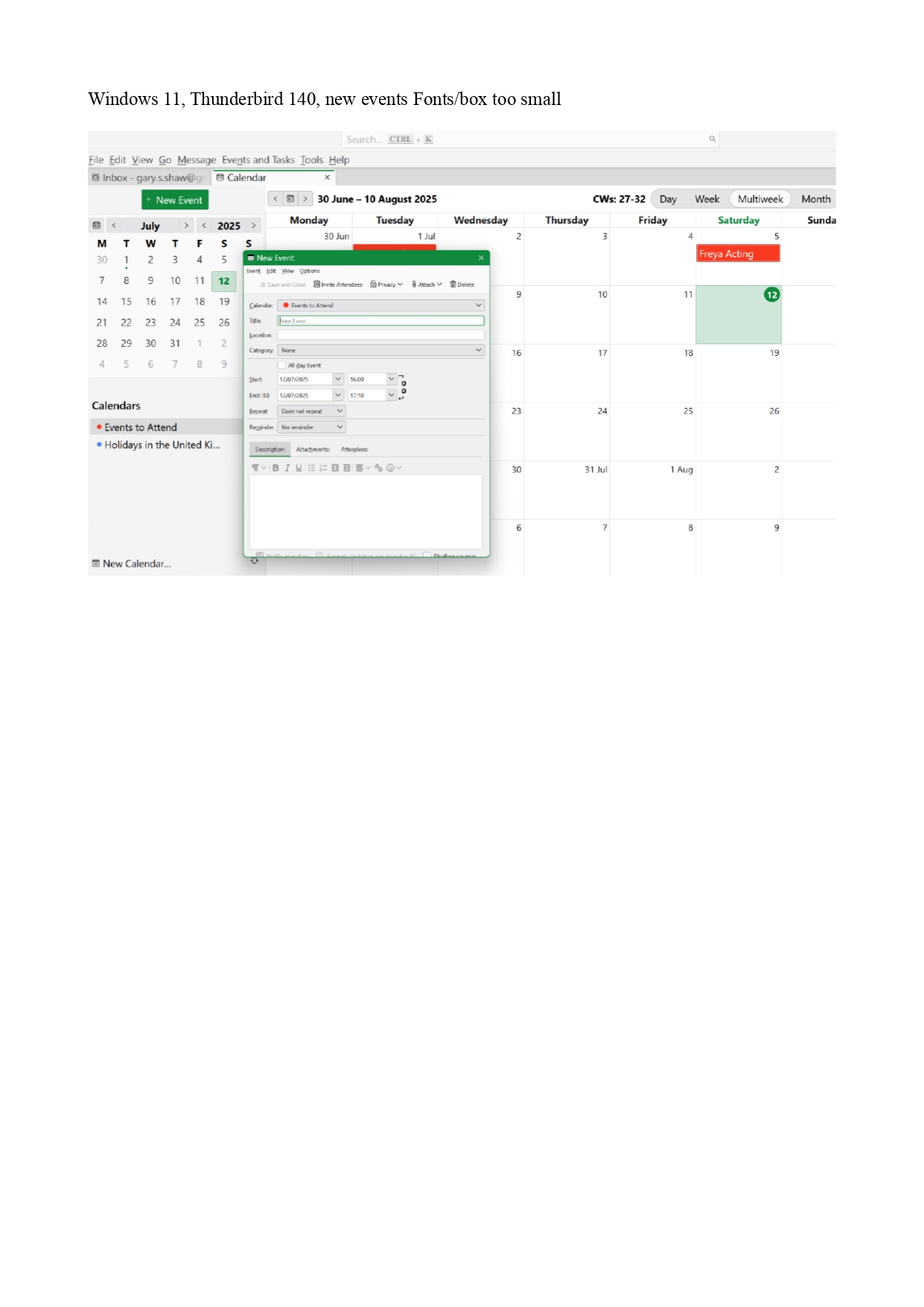
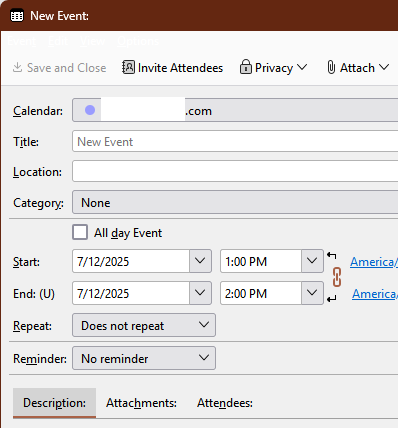
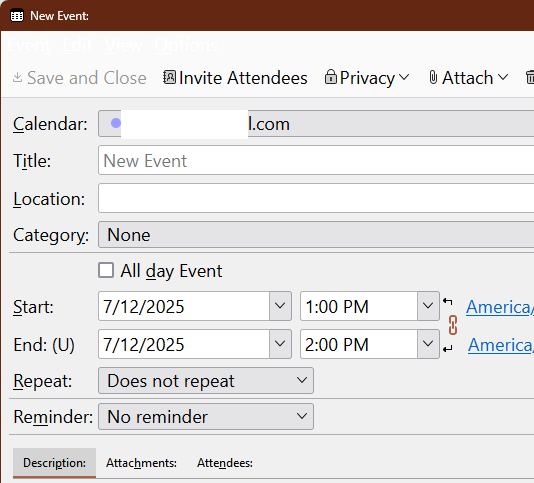
Windows 11, Thunderbird 140, How to increase the"New Event" box and its Font

Windows 11, Thunderbird 140, How to increase the"New Event" box and its Font
- Windows 10, the size is OK
- I have 'Googled" this problem and there seems to be no answer.
Kind regards: Gary Shaw
All Replies (5)
Some fonts can be set with css:
/* menu bars font */
#calendar-event-window{font-size: 18px !important;}

/* event settings font */
#event-grid{font-size: 18px !important;}
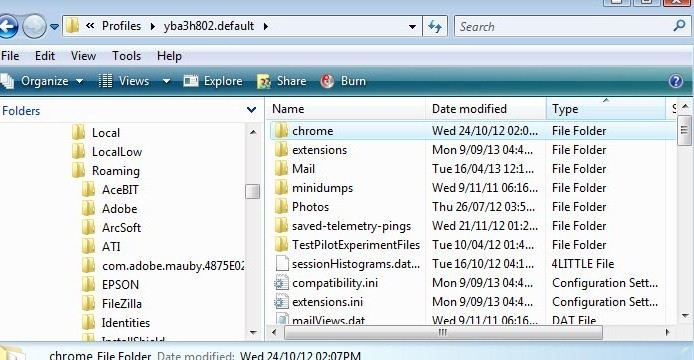
Help/Troubleshooting Info, Profile Folder, Open Folder, close TB, create a new folder named chrome, create a new document in chrome with a text editor, name it userChrome.css, Save as type: All files *.*, copy in the above code, change the number as desired. Double-click toolkit.legacyUserProfileCustomizations.stylesheets to true in Settings/General/Config. editor, restart TB (see pictures).
video on how to create a css file (Firefox and TB)
References:
https://rawamuhsin.wordpress.com/2017/09/12/event-font-sunbird/
Thank you for your help.
Unfortunately, I am not comfortable with software coding because of having no experience in this area.
It would have been better if Mozilla had made facilties to enable simle changes to take place within their own program and not rely on Microsoft, who often causes such problems.
Again, many thanks. Kind regards: Gary Shaw
No. It would have been better if Mozilla had made facilties to enable simle changes to take place within their own program and not rely on Microsoft, who often causes such problems.
I did create a bug report on this a while back. I've updated it so developers know it's still effecting current versions of ESR, beta and Daily. You can follow it here: https://bugzilla.mozilla.org/show_bug.cgi?id=1851209
re :Unfortunately, I am not comfortable with software coding because of having no experience in this area.
You do not need to know any coding - it's all provided by sfhowes
If you can do the following then you'll find it easy.
- Know how to create a folder.
- Know how to open Notepad
- Know how to Copy and paste
- Know how to save a file
- Can follow instructions
Here is a set of instructions you should find easy to follow if you can do the above.
Please check in Thunderbird to see if a setting needs switching on.
- Settings > General
- Scroll to very bottom - look on the right side and click on 'Config Editor' button
- In search type : legacy
- look for this line: toolkit.legacyUserProfileCustomizations.stylesheets
- If it is set as 'false' :
- click on the far right arrow type icon to toggle from 'false' to say 'TRUE'
Now Do this: In Thunderbird
- Help > Troubleshooting Information
- in 'Application Basics' - half way down is Profile Folders - click on 'Open Folder'
A new window opens showing the contents of your 'profile name' folder.
- Exit Thunderbird now. This is important.
I'm going to give the full instructions because I do not know if people already know how to create and use a userChrome.css file.
- In the 'profile name ' folder create a new folder and call it 'chrome'. The spelling is important - note it is all lower case.
- Then open a simple text editor program such as 'Notepad'.
- Copy all the text between the lines below and paste it into 'Notepad'.
You can see the code has 18px as the font size. You may prefer 16px - just remember if you edit the 'userChrome.css' file you must Exit Thunderbird first.
/* menu bars font */
#calendar-event-window{font-size: 18px !important;}

/* event settings font */
#event-grid{font-size: 18px !important;}
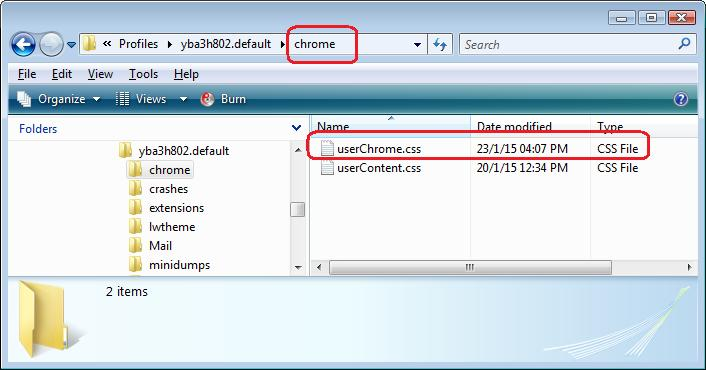
- Save the file as 'userChrome.css' - note the spelling of this is important - all lower case except the C.
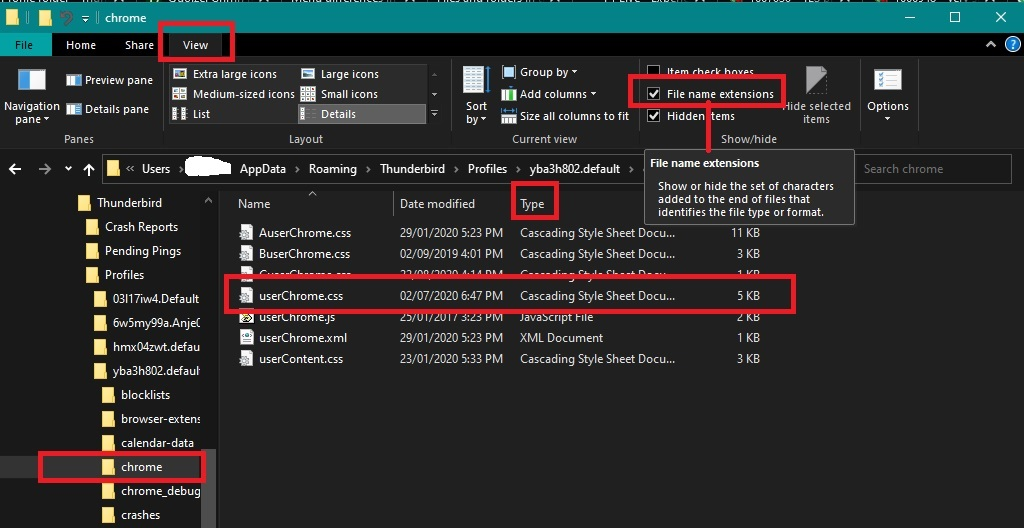
- Save it in the 'chrome' folder. - see attached image as guide.
Check that file really is called 'userChrome.css' and not 'userChrome.css.txt' - it has to be saved as a Cascading Style Sheet (css) and not a text document. So if you see 'userChrome.css.txt' - no problem - just rename it by removing the .txt - you will get ask are you sure as it may effect things - just say yes because you really do want to do it.
Start Thunderbird