


Windows 10 reached EOS (end of support) on October 14, 2025. If you are on Windows 10, see this article.

Sykje yn Support

Mij stipescams. Wy sille jo nea freegje in telefoannûmer te beljen, der in sms nei ta te stjoeren of persoanlike gegevens te dielen. Meld fertochte aktiviteit mei de opsje ‘Misbrûk melde’.

Mear ynfo
Iepen

Credit card data is not showing under the autofill section of settings

blachanc

I have card data saved for a number of cards in Firefox, and I am looking to clean that data up. However, when I go to Settings>Passwords and autofill>Payment methods>Manage payment methods no cards are showing up as saved. I also know that this is not Lastpass causing issues, as this card data is not saved in Lastpass. I have attached screenshots of both the manage payments page and the card data showing up for autofill selection on a webpage add payment method screen.
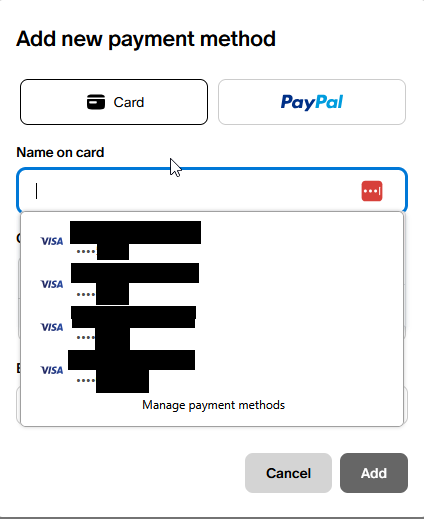
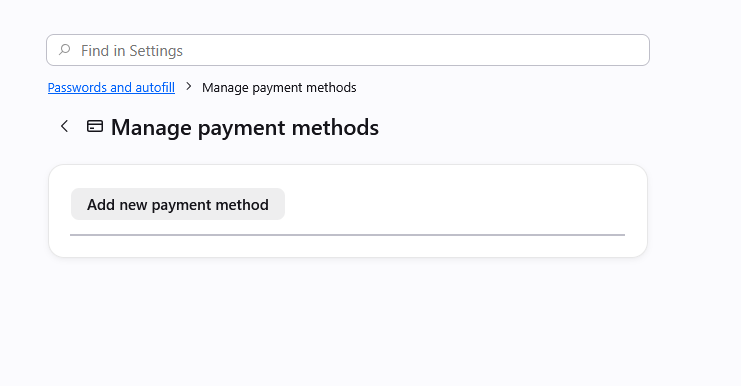
I have card data saved for a number of cards in Firefox, and I am looking to clean that data up. However, when I go to '''Settings>Passwords and autofill>Payment methods>Manage payment methods''' no cards are showing up as saved. I also know that this is not Lastpass causing issues, as this card data is not saved in Lastpass. I have attached screenshots of both the manage payments page and the card data showing up for autofill selection on a webpage add payment method screen.
Keppele skermôfbyldingen

Alle antwurden (2)

Yes, at the moment there's a bug in case there were some older entries that had no expiration set, which then halts showing any cards:

There are some workarounds in previous thread support.mozilla.org/questions/1588553 if it's pressing, but a fix should ship hopefully within a few weeks.

This is fixed in v152.0.5: firefox.com/firefox/152.0.5/releasenotes

In fraach stelle

Jo moatte jo oanmelde by jo account om op berjochten te antwurdzjen. Stel in nije fraach as jo noch gjin account hawwe.