


Mixed DPI displays cause Firefox to open off screen
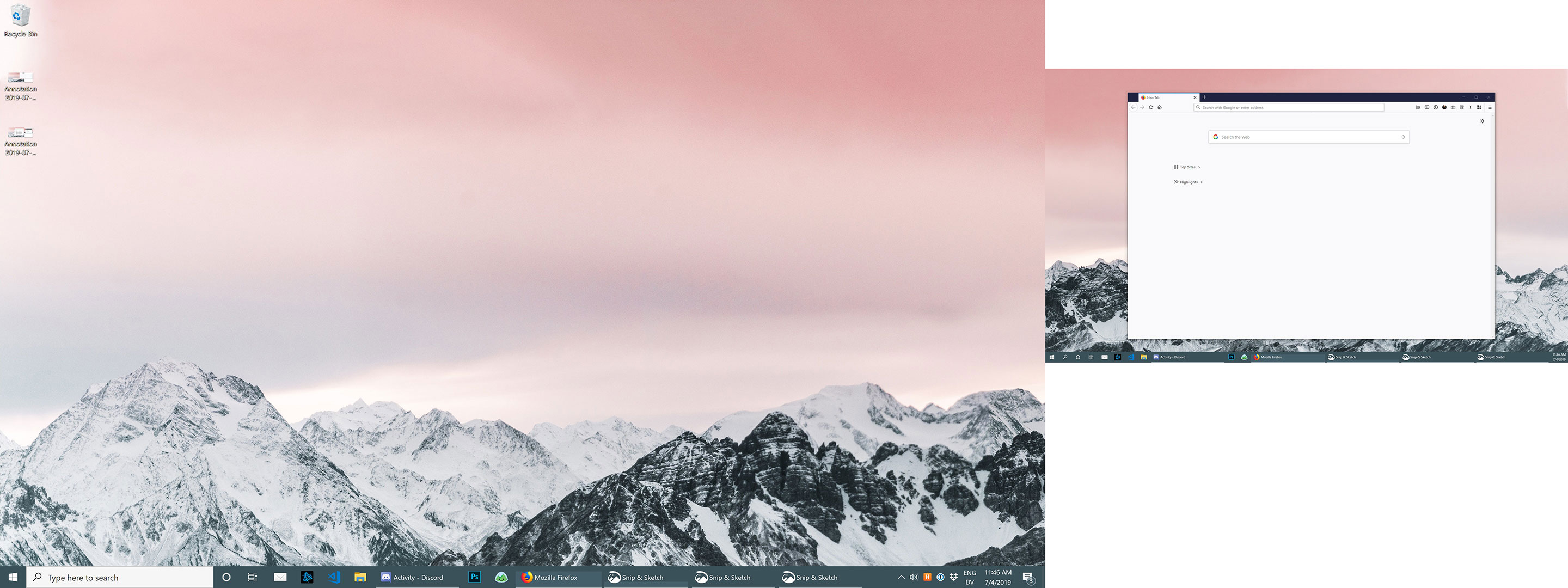
I'm running Firefox 67.0.4 on Windows 10, and I have two monitors. One is set to HiDPI, the other is standard DPI. I've figured out that if I close Firefox and its last window is on the standard DPI display, the next time I open it it will straddle the two displays at a large scale. If I close the last window on my HiDPI display, it reopens normally on that display.
I've tried deleting the xulstore.json file but this doesn't fix this issue.
Keazen oplossing
It's probably a known issue, see https://bugzilla.mozilla.org/show_bug.cgi?id=1261441
Dit antwurd yn kontekst lêze 👍 0Alle antwurden (8)
Here's an example of a window I closed on the low DPI display, and then where Firefox appears on next launch.

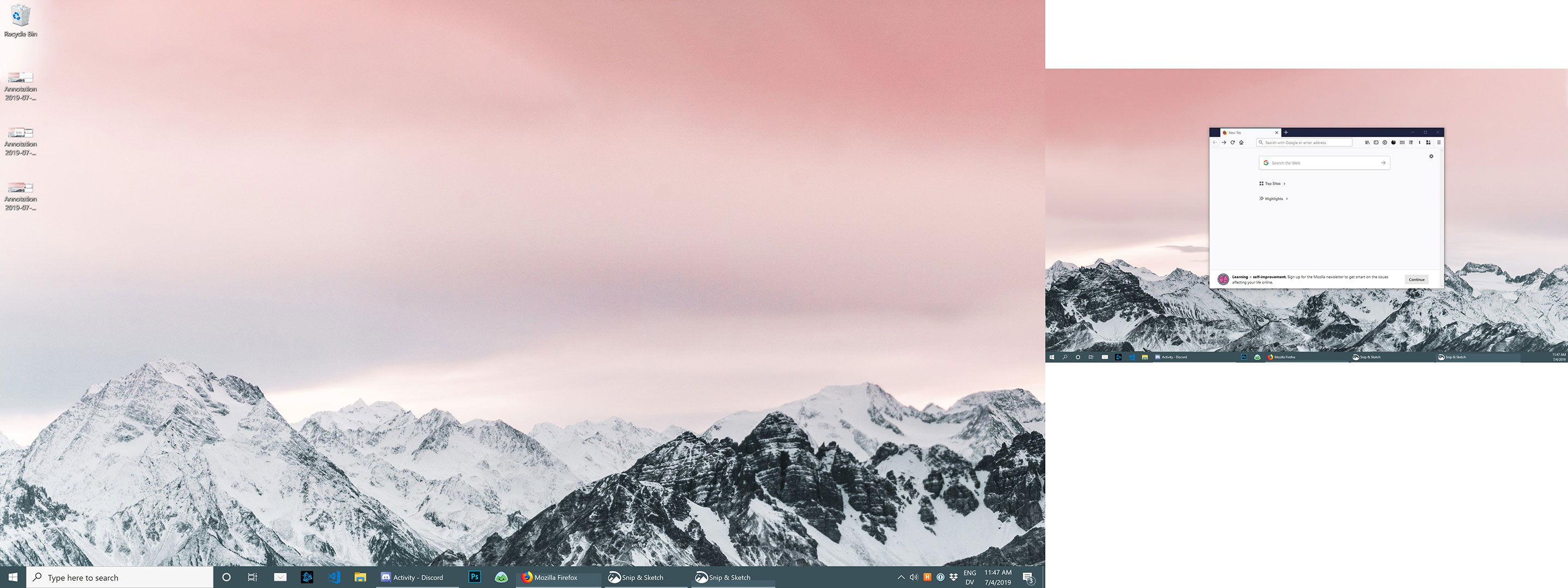
And one more discovery: if the window on the low DPI display is small enough, it will appear in the same spot on next launch. E.g.:
This might be a problem with hardware acceleration.
You can try to disable hardware acceleration in Firefox.
- Options/Preferences -> General: Performance
remove checkmark: [ ] "Use recommended performance settings"
remove checkmark: [ ] "Use hardware acceleration when available" - https://support.mozilla.org/en-US/kb/performance-settings
Close and restart Firefox after modifying the setting for changes to take effect.
That doesn't seem to have made a difference unfortunately.
Keazen oplossing
It's probably a known issue, see https://bugzilla.mozilla.org/show_bug.cgi?id=1261441
I think you're right.
Note that the bug seems to be about 32-bit Firefox.
Did you close and rstart Firefox after modifying hardware acceleration?
Does resizing the Firefox window or using the system menu (Alt+space) work?
Yes, I did close and restart Firefox after disabling hardware acceleration.
I can successfully resize the window after it launches partially offscreen, and like the bug report linked above notes, if I resize the window onto the second screen it snaps to a smaller size with the menubar visible. The issue is just with where the window appears on launch.