


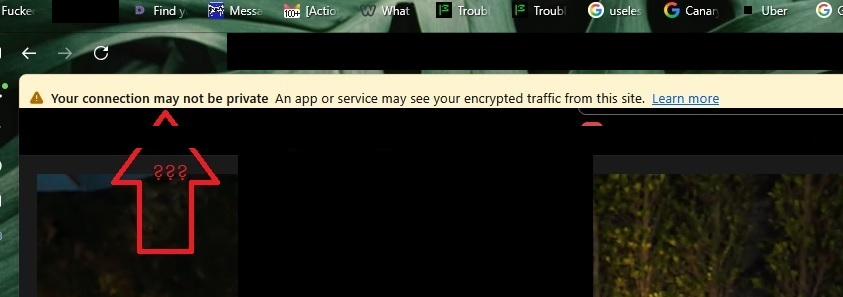
firefox is screwing my display with a screen logging warning message. Removal instructions are 100% useless.
Firefox is screwing my display with a screen logging warning message. Removal instructions are 100% useless.
This is so annoying. I’m sure its simples if you’re a techhie, but for muppets its hopeless, I’m desperate for a solution as i cant use Firefox now
Toutes les réponses (10)
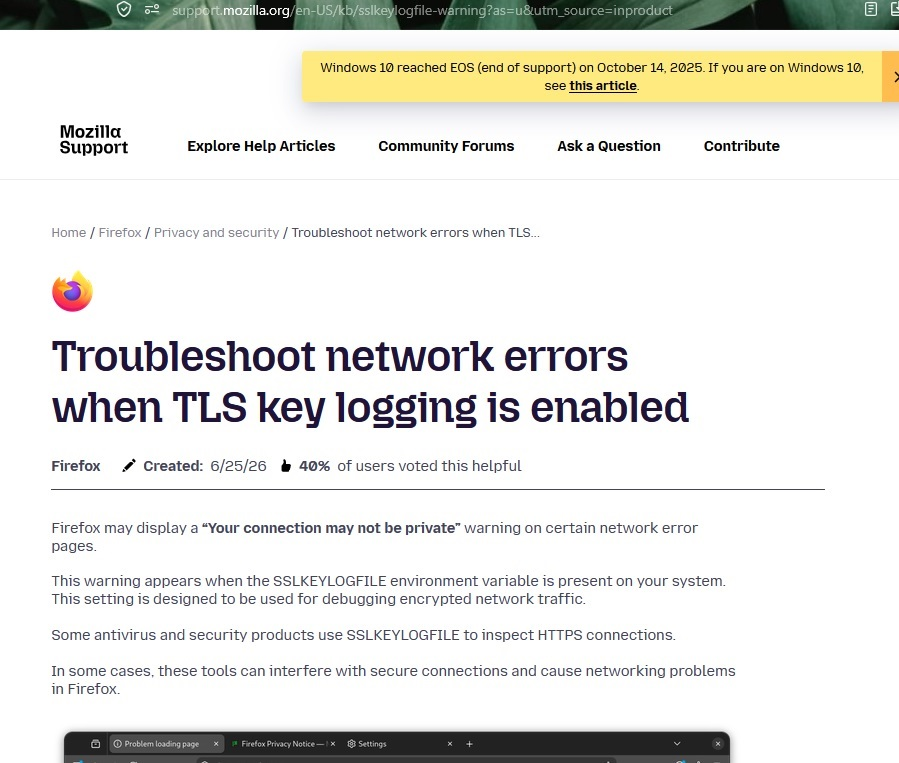
Tell your antivirus company to stop screwing with your secure connections.
hmm, its really not that simples.
why cant i tell ffox to turn off the banner as it means i cant use ffox?
james2703 said
why cant i tell ffox to turn off the banner as it means i cant use ffox?
You can tell ffox to turn it off by removing SSLKEYLOGFILE environmental variable.
I don't consider myself stupid, but that IS the question. The removal instructions are useless to a pleb with an iq of 4. What do I ACTUALLY DO??
Oh I don't think there are any "removal instructions" provided — just that this thing is something to ask your security SW vendor about — Firefox doesn't know where that's coming from, it's more of a question for general Windows support sites or the helpdesk of your antivirus company. (Examples what to turn off are listed in the article. Details otherwise would have to be provided by the company logging the connections.)
that’s another generic reply.
i only have the problem in fffox, no other browser, and it started 2 months ago, and even in f fox its not there all the time, many sites are fine.
I've checked ffox settings to make sure f fox hasn’t got browsing restrictions on etc.
You don't need to believe me, feel free to inspect the sources yourself: https://phabricator.services.mozilla.com/D308467 https://phabricator.services.mozilla.com/D301363 https://phabricator.services.mozilla.com/D222003 https://glam.telemetry.mozilla.org/fog/probe/sslkeylogging_enabled/explore?activeBuckets=%5B%22never%22%2C%22always%22%2C%22sometimes%22%5D&app_id=release&os=Windows
If that's not sufficient for you, consult the timeline of bugzilla.mozilla.org/1188660 and bugzilla.mozilla.org/1573172 where staff describe what the environment being set signifies and what risks are connected to it for mere consumers, not able to influence whether their security products restrict access to the resulting logs that are sensitive material etc., as all of that happens outside Firefox.
If that's still not enough, please consult the general industry materials related to the functionality (it's for better part completely external to Firefox, besides its networking library NSS supporting the standard if directed so from the outside) as the actual capture you're apparently looking into is happening outside of Firefox:
https://wiki.wireshark.org/TLS https://everything.curl.dev/usingcurl/tls/sslkeylogfile.html https://www.ietf.org/archive/id/draft-thomson-tls-keylogfile-00.html
I’m quite competent getting into my system settings, but they don’t look the same as the instructions.
I'm thinking i should be chimping around in Regedit somewhere, which is dangerous for idiots.
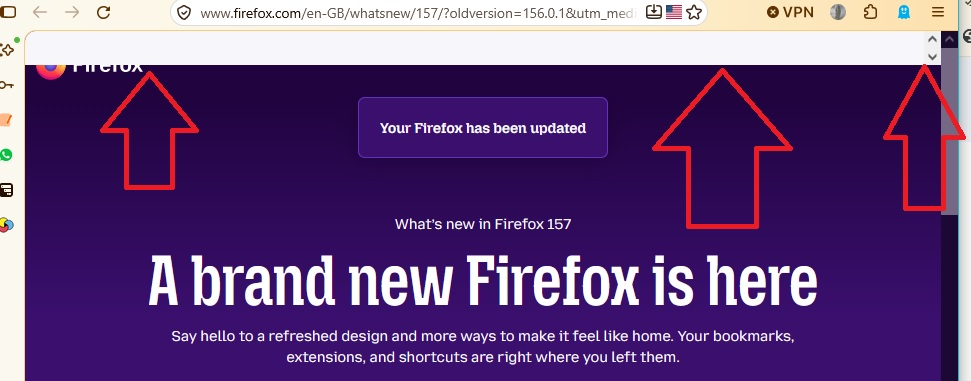
Ooh okay, but that's something else. Try restarting into Troubleshoot Mode (from Help menu) — this usually comes from an addon, like an adblocker, trying to show a banner for donations and the like — this should go away after disabling extensions.