


Custom search keywords no longer working

Hello,
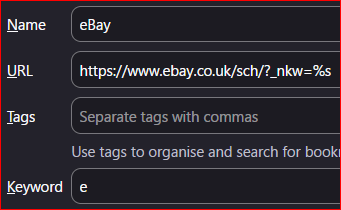
I have some keywords linked to some searches saved as bookmarks - image attached as an example.
I have noticed that the keywords are no longer working in my URL bar. I am using Firefox Developer Edition, and I think the keywords have stopped working since version 153 was released.
The keywords on the proper search engines are still working.
Has anyone else observed this?
Thanks
Solution choisie
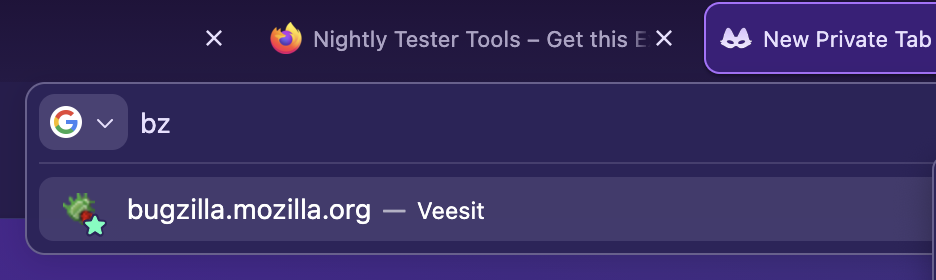
Okay. I think it's an old CSS file I had that was hiding the results after entering a keyword. So the keyword works but no result shows, like in the image in jbr's initial reply. I will just remove this CSS.
Modifié le par plusminus_
Toutes les réponses (4)
Seems to work in 154: … (and I don't see any regressions reported)
jbr said
Seems to work in 154: … (and I don't see any regressions reported)
Thank you for this.
I just checked with another profile (I should have done this first!) and the keyword works there, so there must be something amiss with my main profile.
But at least I know it is not a regression!
I'd just try removing the keyword and adding it back later, or changing it to something else for a bit — to see if there's something conflicting for just this search alias, or nothing really works per se… even after adding, removing and/or editing bookmarks. (Or… you know, restarting the browser, going into Troubleshoot Mode from Help menu to check there, run Places Database integrity check from More Troubleshooting menu item — it's down the page almost at the bottom, in the Places table…)
Solution choisie
Okay. I think it's an old CSS file I had that was hiding the results after entering a keyword. So the keyword works but no result shows, like in the image in jbr's initial reply. I will just remove this CSS.
Modifié le par plusminus_