


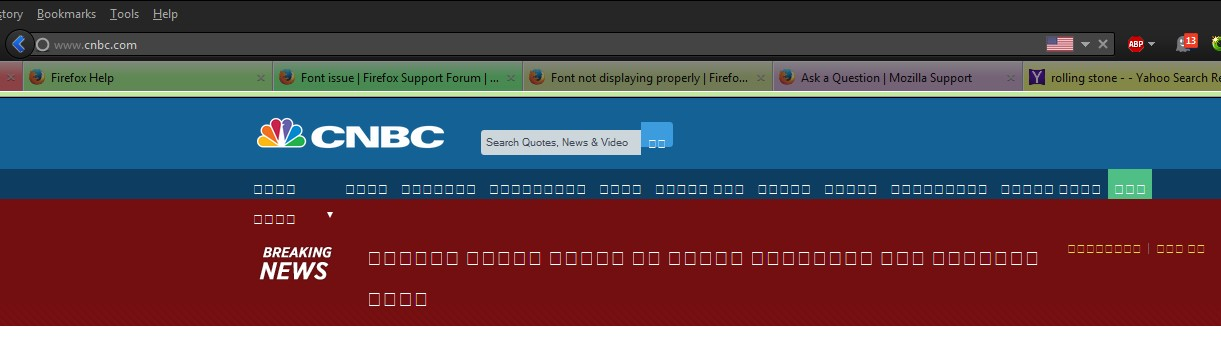
Some websites are not showing proper fonts only in firefox.

For a while through a number of updates, I see this on certain websites, rolling stone and cnbc are two for example. If I go to fonts in my computer, and hit restore default font settings, it only temporarily resolves the issue. If I go to settings and disable websites from using their own fonts, it resolves it but fonts do not appear as sites intend them to appear. This does not happen in other browsers, only firefox. I reinstalled windows 7 fonts. I tried disabling hardware acceleration... Still hasn't resolved the issue. How can I resolve this issue in firefox?

Solution choisie
Do you know if there is a pattern to which font is not working? If you right-click the problem text and choose Inspect Element (Q), Firefox should open the Inspector tool in the lower part of the tab. On the right side across from the HTML source code is a box that can usually shows style Rules. Click the little Fonts heading to show the font being used for the problem text.
When I visit the sites, the problem text is in "Gotham Narrow" (with more words displayed in the attached screen shots). These are downloadable fonts.
Lire cette réponse dans son contexte 👍 2Toutes les réponses (9)

Type about:preferences#content<enter> in the address bar. Across from fonts and colors, press the Advanced button. On the bottom, turn on Allow Web Sites To Choose Their Own.
Thanks for the reply, I toggled with that last night, turning it off, and then back on, it didn't work though, it did allow the sites to be read in the chosen font, but not their own font.. , just didn't resolve the issue.
Solution choisie
Do you know if there is a pattern to which font is not working? If you right-click the problem text and choose Inspect Element (Q), Firefox should open the Inspector tool in the lower part of the tab. On the right side across from the HTML source code is a box that can usually shows style Rules. Click the little Fonts heading to show the font being used for the problem text.
When I visit the sites, the problem text is in "Gotham Narrow" (with more words displayed in the attached screen shots). These are downloadable fonts.
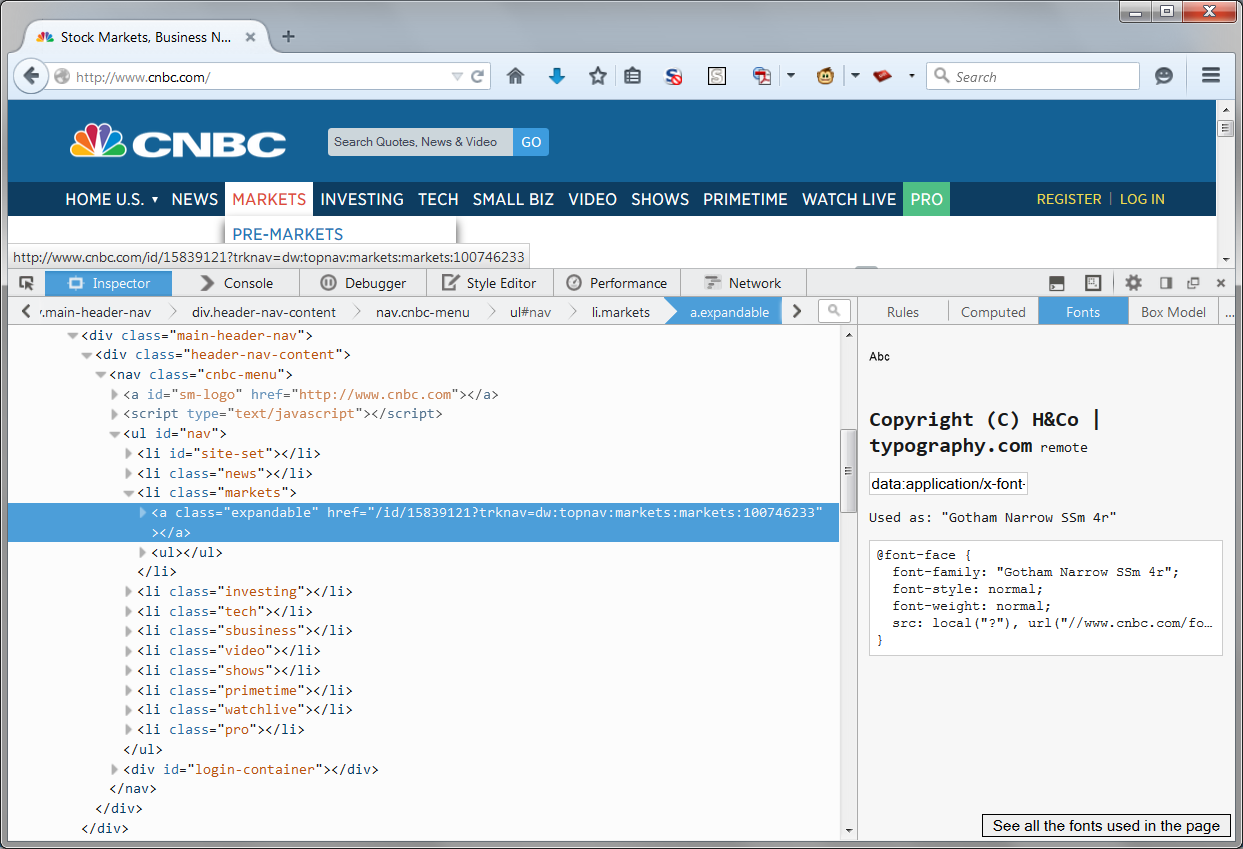
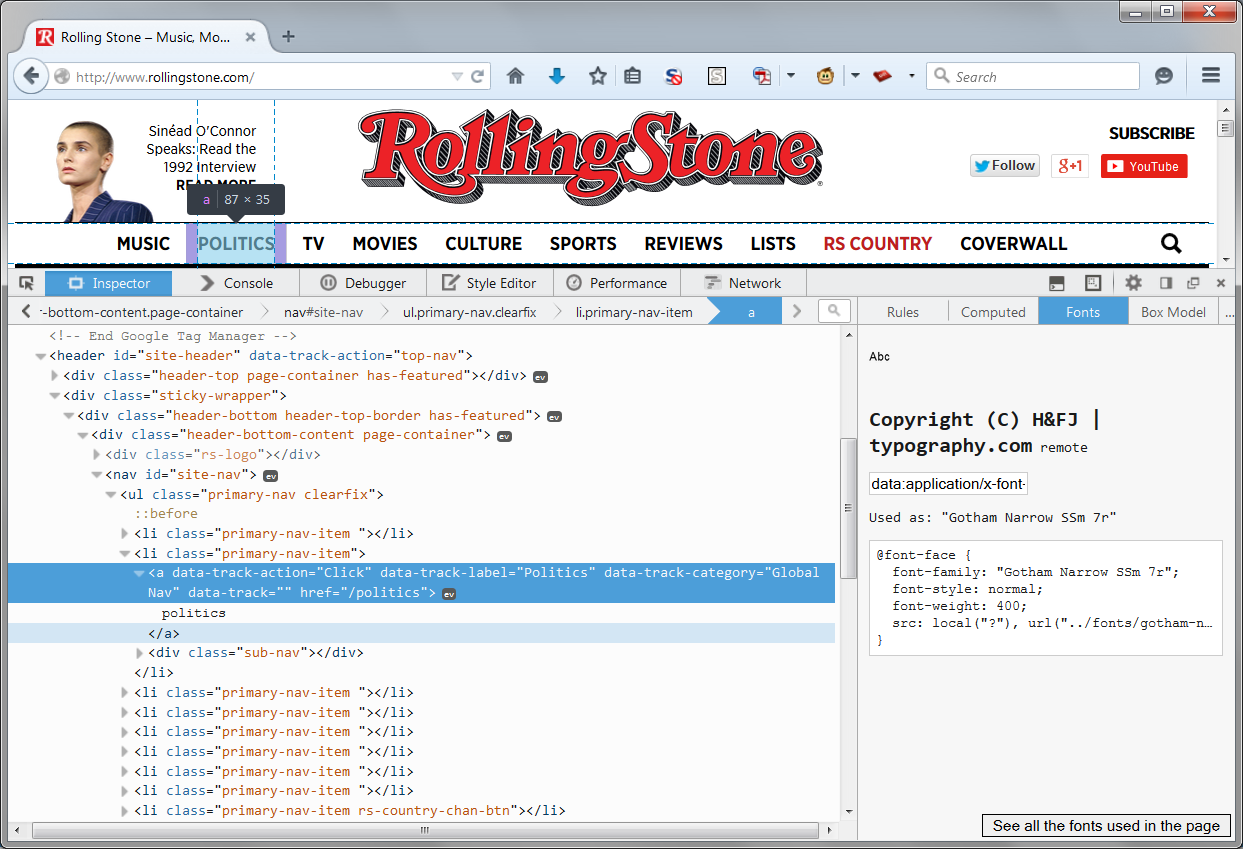
Thank you downloaded/installed the fonts in that folder, and looks great! Thanks for taking the time to help me! I'm gonna bookmark this question opened here and if it changes, which looks like right now it will not, I'll return here, but as of now, looks great thanks to you guys' help and education on this! Peace and blessinz!
Actually, Firefox is supposed to download them for you when needed, and just keep them in the browser cache for use by the site. You shouldn't need to install them yourself, but I suppose that works, too. (Assuming you got a trustworthy copy!)
OK so after downloading those fonts in a package, it reverts back after about 2 mins or so, to the little upward rectangles in the screenshot. Wish I could permanently deal with this. :-/
Do other downloadable fonts work normally? For example, this site uses the "Open Sans" family and you should see that as the active font if you Inspect this post.
Just fine. When I restart in safe mode those sites are fine too (allbeit, not sure for how long).
Modifié le par JC90125
Besides disabling hardware acceleration, Safe Mode also disables extensions and the userContent.css customization file. (And various other things that probably are not closely related to fonts.)