mails response on top
Hi everybody, after switching from microsoft ews to graph using exchange server any response on a e-mail is starting at the bottom. I would like to have my response editor on top above the attached e-mail I am responding to. All other e-mail accounts are working this way but not on the Microsoft Graph e-mail account. Could someone please help ? Regards Thomas
Thunderbird 158.0. (64bit)
پاسخها (3)
بخشها
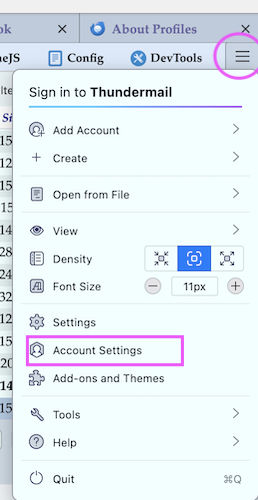
Click on the app menu button ≡ in the upper right corner and select Account Settings. In the Account Settings left panel select the category Composition & Addressing of your account and choose your preference for "Automatically quote the original message...."
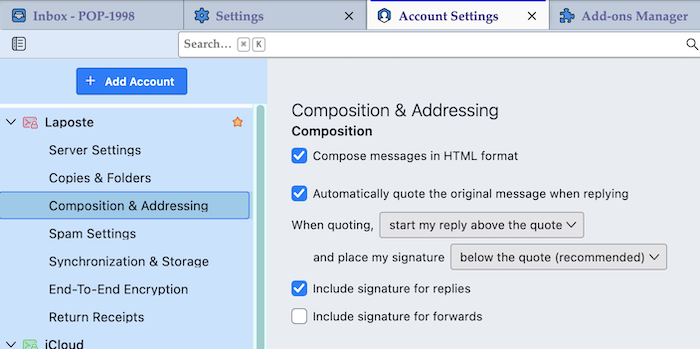
Thanks Mapenzi, that was what I was looking for. It's not in the upper right settings but in the left pane. Now everythings looks as it was before. Again, Thanks for helping. Regards Thomas
Schreier.Thomas said
It's not in the upper right settings but in the left pane.
No, you misunderstood me! The Thunderbird app menu button ≡ is located in the upper right corner of the Thunderbird main window, and you can choose "Account Settings in its drop down menu.