Refresh button while browing in morzilla
when browse there is no option for refreshing
I have an idea for improvement of the mozilla browser, but I don't want to send it online here. So can you please give an email address and I will send it there instead(?… (read more)
I have an idea for improvement of the mozilla browser, but I don't want to send it online here. So can you please give an email address and I will send it there instead(?).
there may be a bug in the recent version of FireFox browser. Spell check does NOT work in copilot . It says that its firefox's bug. Is there a fix coming soon?
Make a search where I can ask my question with out having to be intimately with ALL options available.
Greetings! I am using the firefox enterprise version and I have noticed an issue that the browser does not capture mouse events when the pointer is at rightmost edge of t… (read more)
Greetings!
I am using the firefox enterprise version and I have noticed an issue that the browser does not capture mouse events when the pointer is at rightmost edge of the firefox window. For example, on this website near the edge the pointer would initially focus on the scroll bar and then lose focus at the edge (see attached images).
This issue does not persist on x11, and only seems to exist on wayland. It also exists on other flavours of firefox on wayland.
If more information is required, feel free to send me a ping.
I have a problem on the aliexpress website. (in other browsers everything works fine) When I open tabs with goods on aliexpress. and start switching between them, then at… (read more)
I have a problem on the aliexpress website. (in other browsers everything works fine) When I open tabs with goods on aliexpress. and start switching between them, then at the moment of switching to another tab, my previous tab itself is updated and opens the main page. And there is no way to even press the “Back” button. The browser seems to reload the page completely. The chatgpt was unable to find a solution. All hope is on you. There are no errors. It's just that the aliexpress page reloads by itself when I switch to any other tab.
I am trying to send an error report for a website to Mozilla. I got to the menu (3 vertical lines in the upper right) but there is no option to send an error report. … (read more)
I am trying to send an error report for a website to Mozilla. I got to the menu (3 vertical lines in the upper right) but there is no option to send an error report.
For the love of God. Effective yesterday, why can I no longer open a new tab in Firefox browser on a Windows laptop? Is this a bug or was it an intentional update to dele… (read more)
For the love of God. Effective yesterday, why can I no longer open a new tab in Firefox browser on a Windows laptop? Is this a bug or was it an intentional update to delete the visible 'open a new browser' plus (+) icon, and make it elusive, frustrating, and impossible to open a new tab? I found a workaround (right click and select the new "New Tab to Right" option from the list of drop down options), but this circumvention is mindboggling and inefficient at best. Please help. One of the things I have loved about the Mozilla organization for the last nearly 20 years of using Firefox has been the organization's dedication to make internet browsing simple and safe for users. Replacing the 1 step 'open a new browser' plus (+) icon with a 3 step right click move is the opposite of simple. Please troubleshoot.
Tab groups vs Bookmarks??
I had an update and can no longer refresh screen (clockwise circle arrow icon) or return to previous screen (left arrow icon)
How do I stop it from appearing please? It's the address bar.. field. I don't know what to call it, english is not my native language. I just want it to remain small and … (read more)
How do I stop it from appearing please? It's the address bar.. field. I don't know what to call it, english is not my native language. I just want it to remain small and static like it always did. Now it becomes a huge field that takes up too much space and blocks my vision and I just want it to disappear.
I wish Firefox would stop changing stuff like this.
I took a look today and I had 237 MB in cookies! This was after clearing the cache of all files. I've only had this (new) machine a couple months. Short version: Sites h… (read more)
I took a look today and I had 237 MB in cookies! This was after clearing the cache of all files. I've only had this (new) machine a couple months.
Short version: Sites have "cookies" from 200kb to as much as 34MB! For many of the sites over 3MB I have no account and have visited them only briefly.
To be clear, I don't care about the space being used. It's trivial. But what the heck is FFox storing and calling it "cookies"? Last I checked, a site was still limited to 4K size cookies and perhaps 50 per domain. So how are we getting to MB+ sized "cookies" per site? Again, the cache was cleared, so what's left aside from trivial cookie files of <4KB?
Desktop; Windows 11; Firefox 139.0.4 64 bit
Ok so I usually choose these option to remember history and from time to time delete Browsing & download history and Temporary cached files and pages. https://assets… (read more)
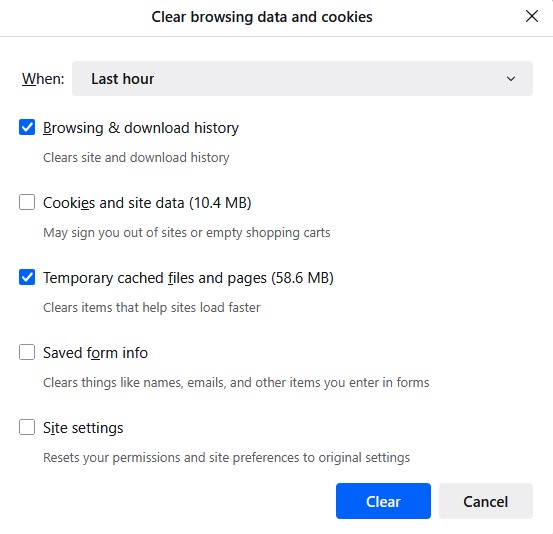
Ok so I usually choose these option to remember history and from time to time delete Browsing & download history and Temporary cached files and pages.
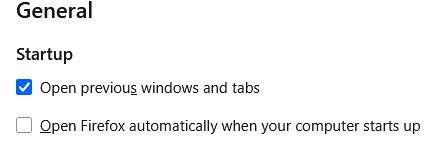
Note: I have "Open previous window and tabs" ticked in general settings which also has a restore previous session option in the history menu. This brings back previous session with tabs etc as is when I close FF. https://assets-prod.sumo.prod.webservices.mozgcp.net/media/uploads/images/2025-06-28-08-45-51-cf2daf.png
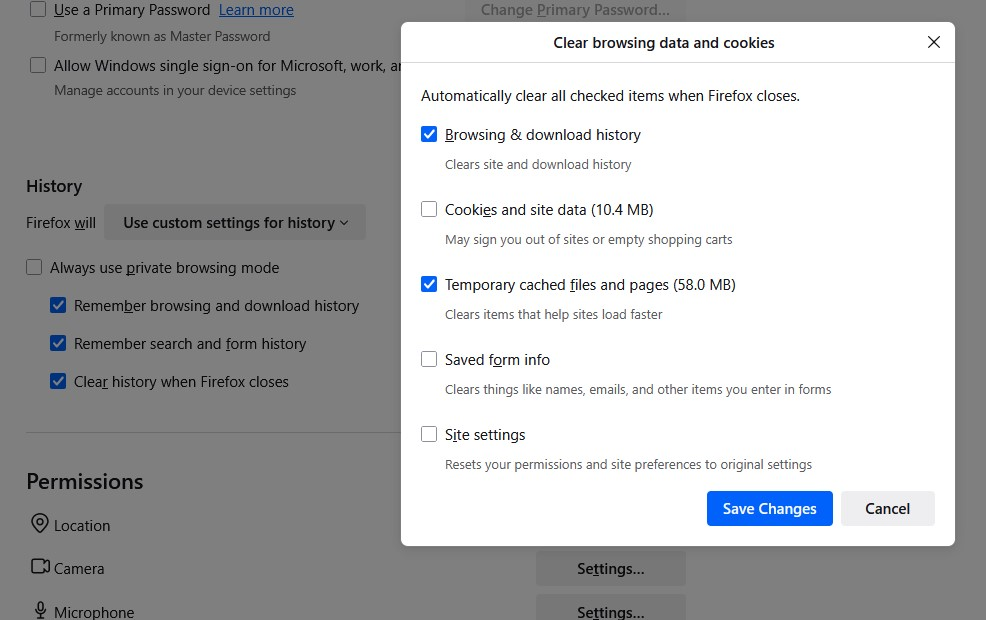
I thought I could automate this on exit but don't think its working right. So I change the option to "use custom settings for history" and tick all three options:
Remember browsing and download history Remember search and form history Clear history when Firefox closes For "Clear history when Firefox closes" I ticked Browsing & download history and Temporary cached files and pages. https://assets-prod.sumo.prod.webservices.mozgcp.net/media/uploads/images/2025-06-28-08-45-43-b10213.png
The issue is the restore session option is missing and FF opens with all previous tabs gone. I am frankly not even sure what else is missing such as cookies, site data etc. Is this meant to work like so?
i cant reach https://myaccount.esbnetworks.ie/ site. Can some one help me
Netflix says I need the the latest version of firefox. At the top of the screen it says "Firefox is installing components needed to play the audio or video on this page. … (read more)
Netflix says I need the the latest version of firefox. At the top of the screen it says "Firefox is installing components needed to play the audio or video on this page. Please try again later"
As far as I can tell nothing is installing and I need to actually do something to resolve this issue. Unfortunately I don't know what. Please help me resolve this issue.
To whom it may concern, I have attached a picture of the error message I get when trying to play a video. I know the website is not at fault as I can use your competitors… (read more)
To whom it may concern,
I have attached a picture of the error message I get when trying to play a video. I know the website is not at fault as I can use your competitors browser (Chrome) and the videos play with no issue. I have also tried a few media player extensions with no success. Please help me find a solution so I do not need to use another browser. Thanks
Sam [email address]
Hello! A web site I frequent, livebyliving.org, has a menu structure running horizontally across the top of the pages. Each option has a pull-down sub-menu. Yesterday aft… (read more)
Hello!
A web site I frequent, livebyliving.org, has a menu structure running horizontally across the top of the pages. Each option has a pull-down sub-menu. Yesterday afternoon or evening that menu turned into the three bar menu icon in the upper corner of the pages and the horizontal menu disappeared. When I click the three bar icon the entire menu structure is displayed vertically.
Firefox on my Android tablet was updated November 26. I used the site in question numerous times since that update and the menu was displayed correctly. It displayed correctly yesterday morning, Nov 29. In the evening, when I went to use the site, the menu behavior had changed. I also note the change when using my Android phone. The last Android update for my tablet was February 6, 2023.
I tested with Chrome and Google today and they display the menu correctly so it seems as if something specific to Firefox changed yesterday.
I've attached three screen shots. The first is the correct behavior with the horizontal menu. The second image shows the same page with the changed menu presentation. The third image shows the sub-menu presentation after whatever changed.
Any thoughts would be most appreciated!
helo, my text cursor position always at behind of text make it hard to locate. e.g. when i click on "find in settings" box, the cursor locate at behind the "find in setti… (read more)
helo, my text cursor position always at behind of text make it hard to locate. e.g. when i click on "find in settings" box, the cursor locate at behind the "find in settings" words not at the front.
i'll attached the screenshot
Two widgets turned up on y home screen after that last update. I don't want them. How do I delete them.