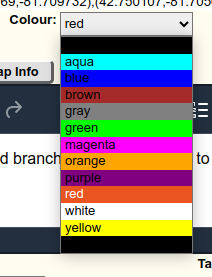
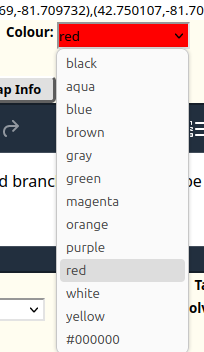
Blocklisted by gfxInfo Blocklisted due to known issues: bug 1603515
Its in about:support.
Update to 151.0b1, this deleted all my tabs.
They do not show up I'm sync either.
OS: Debian (trixie) Firefox version: 149.0b3 Firefox suddenly crashes without any displayed error. Attempt to troubleshoot it in "safe mode" doesn't help (it also sudd… (read more)
Firefox suddenly crashes without any displayed error. Attempt to troubleshoot it in "safe mode" doesn't help (it also suddenly crashes.
I had about 20 tabs in my "Inactive tabs" on Firefox mobile. Today I wanted to open one of them, but all gone. I can't even found them in "recently closed tabs". This is … (read more)
I had about 20 tabs in my "Inactive tabs" on Firefox mobile. Today I wanted to open one of them, but all gone. I can't even found them in "recently closed tabs". This is very upsetting because some of them was very important for me.
Please add an option to set a default language to translate into. I often have to translate Japanese webpages, and each time I need to scroll through the list of "Transla… (read more)
Please add an option to set a default language to translate into. I often have to translate Japanese webpages, and each time I need to scroll through the list of "Translate to" languages to find English.
When I go to another app, and back, tabs have to reload, often loosing what was done in the page. I have set Firefox as "No restrictions" on my Xiaomi 15 Ultra (HyperOS 3… (read more)
When I go to another app, and back, tabs have to reload, often loosing what was done in the page. I have set Firefox as "No restrictions" on my Xiaomi 15 Ultra (HyperOS 3, Android 16), but Firefox still seems to unload memory very frequently.
Other than being slow to download my emails now for a few months, TB was performing well until a week or so ago. Now it also won't open the downloaded email when I click… (read more)
Other than being slow to download my emails now for a few months, TB was performing well until a week or so ago. Now it also won't open the downloaded email when I click on it and the TB freezes up so I can't close it out. I have tried restarting computer multiple times and it works for one or two emails that I can open and then starts freezing up again. Makes using it almost impossible. I have security Windows 11 Defender only and have had it the entire time when it also worked well.
I just accidentally deleted a day of history, now it has to relearn a bunch of stuff. Please add support for undo, so that if you do it by accident, you can reverse it. … (read more)
I just accidentally deleted a day of history, now it has to relearn a bunch of stuff.
Please add support for undo, so that if you do it by accident, you can reverse it.
Searching in English will not be a problem
Hello, I am currently using Firefox Beta and I would like to switch to the regular Firefox Release without losing any of my data (browsing history, bookmarks, passwords, … (read more)
Hello, I am currently using Firefox Beta and I would like to switch to the regular Firefox Release without losing any of my data (browsing history, bookmarks, passwords, add-ons, and settings). I would appreciate guidance on the safest recommended method. Specifically:
Is it safe to install the Release version over Firefox Beta, or could this cause data loss or profile conflicts?
What is the best way to create a full backup of my Firefox profile beforehand?
Should I expect any issues with add-ons after moving from Beta to Release?
Do you recommend enabling Firefox Sync as an additional safeguard, or is a profile backup enough?
In case something goes wrong, what are the recommended recovery steps?
My setup:
Operating System: [windows 10 ]
Thank you for your assistance.
你们家firefox beta安卓端删除数据重新登录后点立即同步有效果 一退出重进 或者连个vpn或者连个vpn然后断开vpn 就出现以下问题 1.按了之后一直显示 同步中 2.按了没反应 问题是持续的 也就是说一旦立即同步用不了了就得删除firefox beta的数据重新登录 太恶心人了 希望尽快解决 感谢你们 … (read more)
你们家firefox beta安卓端删除数据重新登录后点立即同步有效果 一退出重进 或者连个vpn或者连个vpn然后断开vpn 就出现以下问题 1.按了之后一直显示 同步中 2.按了没反应 问题是持续的 也就是说一旦立即同步用不了了就得删除firefox beta的数据重新登录 太恶心人了
希望尽快解决
感谢你们
Hello its been a 2 or 3 months I have been using firefox and always have meet multiple malfunction on the browser, its not that I am saying its bad tho I like the GUI des… (read more)
Hello its been a 2 or 3 months I have been using firefox and always have meet multiple malfunction on the browser, its not that I am saying its bad tho I like the GUI design and the features it have. But this recently update i experiences a malfunction that when I try to type a wrong word autocorrecting is kinda multi hopping like its scrabble some words I try to clear cache it and even clear cache my keyboard but still their. Hope mozilla find this bug immediately
I have a folder with 124000 email in my mailbox. Can I get backup with Thunderbird? It seems that there is a limitation of 10000
I want to make sure I'm signed in to get updates! tips¡ Suggestions; etc any new beta testing. Gemini and I have successfully gone through the configuration and setting… (read more)
I want to make sure I'm signed in to get updates! tips¡ Suggestions; etc any new beta testing. Gemini and I have successfully gone through the configuration and settings and Firefox. We have successfully synced password bookmarks etc to Firefox. At the new user to the Firefox beta testing program are there any specific activities that you would like us to perform. I would appreciate Amy advice on different subjects to test. I recently within the Google Gemini beta testing program and I was wondering if there's any more beta testing program that I can sign up for it.
Thank you for your time
I have vertical tabs enabled and the "expand when hovering mouse" option is activated (see screenshot). However, the latter functionality tends to glitch at some point in… (read more)
I have vertical tabs enabled and the "expand when hovering mouse" option is activated (see screenshot). However, the latter functionality tends to glitch at some point in basically every session. I can't tell if a specific action triggers it, so far it seems pretty random. The glitch is that either the tabs are expanded and won't collapse, or the opposite: they're collapsed and refuse to expand when I point at them. Is this feature maybe still experimental? or something? I'm running Firefox 149.0b5 DEveloper Edition on Garuda Linux (Arch based).
Win 11 Pro, Firefox Browser-Developer, 147.0b9, 64bit Problem recently occurred. Example it was working fine this morning and after turning the computer off and restartin… (read more)
Win 11 Pro, Firefox Browser-Developer, 147.0b9, 64bit Problem recently occurred. Example it was working fine this morning and after turning the computer off and restarting later in the day this happens. The image below shows faded access to the password manager. Link that appear do not work: Log in at the header and link in password support highlight in the visible text portion. Thanks in advance for your help
Problem with facebook
I want to be able to translate a Thai web page into English but cannot find Thai in the drop down list
please add extension themes in mobile like desktop themes firefox