This thread was archived.
Please ask a new question if you need help.

Archived
Missing icons in WordPress 6.9 when using Firefox

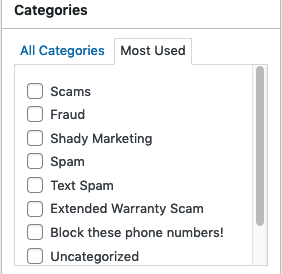
After upgrading to WordPress 6.9 I can no longer see icons in the text editor, even within the theme I'm using. Also, when a box is checked (e.g. "Category" when you've created a post), the box is highlighted but there is no checkmark and you can't select multiple categories. Same for ANY box, actually. I've attached screenshots.
These issues do not appear when using Chrome. Really annoying because Firefox is my default browser and now I will have to do my WordPress development using Chrome. I really hope there's a fix for this, either via WordPress or Firefox.