


Virtviewer 5 not able to start automatically in Firefox 60

I have to access to a console via virtviewer but it always ask what action to take even though I have already checked the option "do this automatically for files like this from now on".
I have configured the proper action in Options>Applications and also edited the handlers.json file.
I have virtviewer 5 version and Firefox 60 running over Centos 7, also tried to access via Firefox 62 running over windows 10.
All Replies (3)
Este es el contenido de handlers.json {"defaultHandlersVersion":{"en-US":4},"mimeTypes":{"application/x-virt-viewer":{"action":4},"extensions":["vv"],"ask":false},"schemes":{"ircs":{"action":2,"ask":true,"handlers":[null,{"name":"Mibbit","uriTemplate":"https://www.mibbit.com/?url=%s"}]},"mailto":{"action":2,"ask":true,"handlers":[null,{"name":"Yahoo! Mail","uriTemplate":"https://compose.mail.yahoo.com/?To=%s"},{"name":"Gmail","uriTemplate":"https://mail.google.com/mail/?extsrc=mailto&url=%s"}]},"irc":{"action":2,"ask":true,"handlers":[null,{"name":"Mibbit","uriTemplate":"https://www.mibbit.com/?url=%s"}]},"webcal":{"action":2,"ask":true,"handlers":[null,{"name":"30 Boxes","uriTemplate":"https://30boxes.com/external/widget?refer=ff&url=%s"}]}}}
This option comes every time and the configuration made in Properties applications
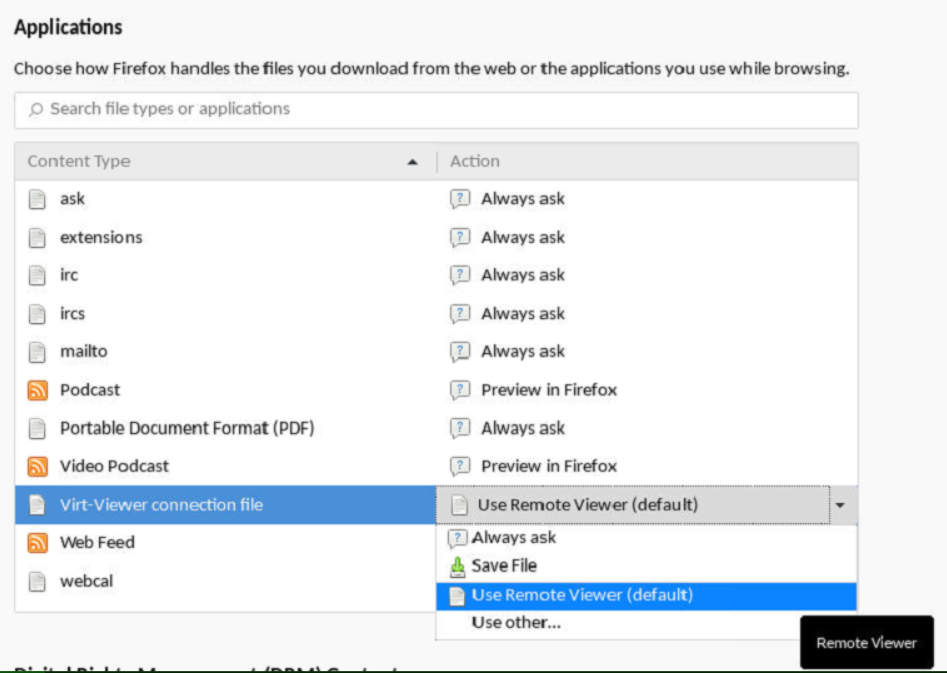
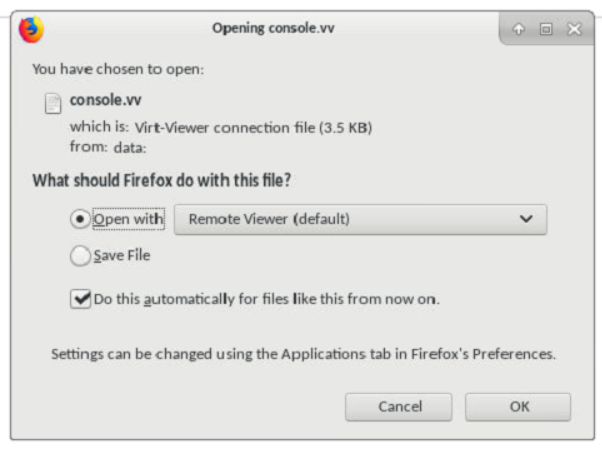

¡Hola!
Please see https://www.reddit.com/r/firefox/comments/7xezt9/do_this_automatically_for_files_like_this_from/du875tp/ and let us know if this solves your question.
¡Gracias! Alex