


How to disable items in the right-click menu in Firefox
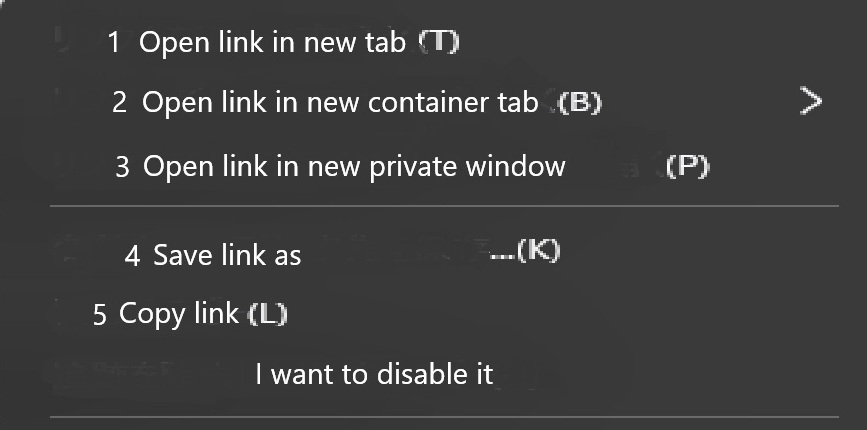
Hello, I'd like your help. I'd like to disable some unnecessary options from the Firefox right-click menu. 1. Open link in new tab 2. Open link in new container tab 3. Open link in new private window 4. Save link as 5. Copy link I don't need these five options, so I'd like to disable them if possible.
Όλες οι απαντήσεις (2)
Επιλεγμένη λύση
Hello
You can try an code userChrome.css
#context-openlinkintab{display:none!important;} #context-openlinkinusercontext-menu{display:none!important;} #context-openlinkprivate{display:none!important;} #context-savelink{display:none!important;} #context-copylink{display:none!important;}
If you have a userChrome.css file, add, the code to the file. Restart Firefox.
A space for users to give product feedback, https://support.mozilla.org/en-US/kb/what-mozilla-connect
Τροποποιήθηκε στις από τον/την Agent virtuel
Hello, thank you for the information. I entered the code into userChrome.css and was able to disable it, making the right-click menu easier to use for me. I appreciate you taking the time to provide me with this information. Thank you very much.