


Can I permanently turn off information “Update available" message

Can I permanently turn off InformationUpdate available' which appears each time I open Firefox. I must click Dismiss to close it. The problem is that after each update, many services to which I log every day, state that I am logging from a new device and I must complete a time consuming procedure of adding a new device in many places. And I don’t need most of the updates.
Επιλεγμένη λύση
Tak tylko że w tym filmie użyli innej zasady. Powinieneś użyć ManualAppUpdateOnly, jak napisałem powyżej.
Όλες οι απαντήσεις (8)
Yes you can, but only with policies. Go to about:policies and find ManualAppUpdateOnly in documentation.
Thanks for your quick answer, but I can’t find this place. When I open About Firefox from Help menu in the browser I see only the window in the included screen shot. Perhaps You meant About somewhere else
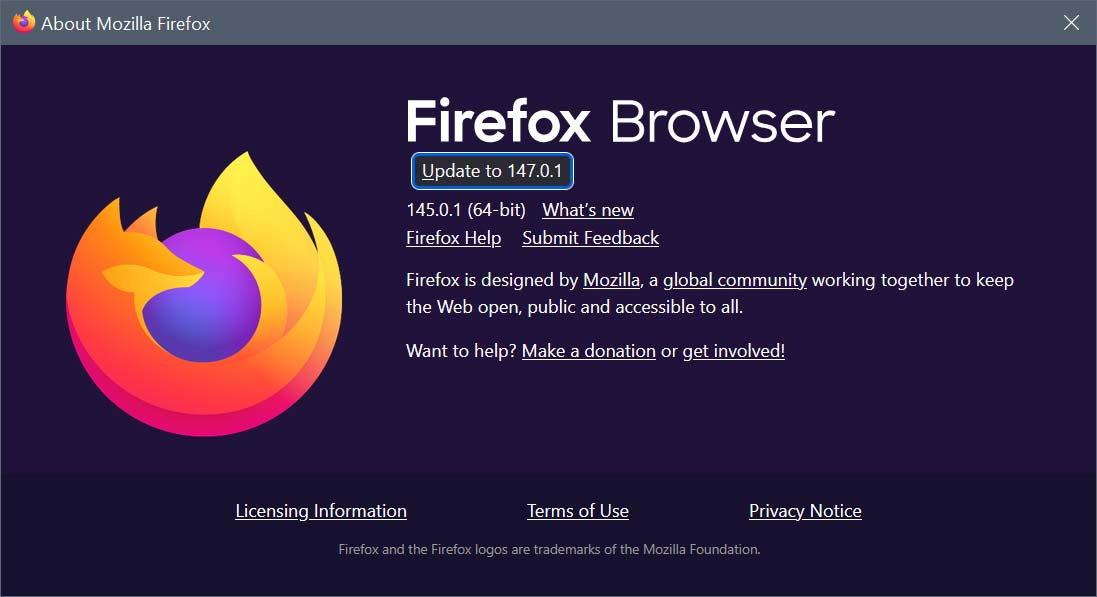
Just paste about:policies in the address bar and hit Enter.
Hello
A similar question. https://support.mozilla.org/en-US/questions/1561167
Disable Firefox Updates. https://www.youtube.com/watch?v=wiWZOm_UX30
If you wish to study Enterprise Policy Generator. https://addons.mozilla.org/firefox/addon/enterprise-policy-generator
https://connect.mozilla.org/t5/discussions/upgrade-notification-spam/m-p/64080/highlight/true#M22529
Thank you very much for your help. I also watched the YouTube video on the subject. I added policies.json file where needed and it works OK. Only now I have no option either in settings nor in the menu to check for updates. But it’s not a problem for me. If I ever need to install updates I can just remove the policies.json file, and then add it again. Have a good day Krzysztof BTW, With such a nick, I assume you are also a Pole :)
Επιλεγμένη λύση
Tak tylko że w tym filmie użyli innej zasady. Powinieneś użyć ManualAppUpdateOnly, jak napisałem powyżej.
Faktycznie. Po zmianie wpisu mam możliwość ręcznego update'u z Settings. Jeszcze raz dziękuję. Jeśli chcesz w rewanżu darmową licencję na któryś z moich programów, zajrzyj na https://nahlik.pl i wyślij mi maila na kontakt na stronie
Krzysztof said
Thank you very much for your help. I also watched the YouTube video on the subject. I added policies.json file where needed and it works OK. Only now I have no option either in settings nor in the menu to check for updates. But it’s not a problem for me. If I ever need to install updates I can just remove the policies.json file, and then add it again
Uwaga: Jestem Francuzem, używam Firefox Translations. Aby zobaczyć go w działaniu, mogę również wpisać about:translations na pasku adresu.
Tak, potwierdzam, Firefox Nighty, ilustracja. https://www.youtube.com/watch?v=tk5wK5HqvaU