


Add (custom) Search Shortcut button missing

Hello,
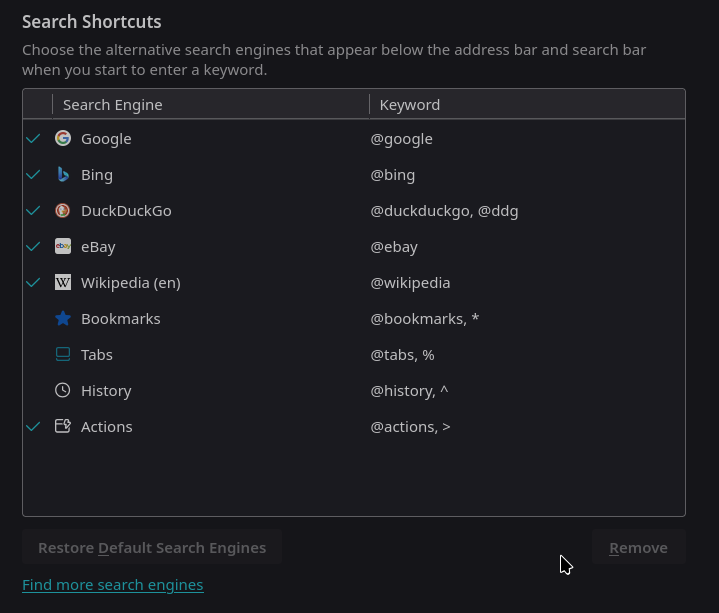
I can't figure out how to add a custom search shortcut, is this no longer possible in Firefox (without installing addons/extensions)?
I recall 'custom search' being more or less ubiquitous, and feel like there was an "Add" button below the Search Shortcuts UI not that long ago.
Bookmarks with keywords would be a reasonable workaround if it weren't for having to prefix the keyword to the search terms.
Thank you, Kyle
Όλες οι απαντήσεις (1)
Hello
Take a look at browser.urlbar.update2.engineAliasRefresh https://connect.mozilla.org/t5/discussions/custom-search-engines-like-chrome/m-p/23892
For information purposes Since the release of Firefox 140.0 https://www.mozilla.org/en-US/firefox/140.0/releasenotes
Custom Search Engines: Firefox now supports adding even more search engines. To add a custom engine, right-click a search field of a supported website and select “Add Search Engine”, or go to Settings > Search > Add (below the search shortcuts table) to manually enter a search URL.
Add or remove a search engine in Firefox https://support.mozilla.org/en-US/kb/add-or-remove-search-engine-firefox
Add a custom search engine in Settings
By default, the article is displayed according to the Firefox used and the user's system. For your information, you can Customize this article.
https://support.mozilla.org/en-US/kb/add-or-remove-search-engine-firefox#firefox:linux:fx140
Τροποποιήθηκε στις από τον/την Agent virtuel