


Revert the tab and address bar shapes to not be rounded

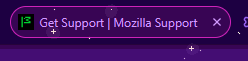
I absolutely hate the new chromelike tab and address bar shapes (rounded, smaller). Whole reason I'm here is because I despise chrome. Is there any way to revert them to be larger and rectangular again, either through an add-on or in settings?

Alle Antworten (3)

I tried installing a previous version and turning off automatic updates, but that just broke website features, so I decided to switch to Brave for the time being until Firefox can fix this issue, the top bar is extremely distracting! I'm finding it hard to ignore how hideous it looks, the round tabs should have been optional and the pastel color shift across the top is also very distracting, that should also have been an opt in option not forced without consent. That being said, Brave is loading pages a lot faster than FF, so I'm not sure if I'm switching back, I don't want to log into google just to get extensions, so I'm compromising, the built in tracker protections seem robust enough to skip that, I'm obviously using Brave to post all this right now, seems to be working just fine. I think something about the weekly update fad has tilted things into a really weird space, maybe it's not getting any oversight?

To mostly-reverse the recent UI change:
Type about:config in the web-address bar -> ENTER -> accept warning -> search for nova -> double-click the line "browser.nova.enabled" to change it to "false"
Bonjour
A space for users to give product feedback https://support.mozilla.org/en-US/kb/what-mozilla-connect