


Gelöst
Firefox not rastering the Facebook page

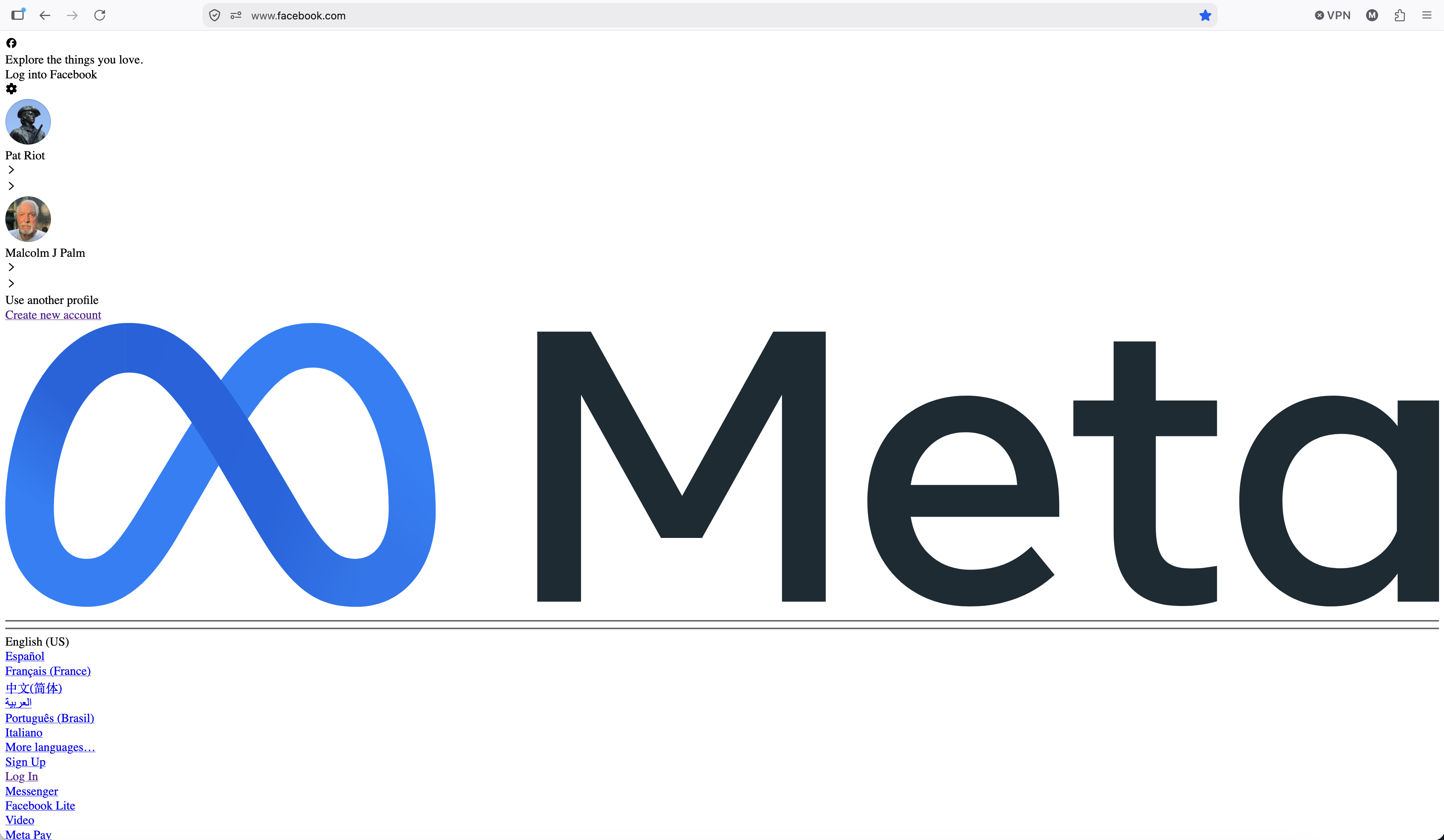
Recently, when attempting to sign into Facebook using Firefox I get the following (see image)
Recently, when attempting to sign into Facebook using Firefox I get the following (see image)
Alle Antworten (3)
Try pressing Command + R a few times, or signing in using a Private Window for comparison.
Some standard troubleshooting steps that may resolve the issue:
- Start with clearing Firefox cache.
- If it does not help, try clearing cookies and data for the website you experience troubles with (warning: you will be logged out on this website).
- Please check if you have Enhanced Tracking Protection (ETP) enabled. You can do that by clicking the shield
 icon in the left part of the address bar. If ETP is enabled, try disabling it.
- If it also does not help, try running Firefox in Troubleshoot Mode. If the problem doesn't persist, please follow the steps from this article to troubleshoot further.
Ausgewählte Lösung
Thanks, jbr. Clearing the browsing data didn't work at first. Only when selecting "Everything" at the top of the box where you see 'When'. After doing that everything is back to normal.
Thanks MP

For the record, I did not have Enhanced Tracking Protection (ETP) enabled