

Windows 10 reached EOS (end of support) on October 14, 2025. If you are on Windows 10, see this article.

Hilfe durchsuchen

Vorsicht vor Support-Betrug: Wir fordern Sie niemals auf, eine Telefonnummer anzurufen, eine SMS an eine Telefonnummer zu senden oder persönliche Daten preiszugeben. Bitte melden Sie verdächtige Aktivitäten über die Funktion „Missbrauch melden“.

Weitere Informationen
Gelöst

how do disable notification requests enterpise wide

peter huiskens

based on this article: https://support.mozilla.org/en-US/kb/push-notifications-firefox#w_manage-the-notifications-permission-for-all-websites

i can manually disable the notification requests in a single instance. However, how can i accomplish the same for my other 1000 users in one policy?

I tried different permission notification registry settings, but none seem to work. probably getting lost in the AI web that doesn't exactly know how to fix it.

I’m looking for something i can set in the registry,powershell or by gpo. It should work in all cases, new and existing firefox profiles.
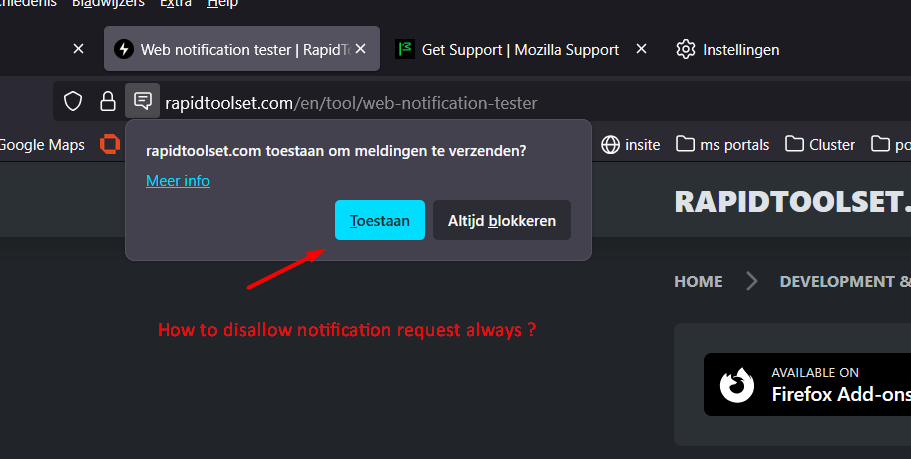
based on this article: https://support.mozilla.org/en-US/kb/push-notifications-firefox#w_manage-the-notifications-permission-for-all-websites i can manually disable the notification requests in a single instance. However, how can i accomplish the same for my other 1000 users in one policy? I tried different permission notification registry settings, but none seem to work. probably getting lost in the AI web that doesn't exactly know how to fix it. I’m looking for something i can set in the registry,powershell or by gpo. It should work in all cases, new and existing firefox profiles.
Angefügte Screenshots

Alle Antworten (2)

Ausgewählte Lösung

You'd ideally ask in (or have mods move this to) support.mozilla.org/questions/firefox-enterprise however you're probably just looking for this:

permissions.default.desktop-notification

See firefox-admin-docs.mozilla.org/reference/policies/permissions/#values for Locked and BlockNewRequests bits.

Thnx @jbr , i'll try to implement this

Stellen Sie eine Frage

Sie müssen sich mit Ihrem Benutzerkonto anmelden, um auf Beiträge zu antworten. Bitte stellen Sie eine neue Frage, wenn Sie noch kein Benutzerkonto haben.