Firefox in Windows shows multiple 'instances' in Task Manager and often says 'not closed properly'

for some weeks now, Firefox (latest, in Windows) crashes, or says 'not closed properly' and shows (usually) 12 'instances' in Task Manager when only one tab has been opened. I'm not techie, and need clear advice. Can anyone help please? Hugh, UK
Alle Antworten (10)
Try running in Troubleshoot mode and see if you have the same issues. https://support.mozilla.org/en-US/kb/diagnose-firefox-issues-using-troubleshoot-mode#w_how-to-start-firefox-in-4troubleshoot-modesf5safe-modesf
Did you clear your browser cache? https://support.mozilla.org/en-US/kb/clear-cookies-and-site-data-firefox
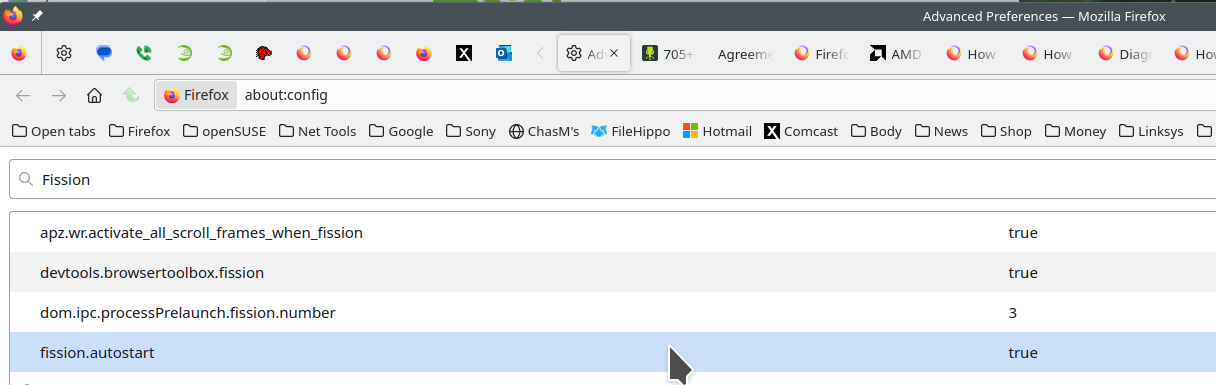
The process in task manager are this.
Firefox's Project Fission:
Introducing Firefox’s new Site Isolation Security Architecture https://hacks.mozilla.org/2021/05/introducing-firefox-new-site-isolation-security-architecture/
Firefox's Project Fission: better security and more processes https://www.ghacks.net/2019/02/07/firefoxs-project-fission-better-security-and-more-processes/
Enable Fission in Firefox https://www.ghacks.net/2020/09/20/you-can-try-firefoxs-site-isolation-feature-fission-in-nightly-now/
Change how many processes multi-process Firefox uses https://www.ghacks.net/2016/02/15/change-how-many-processes-multi-process-firefox-uses/
Dear jonzn: thank you for your response. I have followed your steps but Firefox keeps being a problem, most commonly saying a previous instance is still open after it has been closed. It claims to have sent endless reports to Mozilla, but that does not help me. Should I uninstall and then reinstall Firefox? If so, how can I preserve all the bookmarks, passwords and account details? This has been going on for c2 months. I regualrly give money to Mozilla, but feel I am getting no support. Any further advice? And thanks again. Hugh, UK.
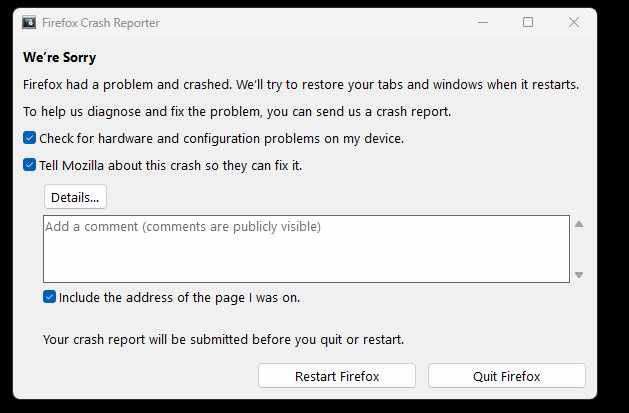
Please follow the steps below to provide us crash IDs to help us learn more about your crash.
The crash report is several pages of data. We need the report numbers to see the whole report.
- Enter about:crashes in the Firefox address bar and press Enter. A list of Submitted (and Unsubmitted, if any) Crash Reports will appear, similar to the one shown below.
- Copy the 5 most recent Submitted Report IDs that start with bp- and then go back to your forum question and paste those IDs into the "Post a Reply" box.
Note: If a recent Report ID does not start with bp- click on it to submit the report.
(Please don't take a screenshot of your crashes, just copy and paste the IDs. The below image is just an example of what your Firefox screen should look like.)

Thank you for your help!
bp-70b26238-6834-4663-a55b-2d2670250806 06/08/2025, 09:34 View bp-056f604d-0f34-4d6b-a528-3a7520250727 27/07/2025, 08:15 View bp-45959e96-508c-4fe5-a52a-ed5dd0250721 21/07/2025, 10:02 View bp-6a20dec8-a249-4a71-a938-0416d0250714 14/07/2025, 23:12 View bp-fff7d272-e442-4e07-8c94-548bd0250703 03/07/2025, 21:13 Vie
You can also try Refreshing Firefox. https://support.mozilla.org/en-US/kb/refresh-firefox-reset-add-ons-and-settings Are you running any security software besides MS Defender? Windows home or pro?
Yes, Bitdefender. I have been doing so for several years, long before the onset of this current problem.
Right, Bitdefender is blocking the main thread of Firefox and it can't close itself properly.
Hello TyDraniu. Thanks. What should I now do? (I can think of (1) ditching Firefox altogether, but I'd much prefer not to, (2) contacting Bitdefender and asking for a solution, (3) taking to the bottle). Hugh
UPDATE I chatted to Bitdefender and have added Firefox as an exception under web threats. It remains to be seen if this works. In the meantime, my thanks to all of you who have responded. Hugh UK