


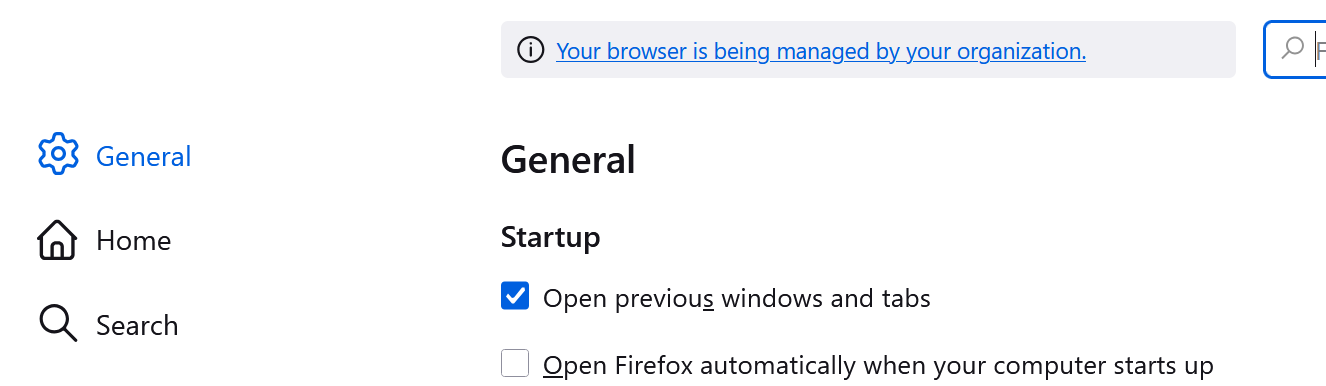
Open previous windows and tabs

Hello :)
I selected the option "open previous windows and tabs" but it does not happen when I open Firefox. What can I do?
Hello :)
I selected the option "open previous windows and tabs" but it does not happen when I open Firefox. What can I do?
Alle Antworten (1)
First of all, check the following:
- Click the menu button and select Settings.
- Select the Privacy & Security panel.
- In the History section make sure that the Firefox will drop-down menu is set to either Remember history or Use custom settings for history.
- If Firefox will is set to Use custom settings for history, then make sure that Always use Private Browsing mode is not checked.
- If Firefox will is set to Use custom settings for history and Clear history when Firefox closes is checked, then click the Settings button and make sure that Browsing & download history is not checked.
- Close the Settings page. Any changes you've made will automatically be saved.
Also make sure you close Firefox by selecting Exit in the menu, not just by pressing the system cross button (especially if you've opened several windows).
Please reach out if that does not help (and even if it does — we'll be glad to hear you're fine 🙂).