

Dieses Thema wurde archiviert.
Bitte stellen Sie eine neue Frage, wenn Sie Hilfe benötigen.

Archiviert
Can't get rid of Pop Up Blocker
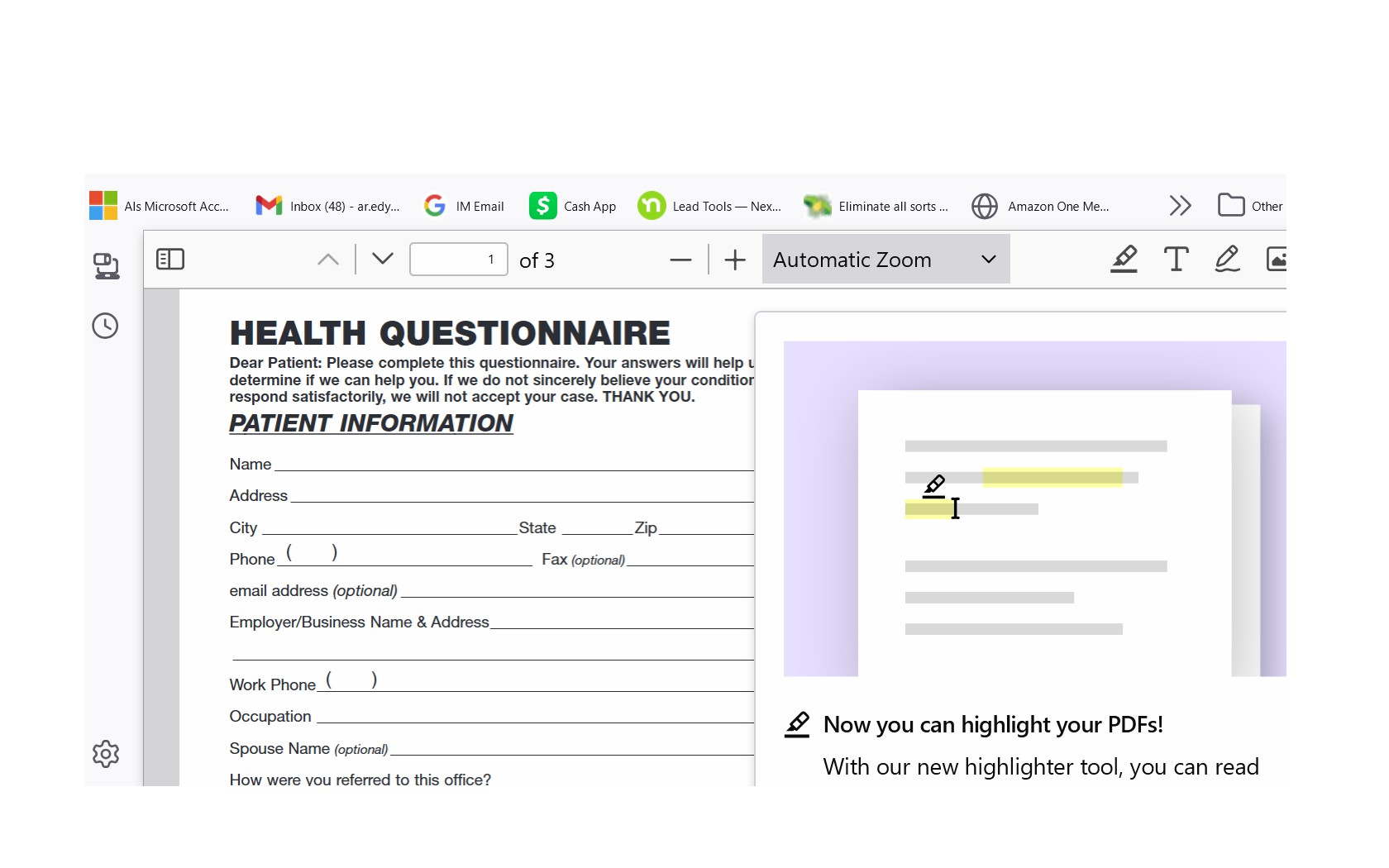
Every time I open a PDF I get this pop up blocker that covers the right side of the screen showing me how I can get "highlighting for PDF" with an animated felt tip sliding back and forth across the screen. I have Malwarebytes and other blockers but this appears to be something else. Please help.
Every time I open a PDF I get this pop up blocker that covers the right side of the screen showing me how I can get "highlighting for PDF" with an animated felt tip sliding back and forth across the screen.
I have Malwarebytes and other blockers but this appears to be something else.
Please help.
Alle Antworten (2)

Where are you opening the pdf from?
Al said
Every time I open a PDF I get this pop up blocker that covers the right side of the screen showing me how I can get "highlighting for PDF" with an animated felt tip sliding back and forth across the screen.
That is not related to the popup blocker in Firefox as this KB article is about the popup blocker https://support.mozilla.org/en-US/kb/pop-blocker-settings-exceptions-troubleshooting
The screenshot shows you are viewing a pdf in the built in pdf reader in Firefox. https://support.mozilla.org/en-US/kb/view-pdf-files-firefox-or-choose-another-viewer#firefox:win10:fx135