


Primary Password issue

I am migrating to a new laptop. The new laptop keeps asking me for a primary password. I have never set one up. This issue doesn't happen on the old machine, only the new one. It also won't let me disable the pop-up that asks for the primary password. Please advise.
Alle Antworten (12)
Hi Lisa, Firefox doesn't require a Primary Password by default, so I'm not sure how that got set up. Did you just install from a regular DMG file, or was any migration software or IT department involved?
If you don't mind losing your saved logins on the new laptop, you can remove the password: Reset your Primary Password if you've forgotten it.
Did you transfer files from the old device to the new device?
Can you attach a screenshot?
- https://support.mozilla.org/en-US/kb/how-do-i-create-screenshot-my-problem
- use a compressed image type like PNG or JPG to save the screenshot
Do you see login related messages in the Browser Console ?
There is no primary password enabled and I've never had one other than to log into Firefox for my bookmarks. I tried that one when it prompts for the Primary Password and it says it's incorrect. It seems to be triggered any time I go to a log on screen, but then just keeps refreshing even when I log on to the website or go to another site.
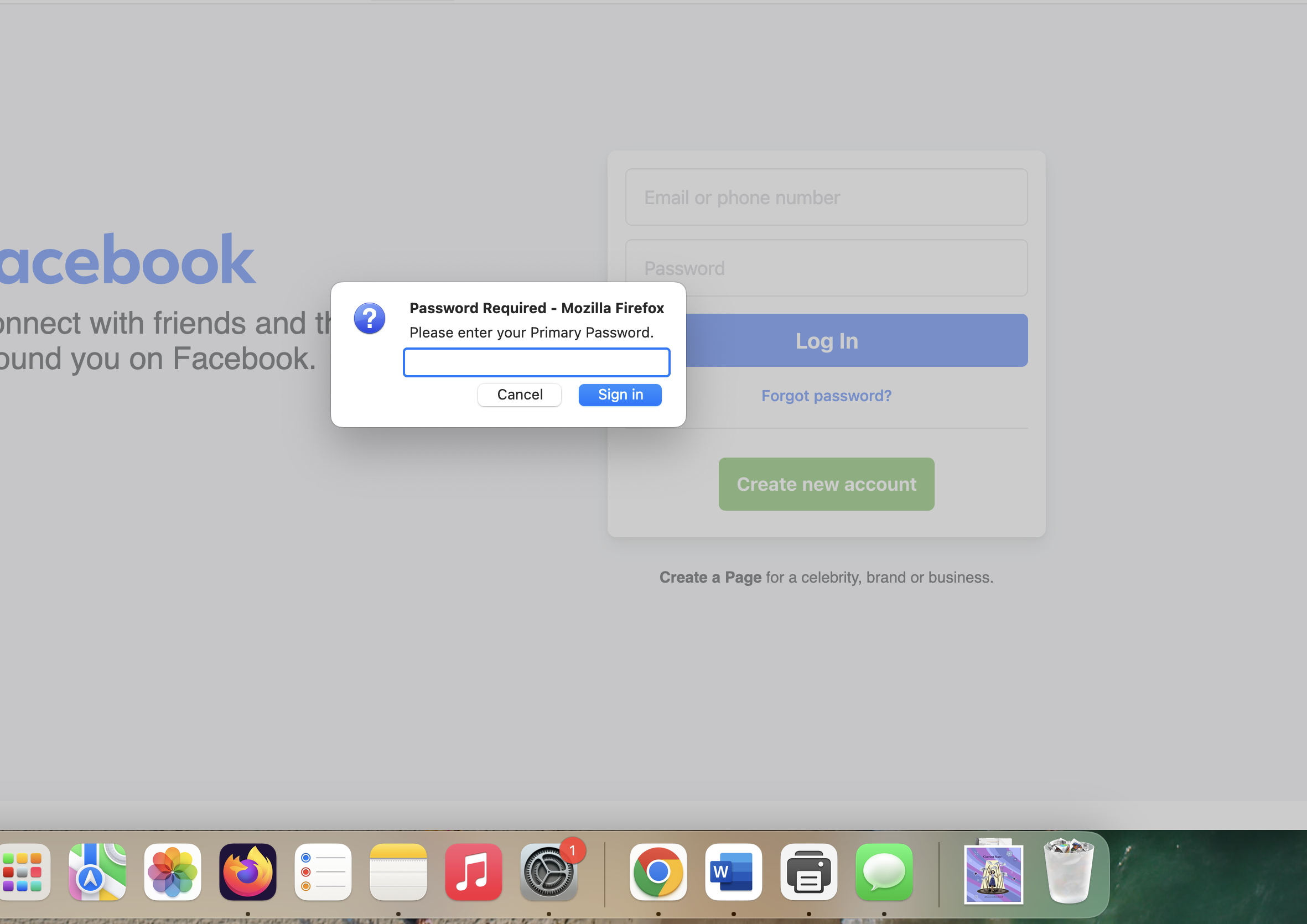
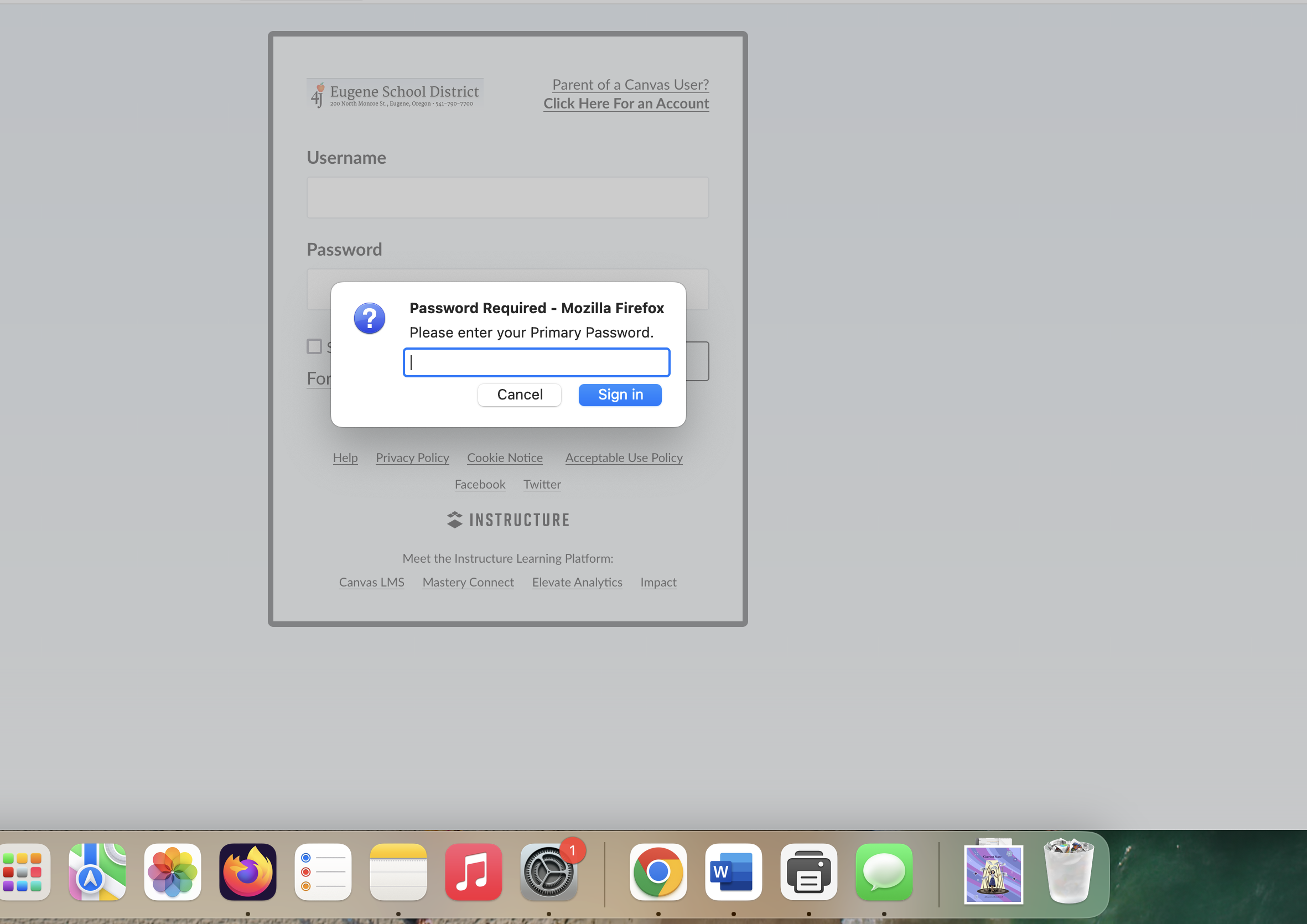
To clarify, it doesn't say it's incorrect, it just refreshes and prompts for it again.
Lisa Corricello-McDowell said
There is no primary password enabled and I've never had one other than to log into Firefox for my bookmarks.
I'm not familiar with using a primary password for bookmarks.
If the dialog pops up on Facebook, it usually indicates that Firefox has saved a login for Facebook. Are you able to view your saved logins? Either:
- menu button > Passwords
- type or paste about:logins in the address bar and press Enter/Return to load it
You only get the Primary Password when Firefox needs access to logins stored in the Password Manager (logins.json), it doesn't prevent access to Firefox and you can simply cancel such a prompt to proceed.
Using Sync is a possible reason to ask for the Primary Password at startup. This is because the credentials to login to the Sync account are stored in the Password Manager and you need to enter the Primary Password to unlock the passwords and connect/login to the Sync account.
The Primary Password is not meant as a security measure to prevent starting Firefox. The Primary Password is only used to unlock the logins stored in the Password Manager and is used locally (not part of Sync) and is profile specific. If you cancel the PP prompt, you merely block access to the logins stored in the Password Manager (about:logins), otherwise Firefox works normally.
But that is what I'm saying. I never set a primary password. When I go in to the password setting for Firefox, it remains unchecked. And now, if I set one, it will delete all the passwords I current have stored.
Can you answer my question about transferring data from an older profile as this could be a problem with key4.db ?
You can possibly copy logins.json and key4.db from the old device to the new device to transfer the logins if you haven't created new logins yet. Keep a backup copy of the current logins.json and key4.db.
You can use the button on the "Help -> More Troubleshooting Information" (about:support) to go to the current Firefox profile folder or use the about:profiles page (Root directory).
- Help -> More Troubleshooting Information -> Profile Folder/Directory:
Windows: Open Folder; Linux: Open Directory; Mac: Show in Finder - https://support.mozilla.org/en-US/kb/profiles-where-firefox-stores-user-data
Not sure what you mean by an older profile. I did log in so I could get my previous bookmarks on this machine. But that old login didn't have a primary password protecting saved password. I just logged in and got the bookmarks. All the old saved passwords transferred over. It's just asking for a primary password that I never created. I used to be able to just have them pop up OR use touch id
I have changed my password and exported all my saved passwords. However, this request for my primary password keeps popping up. It will not let me reset it - in fact it shows I don't have one. When I try to use the old or new password for the primary password it won't take it and keeps popping up. Can someone please help me with this? Super annoying as I literally cannot do a thing without it prompting for it.
For some special cases like exporting logins and inspecting passwords, Firefox may want to confirm with asking for the Primary Password or other means of OS authentication like biometrics.
You can temporarily set the Primary Password and use that password instead of OS Authentication like for exporting logins if you can't get this to work via OS Authentication.
Do you have logins stored in the Password Manager (about:logins)?
Geändert am von cor-el
At this point I exported all my passwords and changed the current password. Did nothing to the blank primary password but the prompt is gone so I guess I solved it.