


Annotations Positions Change Using Firefox

Hi,
I added some annotations to a PDF using Okular on CachyOS. When I open the PDF in Chromium’s built-in PDF viewer, the annotations appear in the correct positions, just as they do in Okular. I also checked using a few online PDF viewers, and the annotations display correctly there too.
However, when I open the PDF in Firefox, all the annotations appear in different positions than they do in Okular.
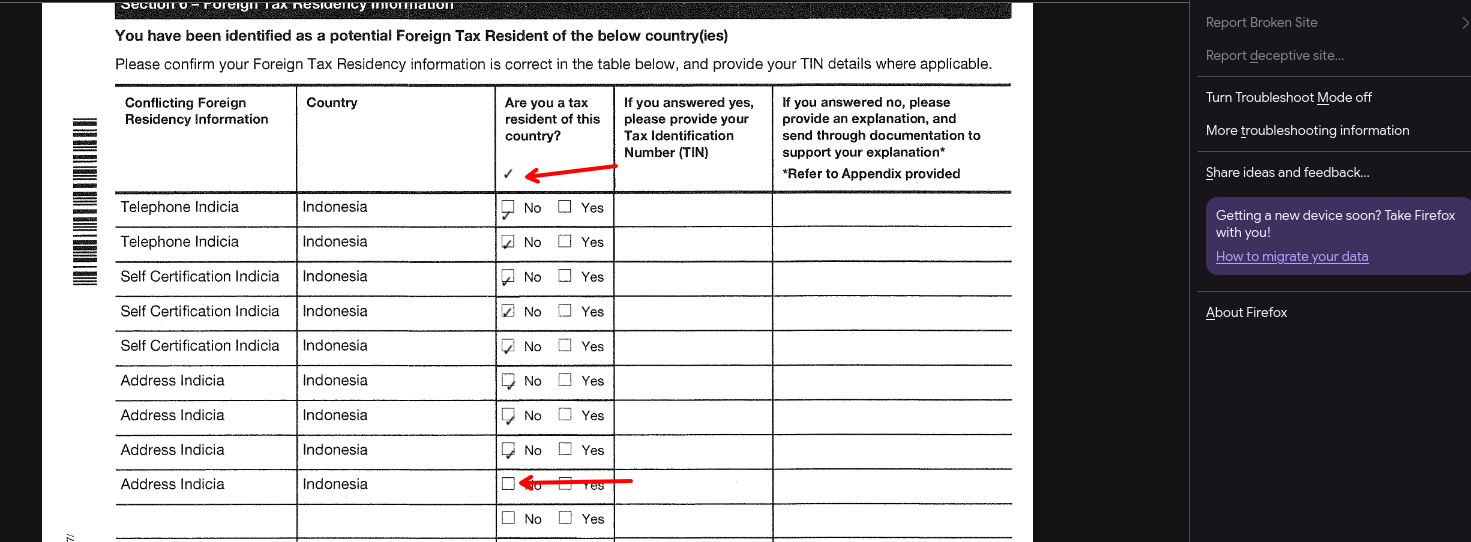
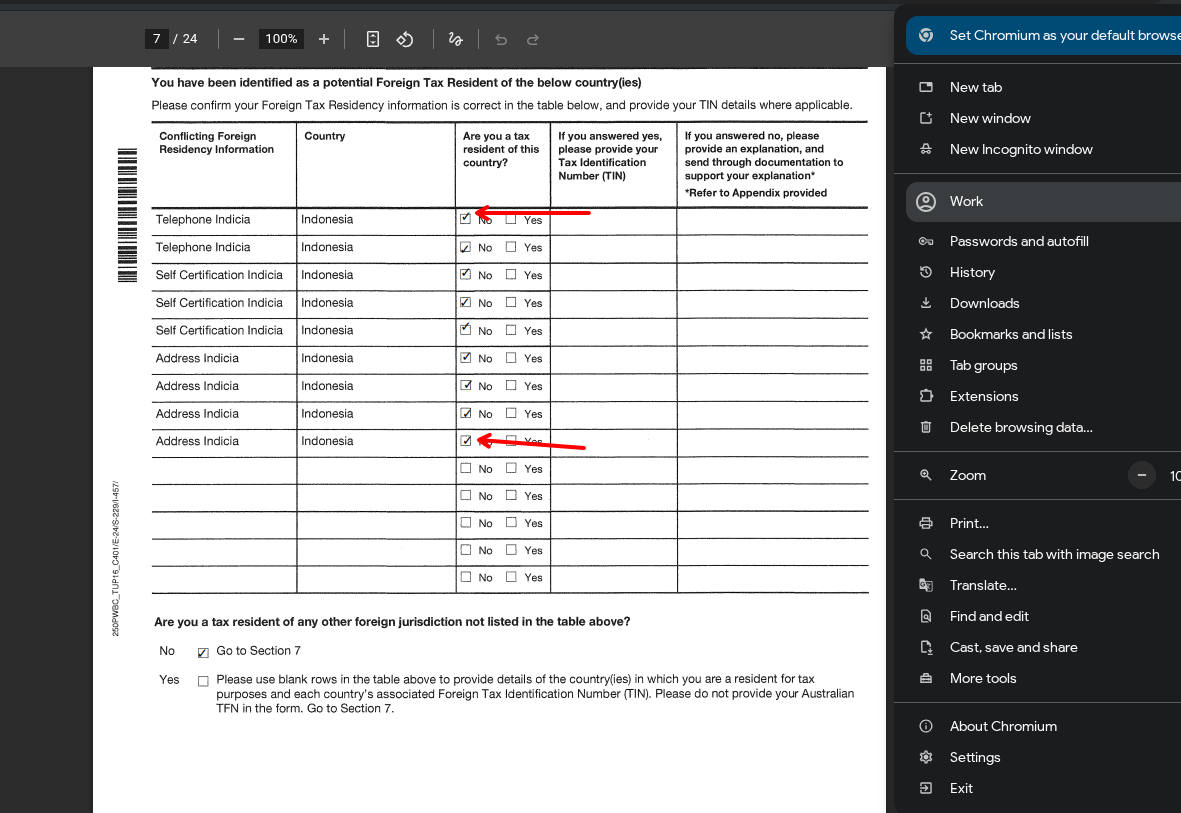
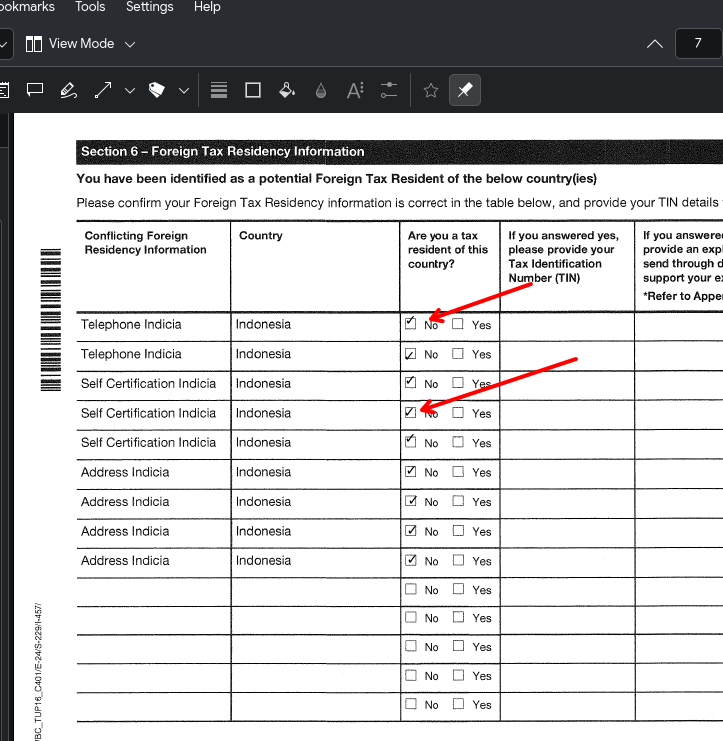
Alle svar (1)

Hi, This may be related to how Firefox’s built-in PDF viewer handles annotation coordinates. Since the annotations display correctly in Chromium and online PDF viewers, it could be a Firefox PDF viewer compatibility issue. You could try updating Firefox to the latest version, opening the PDF in a private window, and testing with Firefox Troubleshoot Mode to rule out an extension-related issue. If the problem continues, it may be worth reporting it as a Firefox PDF viewer bug with the PDF file and screenshots attached. Hope this helps.