


I am using Comcast's homepage as an example because I can contrast it with MSIE 10 when I use explorer as opposed to FF.
I am using Comcast's homepage as an example because I can contrast it with MSIE 10 when I use explorer as opposed to FF. It looks like a piece of a puzzle is missing with the FF homepage display. I have an attachment to send but there is no provision for that so it is hard to be explicit.. The point is that because I use the 2 browsers interchangeably, it was obvious that FF had a portion of my home page missing, My homepage is Comcast, the ISP. I have not researched other sites but thought FF would like to know about this as I doubt it occurs on only one page.
All Replies (4)
Hello,
Many site issues can be caused by corrupt cookies or cache. In order to try to fix these problems, the first step is to clear both cookies and the cache. Note: This will temporarily log you out of all sites you're logged in to. To clear cache and cookies do the following:
- Go to Firefox > History > Clear recent history or (if no Firefox button is shown) go to Tools > Clear recent history.
- Under "Time range to clear", select "Everything".
- Now, click the arrow next to Details to toggle the Details list active.
- From the details list, check Cache and Cookies and uncheck everything else.
- Now click the Clear now button.
Further information can be found in the Clear your cache, history and other personal information in Firefox article.
Did this fix your problems? Please report back to us!
Thank you.
I am going to try to attch two creen shots one labled ff and the other labeled MSIE10 to show you the differenceand the missing space ,if you will. I did as you requested. FF is on the left with the space and MSIE 10 on the right with no space in the mid section.
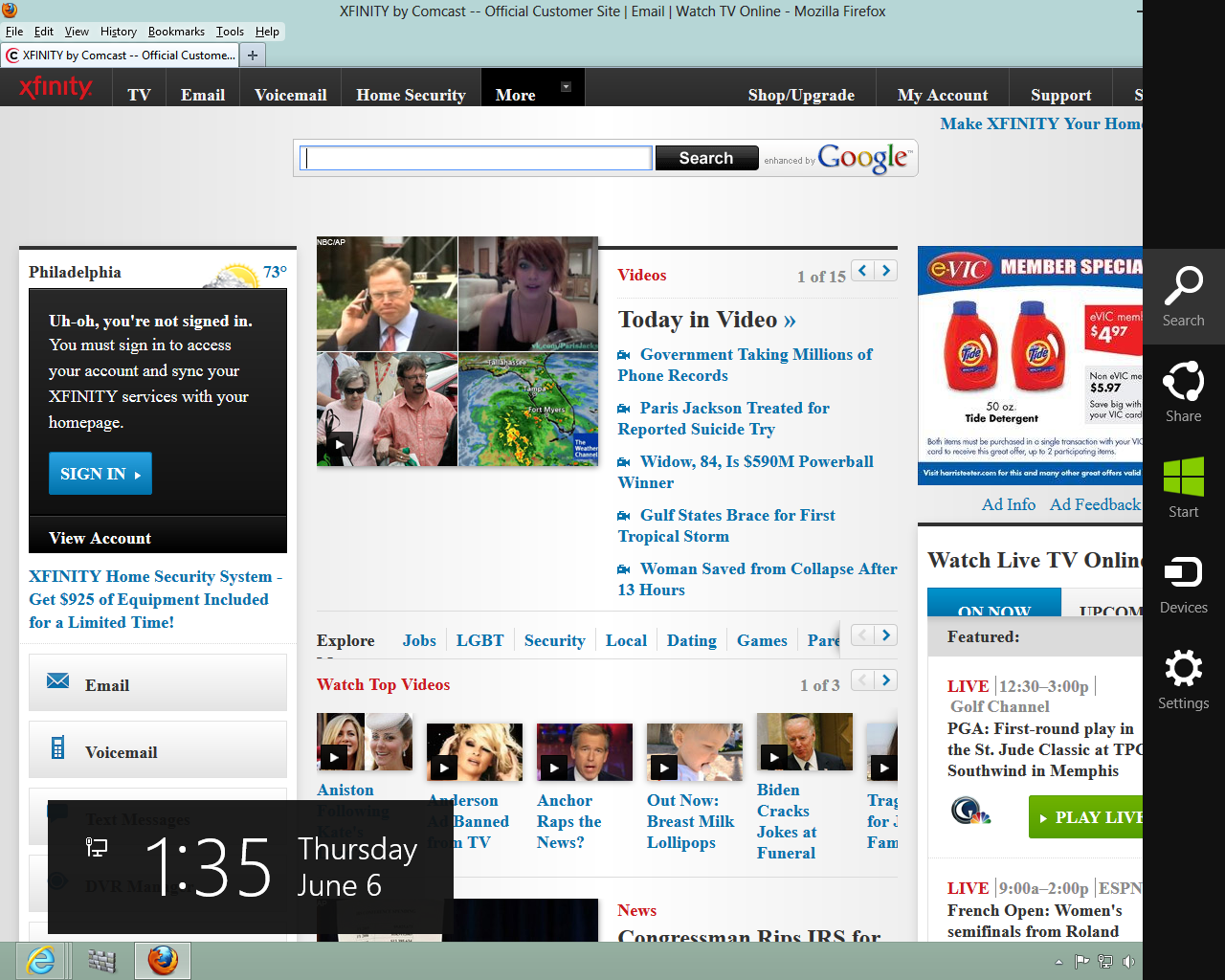
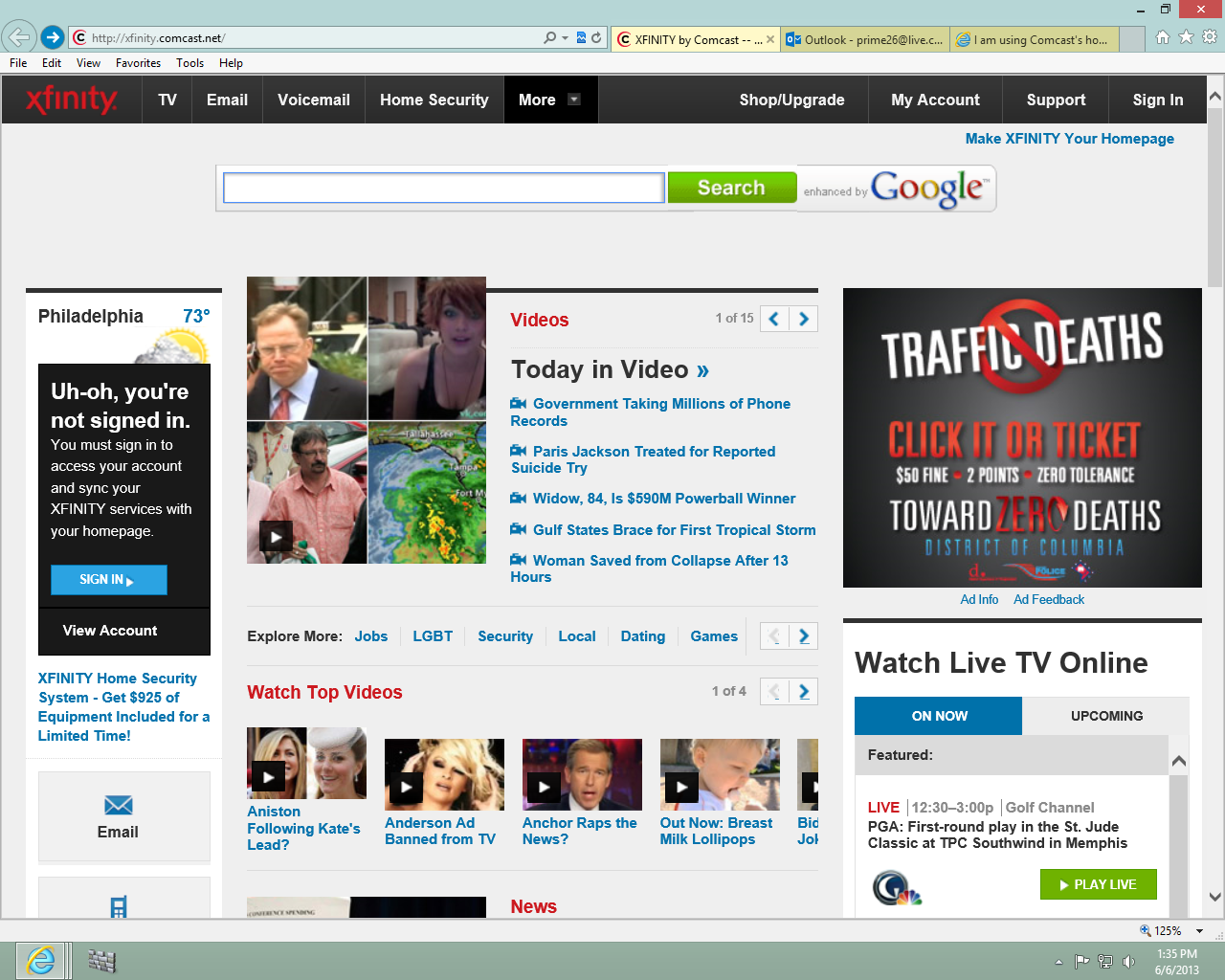
Izmjenjeno od strane 2peterr
Hello,
The Reset Firefox feature can fix many issues by restoring Firefox to its factory default state while saving your essential information. Note: This will cause you to lose any Extensions, Open websites, and some Preferences.
To Reset Firefox do the following:
- Go to Firefox > Help > Troubleshooting Information.
- Click the "Reset Firefox" button.
- Firefox will close and reset. After Firefox is done, it will show a window with the information that is imported. Click Finish.
- Firefox will open with all factory defaults applied.
Further information can be found in the Refresh Firefox - reset add-ons and settings article.
Did this fix your problems? Please report back to us!
Thank you.
Hello Tyler I will reset it and if it doesn't work I will be back to tell you. Otherwise, consider it a fix. I never knew about the reset and thank you Peter