thunderbird can not log in to imap.gwenart@telstra,com, i dont know password, is the imap password saved on my pc.

bold textis the imap mail server password saved on my pc? this is server setting. this as under account settings
All Replies (1)
Hey Arthur,
Sorry to hear that you are having trouble with this, but the good news is that if Thunderbird was previously able to log in automatically, then there is a chance we might be able to help you recover that password.
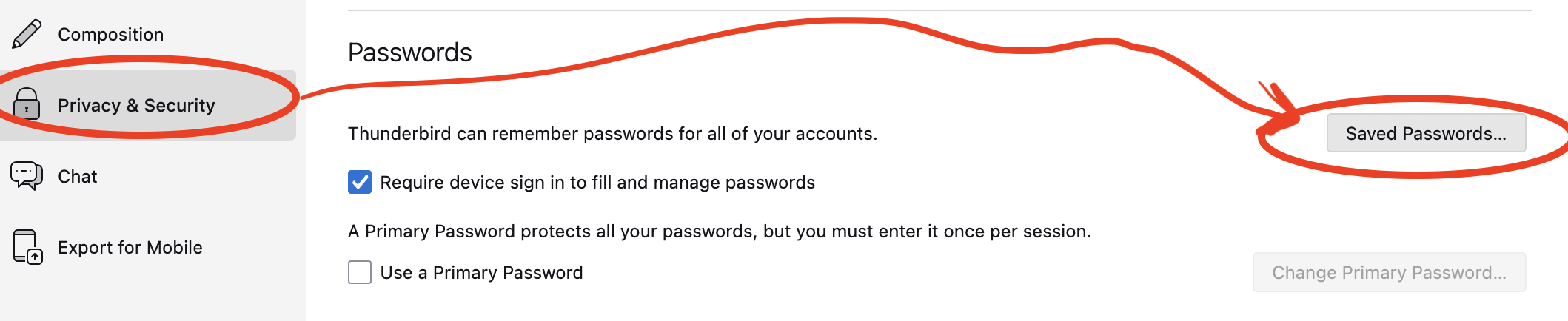
Try This: In Thunderbird, go to Menu ---> Settings (or Preferences) ---> Click on tab group 'Privacy & Security' --> then find the section titled 'Passwords' and click the 'saved passwords' button (see screenshot).
Once there, click "Show Passwords' and look for entry for "imap.gwenart@telstra..." & the associated password.
If your password is not saved there, then your next steps would be to either think really hard about what that password was, or visit Telstra's account recovery page to request a password reset. Good Luck!