


Windows 10 reached EOS (end of support) on October 14, 2025. For more information, see this article.

Търсене в помощните статии

Избягвайте измамите при поддръжката. Никога няма да ви помолим да се обадите или изпратите SMS на телефонен номер или да споделите лична информация. Моля, докладвайте подозрителна активност на "Докладване за злоупотреба".

Научете повече

2FA on firefox.com keeps disabling itself

  • 1 отговор
  • 0 имат този проблем
  • 42 изгледи
  • Последен отговор от adrien

more options

I've been trying to set up 2fA on my firefox account, the whole process seems to work, I downloaded the backup codes and entered one to confirm and then got confirmation that 2FA was enabled (see screenshot). However, after reloading the page 2fA is shown as being disabled and indeed if I try to log out then in again I'm not asked for a code. I've tried this a couple of times now and it does the same every time. The auth app I'm using is Aegis.

Does anyone knows why this is happening ? Thanks.

[Edit: I just saw that after each time I tried to set it up, in "recent account activity" I add an error saying "Two-step authentication failed" which doesn't really makes sense...]
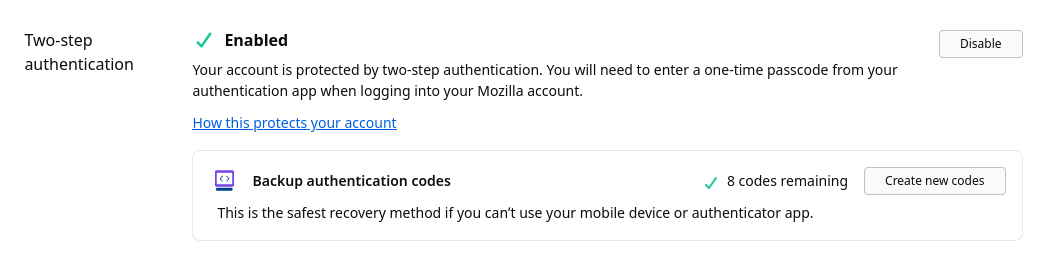
I've been trying to set up 2fA on my firefox account, the whole process seems to work, I downloaded the backup codes and entered one to confirm and then got confirmation that 2FA was enabled (see screenshot). However, after reloading the page 2fA is shown as being disabled and indeed if I try to log out then in again I'm not asked for a code. I've tried this a couple of times now and it does the same every time. The auth app I'm using is Aegis. Does anyone knows why this is happening ? Thanks. [Edit: I just saw that after each time I tried to set it up, in "recent account activity" I add an error saying "Two-step authentication failed" which doesn't really makes sense...]
Прикачени екранни снимки

Променено на от adrien

Всички отговори (1)

more options

I had Firefox running on another computer and this instance was also logged on my account, and it seems it's what was causing these failed login attempts, weird... I logged out on the other computer, re did the 2FA setup and this time it worked....

Задаване на въпрос

You must log in to your account to reply to posts. Please start a new question, if you do not have an account yet.