


Move Facebook icons to the tab bar

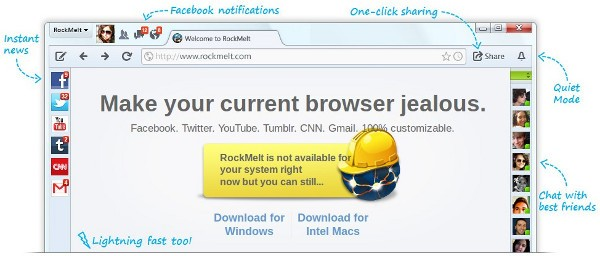
I want to move the Facebook icons to the tabbar much like the way it was in the RockMelt browser. How can I do this?
All Replies (10)

Bookmark it and Enable the bookmark menu
Bookmark the native Facebook add-on? How would I do that? And then how would I move it to the top tab-bar?
So, to be clear, I want to put the Facebook add-on at the top left before the tabs like this:
Check with Firefox Addons
Anyone know how to do this?
What kind of icons do you mean?
Are this bookmarks?
The Facebook icons to the tabbar like in that picture - like RockMelt
Firefox doesn't have the same features that RockMelt had. There is no built-in Facebook icon, that is why you were referred to the Addons.Mozilla.Org website. If it isn't built into Firefox, install an extension to get the features you want.
What's an extension or hack to move icons to the tab bar then?
Here is one extension which adds a Facebook toolbar button. There may be other extensions available with additional features.
https://addons.mozilla.org/en-US/firefox/addon/facebook-toolbar-button/
Was this helpful to you?