This thread was archived.
Please ask a new question if you need help.

Solved
Archived
In FF 18, how do I make NewTab open a *completely* blank page? (disable the newtab grid) FF18 doesn't retain browser.newtab.url
In previous versions, setting browser.newtab.url to about:blank disabled the newtab grid.
Now that I've updated to Firefox 18, Firefox doesn't remember the setting.
When I restart Firefox, it changes the browser.newtab.url that I had set to about:blank back to about:newtab.
In previous versions, setting browser.newtab.url to about:blank disabled the newtab grid.
Now that I've updated to Firefox 18, Firefox doesn't remember the setting.
When I restart Firefox, it changes the browser.newtab.url that I had set to about:blank back to about:newtab.
All Replies (2)
If you do not keep changes after a restart then see:
Chosen Solution
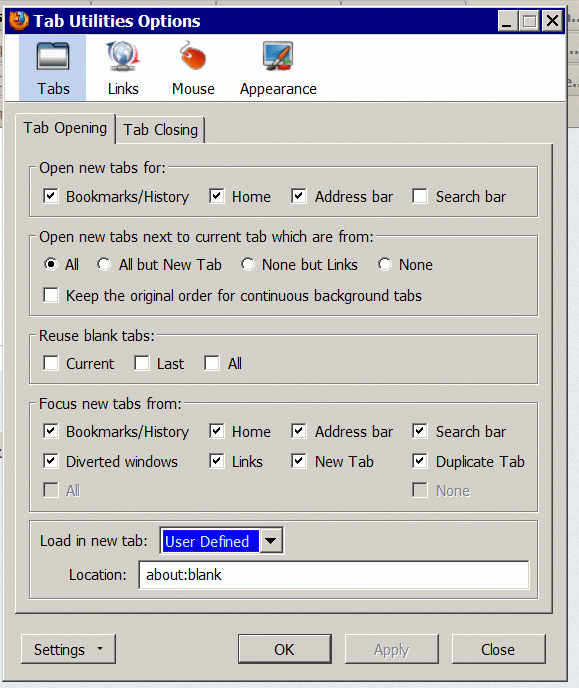
I found an option in Tab Utilities that took care of the problem.
Thanks for your response.