


Im trying to log into a website. When I log in, a message appears that the website has been blocked for my safety. Allow button appears but I cant click on it

I type a website address and go to that website. I try to log into website and message appears on top screen that I am blocked out for my safety. An Allow button appears, but when I click on it, I am still not allowed to log into website. How can I be allowed to log into website?
All Replies (2)
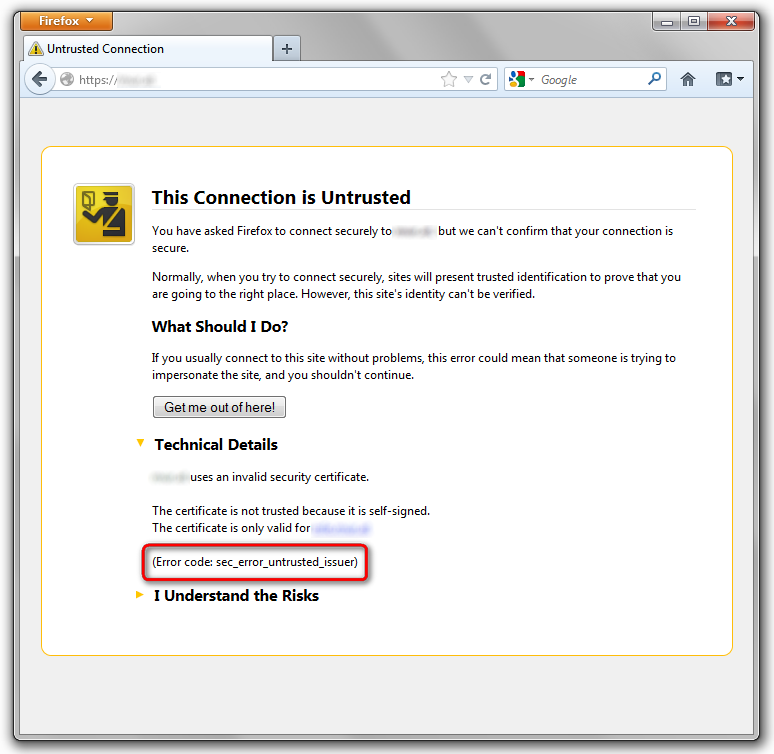
hello Madison2013, could you specify which url you're trying to access & what's the exact error message (in case it's a this connection is untrusted error page, please also specify the error code under technical details - see screenshot)?
Thank you for responding madperson. No, the message didnt say connection was untrusted, just "blocked for my safety." Allow button quickly appeared/disappeared, I couldnt click on it. This is a webpage in which I am a member & needed to log in my user & password. I deleted my cookies & cache and went to internet options & where you can choose which websites you dont want cookies, I entered website address, clicked OK & then was able to log into website. It was frustrating, but now solved. Thank you for your help, madperson, appreciate it. Madison2013