


Amazon Prime Video website don't work in new Fierefox Release

Hello, I installed the Firefox 158.8 update on my iMac (macOS Sequoia 15.8.1) today. All websites are working as usual, except for Amazon Prime Video; it loads once and then freezes. I can't perform any actions on the page—everything remains unresponsive. I can't enter a different URL in the address bar or reload the page, either. The only thing I can do is close the page. I’ve cleared the cache and disabled ad blockers, but nothing changes. Strangely, this doesn't happen with Firefox on my MacBook. What could the problem be?
regards Burkhard

All Replies (14)
There was recently some change over at Amazon Prime and the fix for it is currently shipping only via "Remote Improvements" before a patch lands in one of the next releases — so check you haven't opted out of the remote features, studies and improvements, to get enrolled into the preference delivery.
Hello, and thanks for the reply. Assuming I found the right toggle, it unfortunately didn't make a difference; the problem persists. I could buy products on Amazon, but the site hangs specifically on the video page. Even the "Watchlist" page freezes if I don't click on a movie quickly enough. The loading spinner just keeps spinning, and I can't do anything else on the page. I can't even go back in my browsing history. If I open a new tab and return to the Amazon site, the screen inside the Amazon frame is gray. The only thing I can do is close the tab. If I open Safari—which I don't normally use—the site works fine.
regards Burkhard
If you go to Help › More troubleshooting info and look for "Remote Features" section — does it list something like "Software H264 decode pref flip" in there?
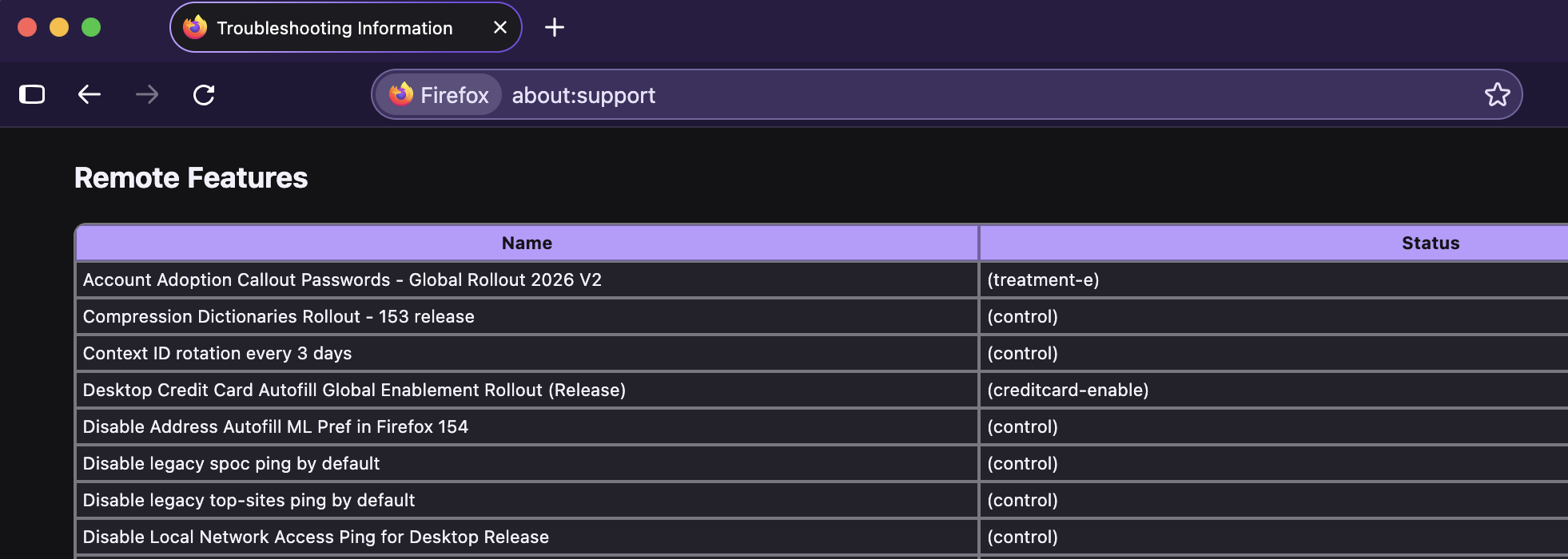
Hi, I found this (see screenshot).
It’s not that easy for me, especially since everything I see is in German.

If you type about:studies in the location bar and open that internal page, do you see "Software H264…" there, and showing it's "Active"?
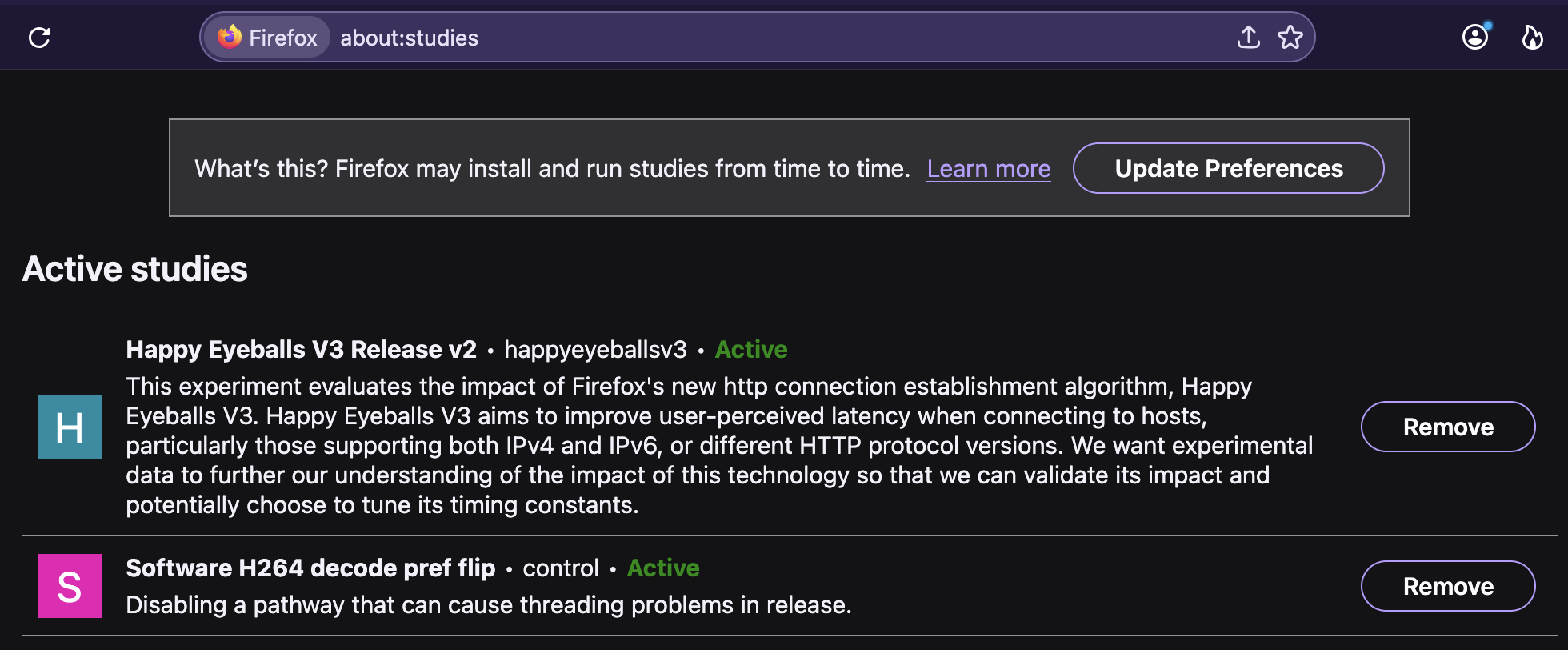
No! "You have not participated in any study."

Then also verify that you enable "Allow Firefox to run feature studies" (attaching a German UI as well):
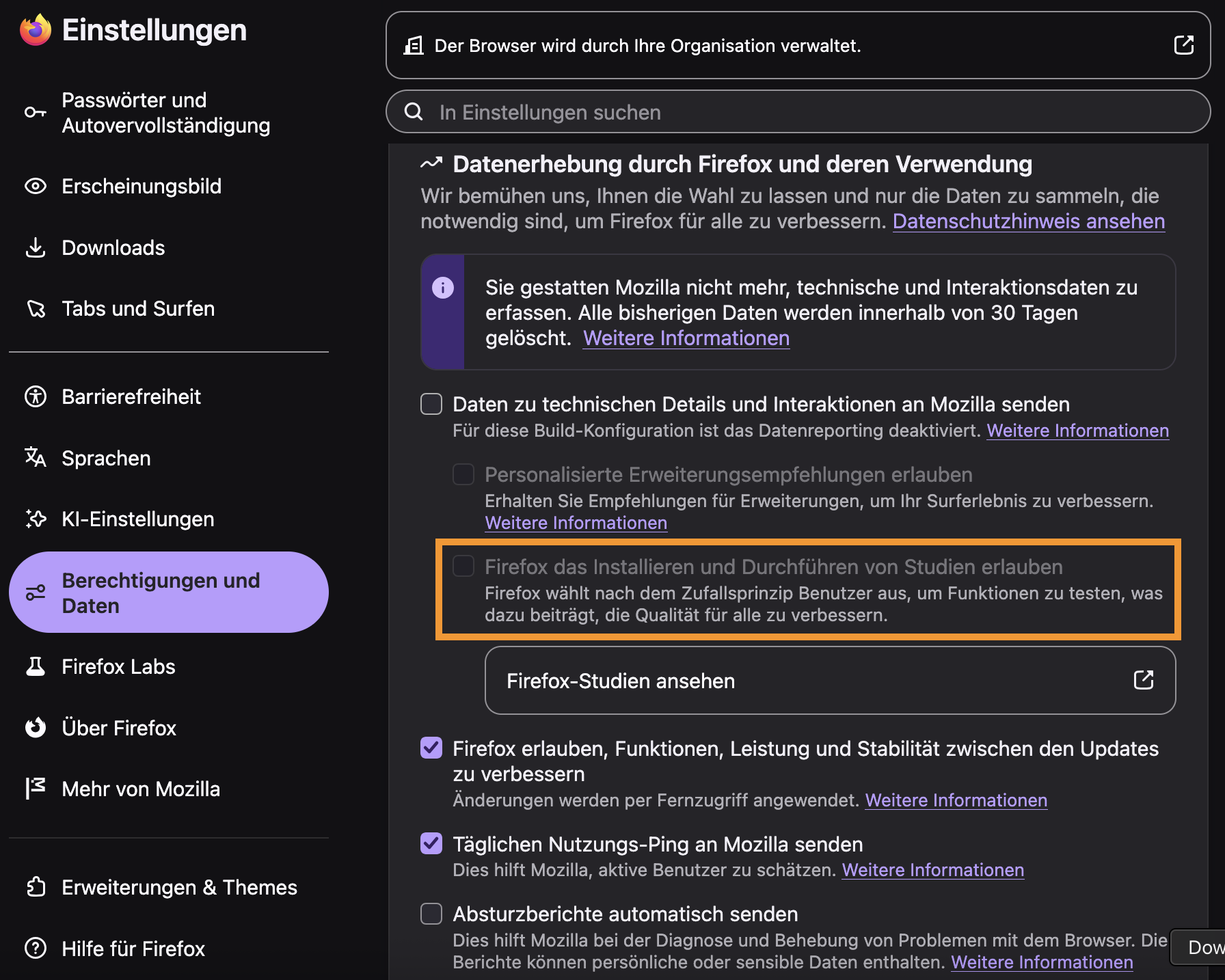
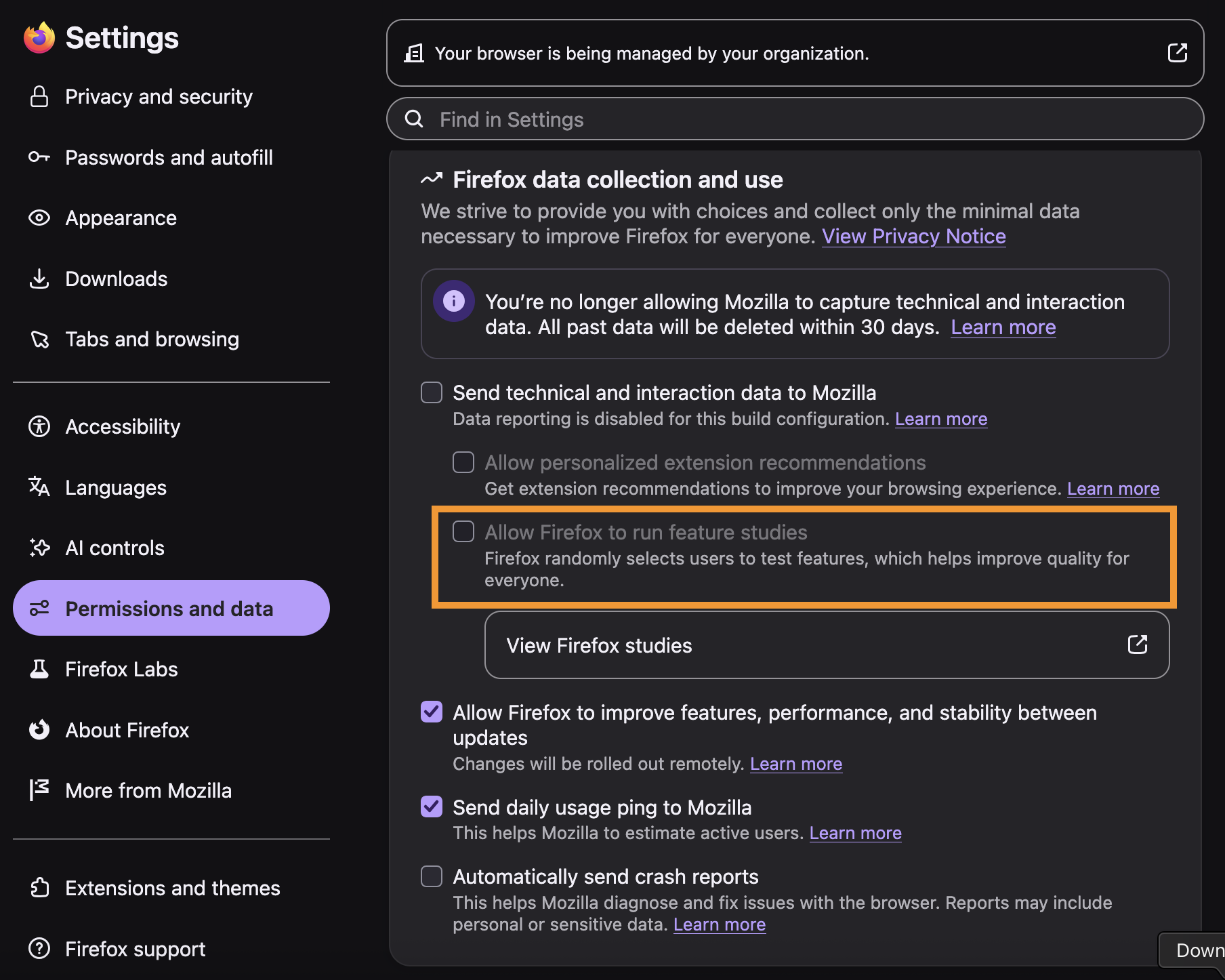
Anyway the rollout just flips this preference remotely: support.mozilla.org/questions/1612497#answer-1856124 — so you can follow the instruction to change its value to "false" in Configuration Editor for Firefox before an update is released.
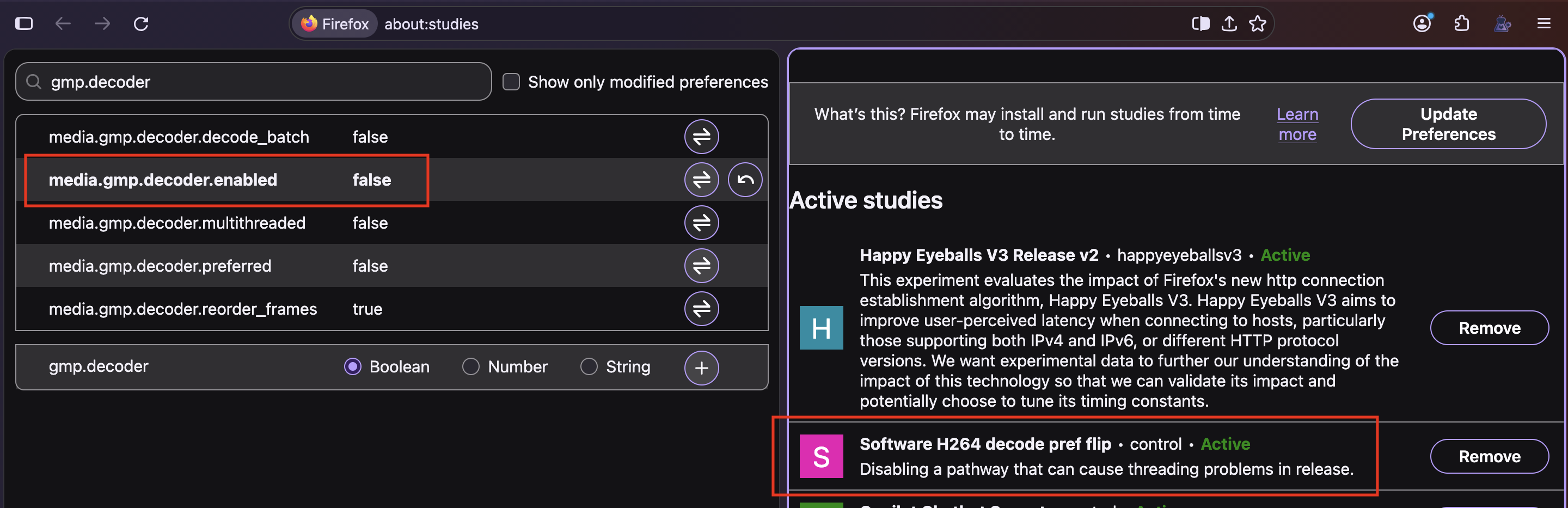
Okay, whatever it was, the problem has disappeared with the latest update. Many thanks for your willingness to help, even though I can’t really say whether any of it actually resolved the issue. Best regards, Burkhard

whatever it was, the problem has disappeared with the latest update.
Can you give the exact version of the "latest update"? I see this happening with Firefox 158.0.1 but not with 157.0.1
It was 158.0.1 (64bit)!

I have 158.0.1 and still can't play amazon videos
The problem on the iMac is gone now, but since yesterday I’ve been experiencing it on the MacBook instead. It’s inexplicable, yet very annoying! Same Firefox release.

mmowl1 said
I have 158.0.1 and still can't play amazon videos
¡Hola!
Hope y'all are doing excellent.
Kindly ask a new question over at https://support.mozilla.org/questions/new/desktop
so the issue can be looked at specifically.
¡Gracias! Alex