How to save customized skin (via Intel graphics) from session to session

Hi-I'm a novice so hopefully there's an easy resolution. I've customized the Firefox theme using Intel HD graphics "color enhancement." Even though the coloring setting are saved via the Intel card, when I start a new Firefox session the theme reverts to the original shadings. I can change back to my customized theme by opening the Intel Control Center but I'd like to avoid that step.
Is there a way to keep my settings as default without fiddling with css editing which I'm too stupid to do? Thanks for any thoughts
All Replies (2)
What is the result of that customization?
Maybe it can be done via other ways in Firefox via an extension.
Does it show in a screenshot?
- http://en.wikipedia.org/wiki/Screenshot
- https://support.mozilla.org/kb/how-do-i-create-screenshot-my-problem
Use a compressed image type like PNG or JPG to save the screenshot.
If you need to redo such a customization after every restart of Firefox then it sounds that such a customization isn't sticky or saved for the program to which you apply it, if it doesn't customize the rest of the computer.
Thanks for responding! It's a trivial issue but with OCD I can spend hour after hour trying to get things as I want them.
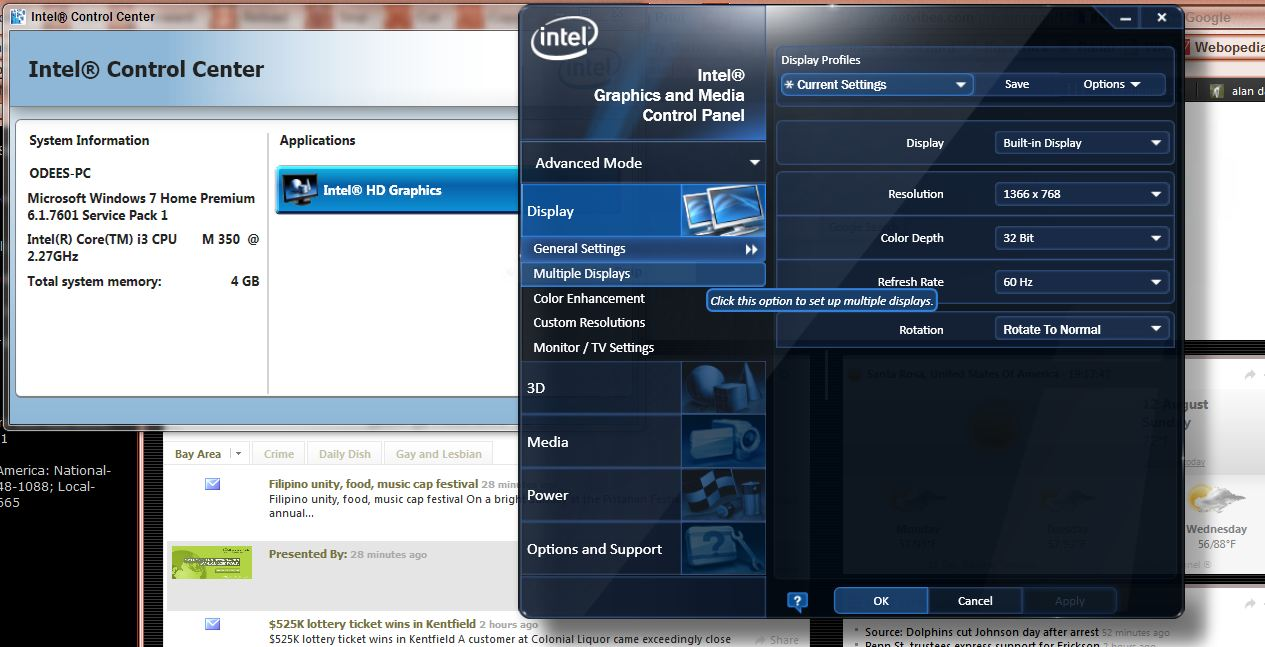
   I found Flaminglow as a theme that was a bit unique.  But I wanted the saturation, contrast, etc. altered, which I did with Intel graphics program that was pre-installed.  I can save the color enhancement i.e. "a" scheme, "b", etc. with  Intel.  But when I restart the pc it reverts to the default colors of Flaminglow and I have to go to the Intel program and enter the saved scheme.  I don't want to have to do that each time I turn the PC on.  I've included a screenshot of the homepage and one of the Intel control center.
   I thought that perhaps a session saving add on may work but just don't know.  Make any sense, lol?  Thanks