


On certain websites i get a white opaque rectangle on the bottom right of the webpage. Only when using Firefox, not on chrome or internet explorer

I am on Firefox 15. I think my relevant plugins are up to date.
All Replies (2)
This is my problem.
My system details are
✖ Additional System Details
   Windows Vista
   Firefox 15.0.1
Sites Affected
http://http://www.dailymail.co.uk/home/index.html Installed Plug-ins
   Next Generation Java Plug-in 10.7.2 for Mozilla browsers
   NPRuntime Script Plug-in Library for Java(TM) Deploy
   Shockwave Flash 11.4 r402
   Google Update
   Google Talk Plugin Video Accelerator version:0.1.44.16
   Version 3.7.1.9330
   4.1.10329.0
   NPWLPG
   iTunes Detector Plug-in
   The QuickTime Plugin allows you to view a wide variety of multimedia content in Web pages. For more information, visit the QuickTime Web site.
   DivX Plus Web Player version 2.2.0.52
   RealJukebox Netscape Plugin
   RealNetworks(tm) RealPlayer Chrome Background Extension Plug-In
   RealPlayer(tm) HTML5VideoShim Plug-In
   RealPlayer(tm) LiveConnect-Enabled Plug-In
   15.0.0.198
   GEPlugin
   Google Updater pluginhttp://pack.google.com/
   DivX VOD Helper Plug-in
   Office Live Update v1.5
   getplusplusadobe16248
   Windows Presentation Foundation (WPF) plug-in for Mozilla browsers
   Adobe PDF Plug-In For Firefox and Netscape
   np-mswmp
   Office Plugin for Netscape Navigator
User Agent
Mozilla/5.0 (Windows NT 6.0; rv:15.0) Gecko/20100101 Firefox/15.0.1
I am really technologically retarded, it took me ages to get the screenshot and to get here.
My preferred browser is Firefox, but this problem makes me use Chrome and IE,
Is there any relation to the other problem I have with firefox which is that I cannot view anything on Youtube, when I click on a video. I get error message " an error has occurred. please try again later".
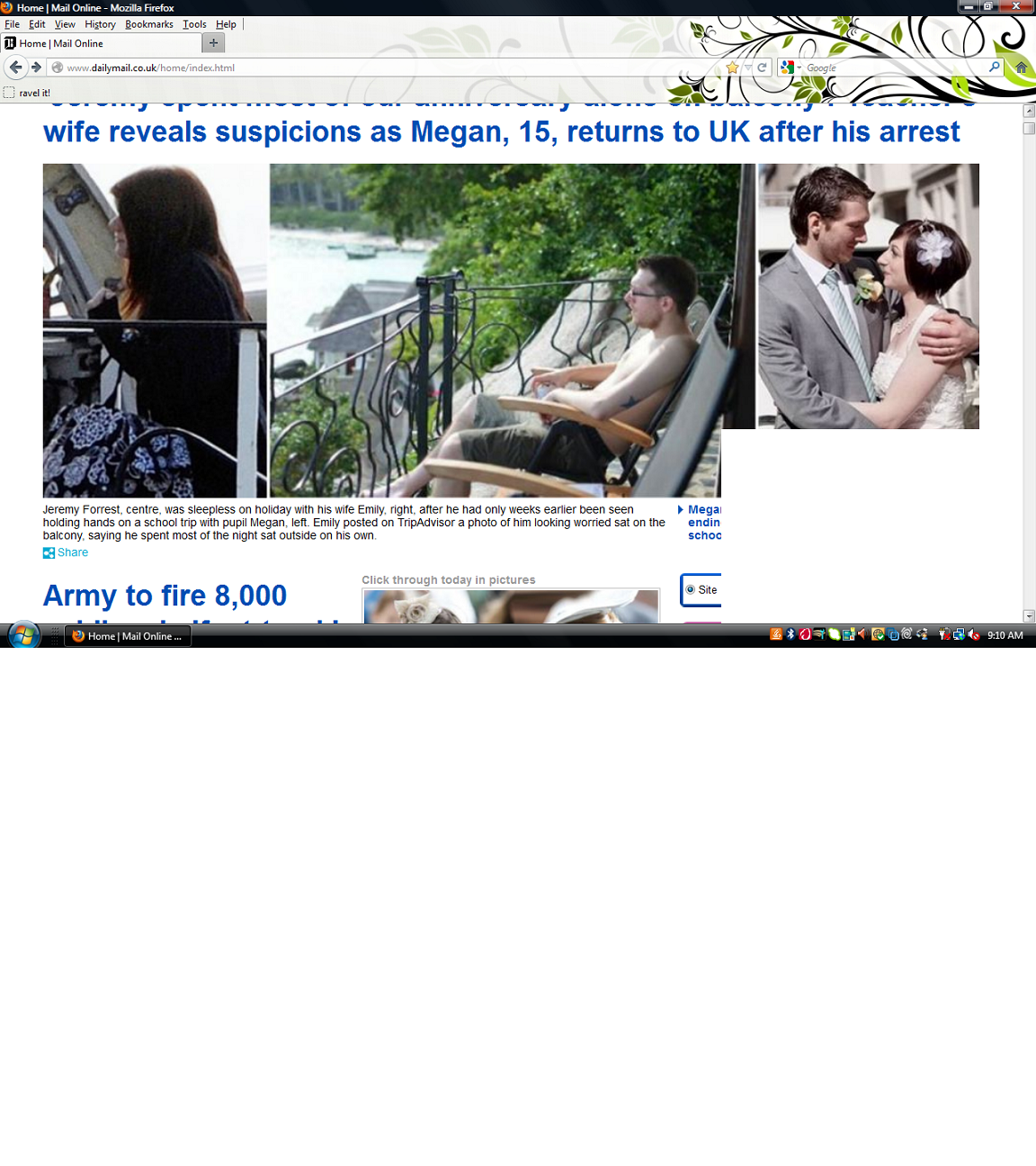
Modified by vivian2006
Start Firefox in Safe Mode to check if one of the extensions (Firefox/Tools > Add-ons > Extensions) or if hardware acceleration is causing the problem (switch to the DEFAULT theme: Firefox/Tools > Add-ons > Appearance).
- Do not click the Reset button on the Safe mode start window or otherwise make changes.
You can use one of these to start Firefox in Safe mode:
- On Windows, hold down the Shift key while starting Firefox with a double-click on the Firefox desktop shortcut
- On Mac, hold down the Options key while starting Firefox
- Help > Restart with Add-ons Disabled
If it does work in Firefox Safe-mode then disable all extensions (Tools > Add-ons > Extensions) and then try to find which is causing it by enabling one extension at a time until the problem reappears.
Close and restart Firefox after each change via "File > Exit" (Mac: "Firefox > Quit"; Linux: "File > Quit")
See also: